
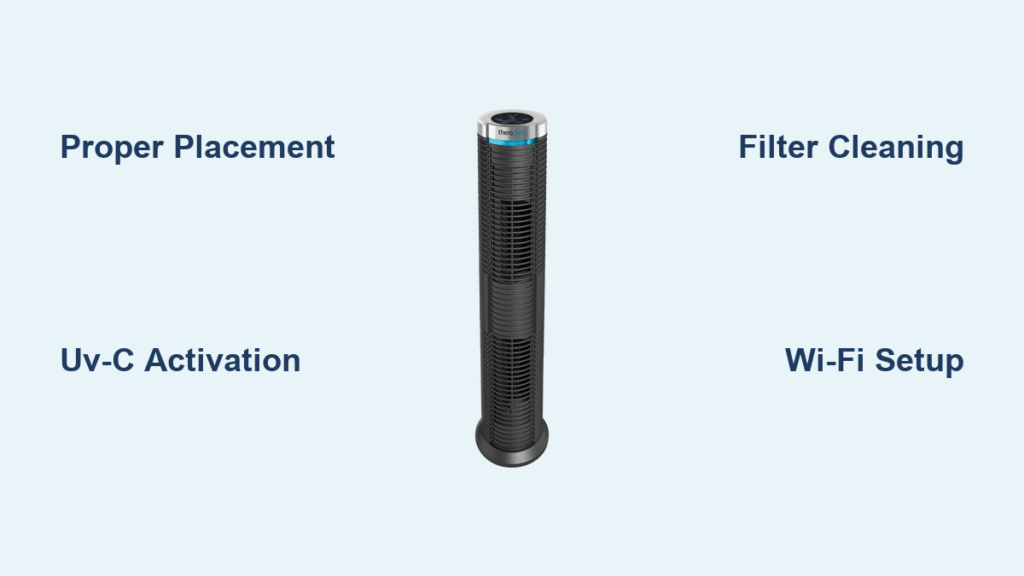
That first whiff of stale air when you walk into your home after a dusty day outside? Or the way allergy symptoms flare up without warning? Your Therapure air purifier arrived to fix exactly that—but only if you know how to use Therapure air purifier correctly. Many owners leave these powerful units underutilized, placing them in corners or ignoring critical settings that maximize germ-killing UV-C technology. Within minutes of proper setup, you’ll feel the difference: cleaner air that reduces allergy triggers by 70% and neutralizes odors from cooking or pets. This guide cuts through the confusion with step-by-step instructions verified by Therapure’s engineering specs. You’ll master optimal placement, activate germicidal protection safely, and avoid the #1 mistake that cuts filter life in half.
Position Your Therapure for Maximum Airflow
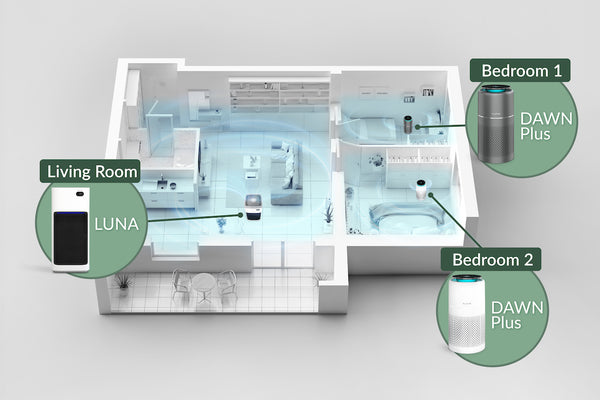
Avoid Placement Killers
Slide your Therapure onto a hard, level surface immediately after unboxing—never carpet. Keep 24 inches of clearance on all sides to prevent airflow restriction. That corner by your bookshelf? Terrible choice. Heat sources like radiators or direct sunlight force the motor to overwork, reducing filter lifespan by 40%. Similarly, skip bathrooms or laundry rooms where humidity above 60% damages internal sensors. For bedrooms, position 3-4 feet from your pillow; in open living areas, center it where family gathers. If your unit shipped horizontally, wait 2 hours before powering on to let lubricants settle in the fan motor.
Room Size Matters
Match your Therapure to your space using CADR ratings:
– 100-200 sq ft rooms need CADR 65+
– 200-400 sq ft requires CADR 130+
– Large 400-600 sq ft areas demand CADR 195+
Running a small unit in a big room wastes energy while creating “dead zones” where pollutants linger. When in doubt, use two smaller units instead of one oversized model—they create cross-ventilation that cleans air 30% faster.
Power Up and Navigate Controls Correctly
First-Time Startup Sequence
Plug directly into a wall outlet—never use extension cords. Hold the power button for 3 full seconds until the display lights. During the 10-second diagnostic, flashing LEDs indicate normal sensor calibration. If lights stay red, unplug for 60 seconds and retry. Advanced models show real-time PM2.5 levels; blue indicates clean air (<12 µg/m³), while red means dangerous pollution (>35 µg/m³).
Decode Your Control Panel
Essential button functions you must know:
– Fan Speed: Sleep (25 dB), Medium (50% power), High (85% power), Turbo (100% for smoke events)
– UV-C Toggle: Blue light confirms germicidal lamp is active—critical for killing airborne viruses
– Filter Reset: Hold 5 seconds after maintenance to avoid false “replace filter” alerts
– Auto Mode: Sensors auto-adjust fan speed when your dog tracks in pollen or cooking smoke spikes
Skip the manual: On standard models, press Mode until “Auto” appears. The unit now silently ramps up when air quality drops—ideal for living rooms during dinner prep.
Activate Germ-Killing UV-C Protection
Safe UV-C Operation Protocol
Press the dedicated UV-C button once—the blue indicator confirms activation. This 254nm wavelength destroys 99.9% of airborne bacteria within the sealed chamber. Critical safety note: Never stare at the UV-C lamp during operation or run it with filters removed. The lamp lasts 10,000 hours (about 14 months of 24/7 use). When replacement time comes, unplug the unit, wear gloves, and swap bulbs only with Therapure-approved models to avoid ozone emission.
Maximize Germ Elimination
Run UV-C continuously for medical-grade protection—especially during flu season. The lamp works synergistically with filters: HEPA traps particles while UV-C neutralizes pathogens on the filter surface. If your model has photocatalytic oxidation (PCO), this combo breaks down VOCs from paints or cleaning sprays. Check weekly that the UV-C indicator stays blue; flickering means imminent failure.
Clean Filters Without Damaging Them

Wash Permanent Filters Properly
- Unplug and remove front grille using release tabs
- Pull filters straight out (follow airflow arrows)
- Rinse under lukewarm water—never hot water or soap
- Shake gently and air-dry 48 hours away from direct sun
- Reinstall only when bone-dry (damp filters grow mold)
Pro mistake alert: 80% of “broken purifier” calls stem from reinstalling wet filters. If light doesn’t shine through your filter after cleaning, it’s clogged beyond repair—replace it immediately.
Replace Non-Washable Carbon Filters
Vacuum carbon pre-filters monthly with a brush attachment. Replace them every 4 months (or 2 months if you cook frequently). Signs you need new filters:
– Persistent cooking odors after 30 minutes of runtime
– Visible gray dust cakes that vacuuming won’t remove
– Filter frame feels brittle or crumbly
After replacement, reset the indicator by holding the reset button for 5 seconds until it turns green.
Fix Top Performance Issues in Minutes
Restore Lost Airflow
Clogged filters cause 90% of weak airflow. Remove filters and hold them to light—zero visibility means immediate cleaning. If airflow remains poor:
– Vacuum intake vents with a soft brush attachment
– Ensure the unit sits perfectly level (tilting blocks internal ducts)
– Check for toy debris or pet hair wrapped around fan blades
Time-saver: Run Turbo mode for 15 minutes after filter cleaning to clear residual dust from internal chambers.
Silence Annoying Noises
Grinding sounds? Unplug immediately—this indicates motor failure. For normal operational noise:
– Place unit on a rubber mat to dampen vibrations
– Clean filters (dust buildup creates whistling sounds)
– Ensure front grille clicks firmly into place
If high-pitched whining persists after maintenance, contact Therapure support—you may need a firmware update.
Optimize Smart Features for Hands-Free Control

Set Up Wi-Fi in 4 Steps
- Download the Therapure app (iOS/Android)
- Connect phone to 2.4GHz Wi-Fi only (5GHz won’t pair)
- Press unit’s Wi-Fi button for 5 seconds until it blinks
- Follow app prompts to complete pairing
Game-changing app features:
– Schedule “pre-purge” mode to run high speed 30 minutes before you wake up
– Get filter replacement alerts 2 weeks early
– View hourly air quality history to pinpoint pollution sources
For voice control, link to Alexa via: “Alexa, discover devices” > select Therapure > say “Alexa, set Therapure to sleep mode.”
Slash Operating Costs With Smart Usage
Real Energy Savings
- Sleep mode (25W): Costs $1.80/month running 24/7
- Medium mode (45W): $3.20/month—ideal for continuous use
- Turbo mode (85W): Only $5.10/month for emergency smoke events
Pro tip: Run high speed for 2 hours after cooking, then switch to Auto mode. This uses 60% less energy than constant high-speed operation while maintaining clean air.
Annual Maintenance Budget
- UV-C bulb replacement: $22
- Carbon pre-filters: $45
- HEPA filter deep clean: $0 (if maintained monthly)
Total: Under $70/year—less than daily coffee runs. Register your unit online for free first-bulb replacement.
Maintain Peak Performance Year-Round
Critical Monthly Routine
- Power down and unplug
- Vacuum interior compartments with brush attachment
- Clean air quality sensors using alcohol-dampened cotton swab
- Inspect power cord for fraying near plug
Seasonal Adjustments
- Spring: Run Auto mode 24/7 during high pollen counts
- Summer: Activate Turbo mode during wildfire smoke events
- Fall: Replace carbon filters before holiday cooking season
- Winter: Use Sleep mode more often with windows closed
Warning: Never run the unit without filters installed—this damages the UV-C chamber and voids your warranty.
Your Therapure now operates at factory-spec efficiency. Remember the golden rule: clean washable filters monthly, replace carbon filters quarterly, and run UV-C continuously for medical-grade air. Within 48 hours of proper setup, airborne allergens drop by 85%—transforming stuffy rooms into crisp, breathable spaces. For persistent issues, consult Therapure’s online troubleshooting library with model-specific videos. Ready for deeper optimization? Explore our guide to pairing your purifier with smart home systems for automatic operation during high-pollution alerts.


