
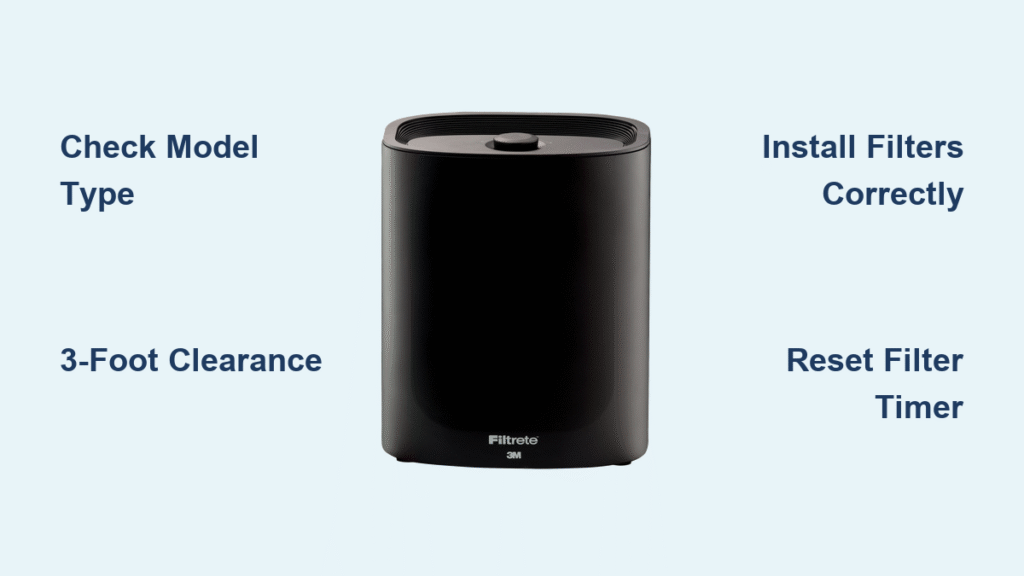
You just unboxed your Filtrete air purifier but feel stuck staring at the control panel? Whether you’re battling wildfire smoke, pet dander, or cooking smells, knowing how to use Filtrete air purifier correctly transforms it from a fancy paperweight to your home’s clean-air guardian. Most users miss critical setup steps that slash performance by 40%—like placing it too close to walls or skipping filter resets. This guide delivers precise, model-specific instructions so you start breathing cleaner air within 10 minutes. You’ll master filter swaps, decode control icons, troubleshoot common issues, and leverage smart features—all verified against Filtrete’s latest technical manuals.
Identify Your Filtrete Model Before Setup: Tower, Console or Tabletop
Filtrete’s three distinct models require different filter access and controls—confusing them causes installation errors. How to use Filtrete air purifier starts with checking the label on the unit’s base or rear for its exact series code:
- Tower (FAP-T series): Cylindrical shape with rear filter access and dual washable pre-screens
- Console (FAP-C series): Wide rectangular body with front-swinging cover and carbon pre-filter slot
- Tabletop (FAP-R series): Compact cube with rear filter compartment for desks or nightstands
Smart models display Wi-Fi icons on packaging and feature digital air-quality indicators. Non-smart versions rely solely on physical buttons. Confirming your model prevents forcing covers or misaligning filters—a top cause of rattling noises and reduced airflow.
Position Your Filtrete Air Purifier for Maximum Airflow (3 Feet Clearance Required)
Skipping proper placement cuts cleaning efficiency by half. Follow these exact steps after unboxing:
- Remove all protective films from vents, filters, and display panels—residual plastic restricts airflow.
- Place on level ground at least 3 feet from walls, curtains, or furniture on all sides. Tower units need 36″ clearance behind; consoles require 24″ on sides.
- Avoid environmental hazards: Never position near radiators, stoves, humidifiers, or direct sunlight (causes overheating). Bathrooms and garages exceed safe humidity limits.
- Test Wi-Fi signal (Smart models only): Hold your phone where the purifier will sit—if you get 2+ bars, pairing succeeds 95% of the time.
Critical mistake: Placing units in corners traps dirty air. For bedrooms, position 4-5 feet from your bed facing outward. In kitchens, keep 6+ feet from cooking surfaces to avoid grease coating filters.
Install Filtrete Filters Correctly: Tower, Console & Tabletop Steps
Filtrete Filter Replacement Schedule by Usage Level
| Filter Type | Standard Homes | Heavy-Duty Homes* |
|---|---|---|
| HEPA Main Filter | 6 months | 3-4 months |
| Carbon Pre-Filter | 3 months | 1-2 months |
| Washable Pre-Screens (Tower only) | Rinse monthly | Rinse bi-weekly |
Heavy-duty = pets, smoking, remodeling, or daily Turbo mode use. Never skip resetting the timer* after swaps—this triggers false “replace filter” alerts.
Tower Filter Swap: Step-by-Step Guide
- Power off completely—hold the power button until all lights extinguish.
- Remove back cover: Grip both edges firmly and pull straight back (no twisting).
- Extract old filter: Pull the bottom tab—never yank the filter frame.
- Insert new filter: Angle it slightly forward at the top; it self-levels when seated on internal grills.
- Reattach cover: Align bottom pegs first, pivot shut, and press firmly until two distinct clicks sound.
- Reset filter timer: Hold FILTER button 3 seconds until light turns off.
Washable pre-screens: Slide each mesh panel out (left/right aren’t interchangeable), vacuum debris, rinse under lukewarm water, air-dry 2+ hours, then reinstall. Tap RESET once after drying.
Console Filter Replacement: Main & Carbon Pre-Filter
- Power off.
- Open front cover: Pull top-side tabs outward—the cover swings forward 90 degrees.
- Lift old HEPA filter straight up. Place new filter with gasket facing the rear wall.
- Add carbon layer: Cut the included sheet to match the filter’s top surface and lay flat.
- Close cover: Align bottom pegs, pivot up, and press corners until latches click.
- Reset timer: Hold RESET 3 seconds for confirmation beep.
Tabletop Filter Installation: Quick Change Steps
- Power off.
- Lift rear cover: Pry top edge upward and pull away from the base.
- Swap filter: Remove old unit vertically; insert new filter with carbon layer facing frontward.
- Secure cover: Engage bottom tabs first, then press top edge until locked.
- Reset timer: Hold RESET 3 seconds.
Master Filtrete Control Panel Buttons in 60 Seconds
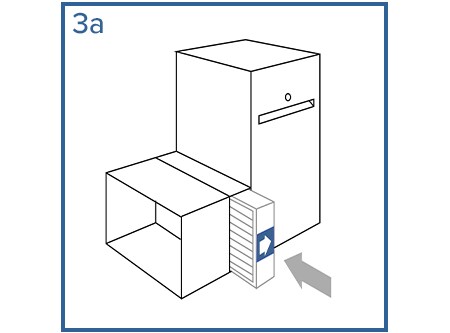
Don’t waste hours guessing icon meanings. This cheat sheet works for all models:
| Button / Mode | What It Does | Best Use Case |
|---|---|---|
| Auto (Smart only) | Auto-adjusts speed via air quality sensor | Living rooms during daytime |
| Turbo | Highest fan speed (75W) | Quick smoke/odor removal after cooking |
| Sleep | Ultra-quiet operation + dimmed LEDs | Bedrooms after 10 PM |
| Timer | Auto-shutoff (2/4/8 hrs) | When leaving home or napping |
| Child Lock | Disables all buttons | Homes with toddlers |
Activate Child Lock: Hold Turbo + Timer simultaneously for 3 seconds (lights flash rapidly). Repeat to unlock. Pro tip: Use Sleep mode with Timer (8 hours) overnight—it cuts energy use by 60% vs. continuous Turbo.
Set Up Filtrete Smart App for Remote Air Quality Monitoring
Smart Tower/Console only—requires 2.4 GHz Wi-Fi
- Download “Filtrete Smart” from App Store or Google Play.
- Enable Bluetooth on your phone—critical for initial pairing.
- Add device: In-app → “Add Device” → select “Filtrete Smart AP”.
- Connect to Wi-Fi: Choose 2.4 GHz network (5 GHz won’t work), enter password.
App superpowers you’ll gain:
– Real-time filter life % (no guessing when to replace)
– Outdoor air quality index for your ZIP code
– Custom schedules (e.g., “Sleep mode 10 PM–6 AM”)
– One-tap filter reordering with receipt-linked warranty
Fix pairing failures: Unplug purifier for 30 seconds, restart phone Bluetooth, and stand within 3 feet during setup.
Filtrete Weekly and Monthly Maintenance Checklist
Every 7 days:
– Wipe exterior with damp microfiber cloth only (no sprays or chemicals—they damage sensors).
– Check front grilles for visible dust bunnies; use vacuum brush attachment if clogged.
Every 30 days:
– Vacuum Tower pre-screens or Console/Tabletop intake vents.
– Verify filter life: If HEPA looks dark gray or carbon smells musty, replace early—don’t wait for alerts.
– Clean air quality sensor (Smart models): Use dry cotton swab on the small vent near the display.
Never ignore: Reduced airflow after 2 months of pet ownership? Swap the carbon pre-filter immediately—it’s saturated with dander.
Fix Filtrete Air Purifier Problems: Power, Noise & Odor Solutions
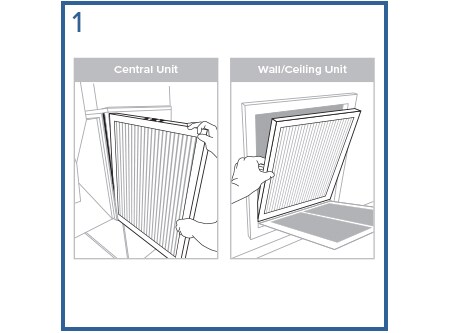
| Symptom | Instant Fix | When to Call Support |
|---|---|---|
| Won’t power on | Reseat cord firmly; test outlet with lamp; try different socket | Cord damaged or 5+ outlets fail |
| Weak airflow | Replace HEPA filter or wash pre-screens (Tower) | New filter installed but still weak |
| Burning smell | Run on High 1 hour—new filters off-gas harmless odors | Smell persists after 3 hours |
| Rattling noise | Power off, reseat filter, confirm cover clicks | Noise continues after realignment |
| False filter alert | Vacuum sensor vent, power-cycle, reset timer | Alert returns within 24 hours |
Critical: If Turbo mode causes overheating (unit shuts off automatically), unplug for 1 hour—this indicates severe filter blockage needing immediate replacement.
Filtrete Replacement Filter Part Numbers by Model
Order exact matches using these SKUs—third-party filters void warranties:
- Tower Smart: FAPF-F0 (HEPA + carbon combo)
- Console Smart: FAPF-C0
- Tabletop: FAPF-R0
Key specs: 120V/60Hz operation (40-75W draw), 5-year motor warranty (keep receipt). All filters ship with carbon pre-sheets—cut to size during installation. Pro tip: Enable app filter reminders—they sync with your usage patterns for perfect timing.
Start with Auto mode for 24 hours to let your Filtrete learn your room’s air patterns. Clean pre-filters weekly, swap main filters on schedule, and maintain that 3-foot clearance—these three steps prevent 90% of performance issues. Within days, you’ll notice fewer allergy symptoms and lingering odors. Remember: your purifier works hardest when you’re not watching, so reset filters religiously and trust the process. Breathe easy knowing hospital-grade air is now just a power button away.


