
Your Levoit air purifier suddenly stops working, leaving you with stale, polluted air while you wonder if you need to replace the entire unit. Whether it’s a complete power failure, weak airflow, strange noises, or indicator lights that won’t reset, these common issues can often be resolved with simple repairs. Most Levoit air purifier problems can be diagnosed and fixed at home without expensive professional service or replacement costs.
This practical guide gives you the exact steps to troubleshoot and repair your Levoit Core 300, LV-H132, Vista 200, and other popular models. You’ll learn to identify specific symptoms, perform safe diagnostics, and implement proven fixes that restore proper air purification without voiding your warranty unnecessarily.
Why Your Levoit Air Purifier Won’t Power On and How to Fix It
Checking Power Supply Connections First
When your Levoit purifier shows no signs of life, start with the simplest explanations before opening the unit. Unplug the device and inspect the entire power cord length for cuts, kinks, or exposed wires. Test the wall outlet with another device to confirm it’s functioning properly—many “broken” purifiers simply need an outlet check.
Plug your Levoit into a different outlet, preferably one not connected to a surge protector that might have tripped. If the unit powers on elsewhere, you’ve identified the problem. Consider using a dedicated circuit for your air purifier moving forward, as voltage fluctuations can damage the internal power supply over time.
Replacing the Internal Fuse Safely
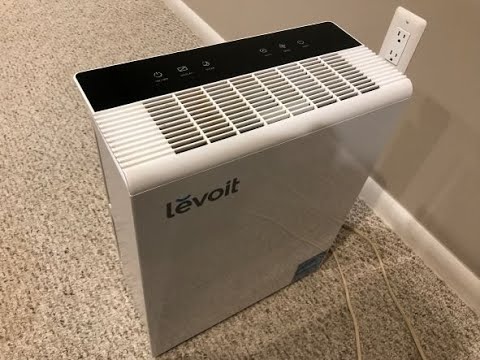
Some Levoit models contain an internal fuse that blows during power surges. After unplugging for 30 minutes to discharge capacitors, remove the back panel to access the power supply area. Locate the small cylindrical fuse near where the power cord enters the unit—typically a 3AG size glass fuse rated for 250V.
Use a multimeter set to continuity mode to test the fuse. No reading indicates a blown fuse requiring replacement. Purchase an identical replacement fuse (never use a higher amperage rating) and carefully install it in the original orientation. Reassemble the unit and test operation before considering more complex repairs.
Fixing Weak Airflow in Your Levoit Purifier Without Replacing the Whole Unit
Cleaning Clogged Filter Compartments Properly
Reduced airflow often stems from neglected filter maintenance. Remove both the pre-filter and HEPA filter, then vacuum debris from the filter housing slots where they slide in. Use compressed air to blow dust from the intake vents along the sides of the unit—hold the can upright and use short bursts to avoid moisture contamination.
When reinstalling filters, ensure they’re properly seated with the airflow arrows pointing in the correct direction. Misaligned filters create gaps that bypass the filtration system, significantly reducing effectiveness. For Levoit Core 300 models, press firmly until you hear the filter click into place.
Unclogging the Fan Assembly Step-by-Step
Persistent weak airflow after filter cleaning indicates fan obstruction. Remove the front grille by pressing the release tabs and gently pulling forward. Shine a flashlight into the fan housing to identify visible debris like hair or fibers wrapped around the blades.
Using compressed air at a 45-degree angle, blow debris away from the fan assembly toward the exterior vents. For stubborn obstructions, carefully rotate the fan blades manually with a plastic utensil while applying air. Never use metal tools that could damage the delicate blades or unbalance the fan assembly.
Solving Strange Noises from Your Levoit Air Purifier
Diagnosing Grinding or Rattling Sounds

Grinding noises typically indicate foreign objects trapped in the fan assembly or failing motor bearings. First, unplug the unit and remove the front grille to visually inspect for debris. If nothing’s visible, gently spin the fan blades by hand—if you feel resistance or hear clicking, debris is likely lodged deeper inside.
Use needle-nose pliers to carefully extract any tangled hair or fibers wrapped around the motor shaft. Apply one drop of lightweight machine oil to each motor bearing point if the fan spins stiffly. Excess oil attracts dust, so use sparingly and wipe away any overflow before reassembly.
Fixing Loose Internal Components Causing Vibration
Rattling sounds often come from loose screws or dislodged components vibrating during operation. With the unit unplugged, remove the outer casing following your model’s specific screw pattern. Check all mounting screws securing the motor assembly, particularly the four corner screws that commonly loosen over time.
Tighten any loose screws with a precision Phillips head, but don’t overtighten as this can strip plastic threads. Place small rubber washers between the motor assembly and housing if vibration persists—these dampen transmission of motor vibrations to the outer casing.
Resetting Stubborn Filter Indicators and Control Panel Issues
Bypassing False Filter Change Alerts
When your Levoit’s filter indicator won’t reset despite installing a new filter, the sensor likely needs cleaning. Locate the small optical sensor window inside the filter compartment—often near where the filter tabs engage. Dip a cotton swab in 90% isopropyl alcohol and gently clean the sensor window, then allow it to dry completely.
For Core 300 models, reset the indicator by holding the filter reset button for 5 full seconds with the unit powered on. If the light returns immediately, check that you’re using a genuine Levoit filter—some aftermarket filters lack the required RFID chip that communicates with the sensor system.
Performing a Full Control Board Reset
Unresponsive buttons or erratic display behavior often responds to a complete control board reset. Unplug the unit for 2 full minutes to fully discharge capacitors, then press and hold the power button while plugging it back in. Continue holding for 10 seconds after plugging in—this forces the control board to reboot its firmware.
If display segments remain missing or buttons stay unresponsive, remove the control panel bezel and check for disconnected ribbon cables. Clean button contact points with isopropyl alcohol using a cotton swab, then allow 15 minutes drying time before testing operation.
Preventing Future Levoit Air Purifier Problems With Simple Maintenance
Creating an Effective Cleaning Schedule
Prevent most common failures with a simple maintenance routine. Wipe exterior surfaces weekly with a damp microfiber cloth to prevent dust buildup on sensors. Vacuum intake vents every 7-10 days using a soft brush attachment to maintain optimal airflow.
Clean pre-filters monthly by rinsing under lukewarm water until runoff is clear, then air dry for 24 hours before reinstalling. Replace HEPA filters every 6-12 months depending on usage—run the unit in “sleep mode” when possible to extend filter life. Monthly fan blade cleaning prevents the most common performance issues.
Recognizing When to Seek Professional Repair
While most Levoit issues are DIY-fixable, certain problems require professional attention. Stop repairs immediately if you detect burnt smells, melted components, or exposed wiring—these indicate serious electrical hazards. Units that trip circuit breakers or spark during operation need professional evaluation.
For complex issues like control board failures or motor replacements exceeding 60% of a new unit’s cost, consider replacement instead of repair, especially for models older than 3 years. Always check warranty status before opening the unit—Levoit typically offers 1-2 year coverage that voids with unauthorized repairs.
Your Levoit air purifier can deliver years of reliable service with proper maintenance and timely repairs. Start with the simplest solutions like filter replacement and power cycling before attempting internal repairs. When in doubt about safety or complexity, contact Levoit customer support with your model number and serial code—they often provide free troubleshooting guidance that prevents unnecessary repairs. Regular maintenance prevents 80% of common failures, so establish a cleaning schedule now to enjoy cleaner air and avoid future repair headaches.


