
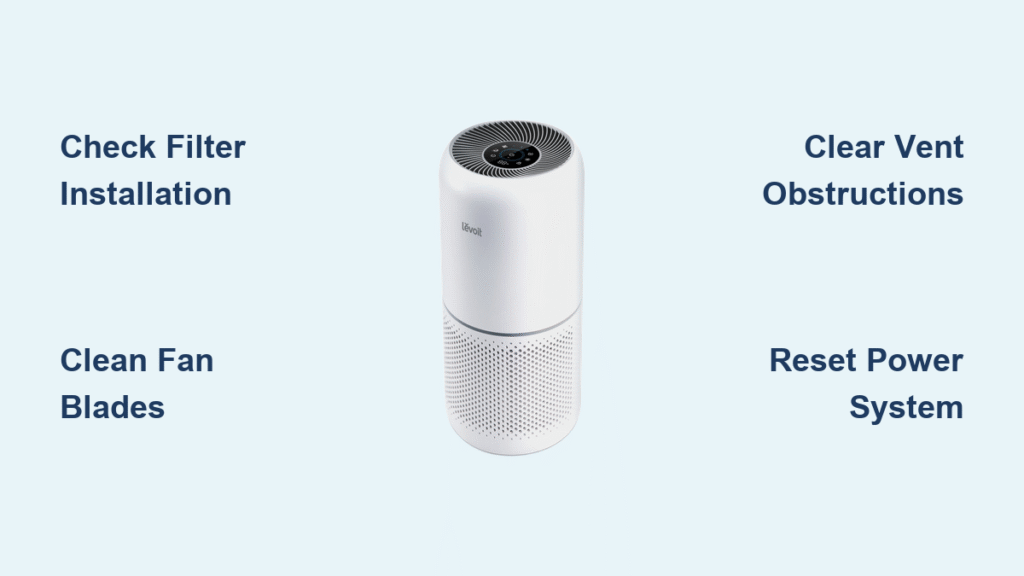
Your Levoit air purifier powers on with lights blinking normally, but instead of the familiar rush of clean air, you’re met with silence and stillness. You’ve checked the power cord, pressed every button, and even held a tissue against the vents—yet nothing moves. This frustrating scenario affects countless Levoit owners when they need clean air most, whether during allergy season or wildfire smoke events. If your levoit air purifier not blowing air, you’re not alone—most airflow failures stem from simple, fixable issues rather than permanent damage.
Whether your unit stopped blowing air overnight or gradually lost power over weeks, this guide delivers proven solutions you can implement immediately. From quick five-minute checks to more detailed diagnostics, you’ll discover exactly why your Levoit stopped circulating air and how to restore proper function without unnecessary expense. Most airflow problems can be resolved without professional help, saving you both time and money while ensuring your indoor air quality remains protected.
Immediate Airflow Failure Identification
Complete Airflow Cessation Signs
Your Levoit powers on normally with responsive controls and illuminated display, but zero air movement occurs regardless of speed setting. Perform the tissue test: hold a single sheet of tissue against the air outlet on high speed—if it remains perfectly still, you’re experiencing total airflow failure. This differs from normal operation where even low speed should create noticeable movement. Complete cessation typically indicates filter installation errors, severe blockages, or electrical failures rather than gradual wear.
Gradual Airflow Reduction Indicators
Air still flows but feels significantly weaker than when your unit was new. What once created a gentle breeze now barely disturbs a piece of paper. This progressive decline often precedes total failure and usually stems from neglected filter maintenance or accumulating dust in internal components. Check if your air quality indicator takes longer to improve or if the unit runs continuously without cycling off—these signs confirm your purifier is struggling against increasing resistance.
Secondary Warning Symptoms
Listen for abnormal quietness—healthy Levoit units produce consistent fan noise at each speed level. Notice if the unit feels unusually warm after extended operation, which suggests the motor is working harder than normal. Watch for error lights that illuminate prematurely, particularly filter replacement indicators that activate before the recommended timeframe. These accompanying symptoms help pinpoint whether your levoit air purifier not blowing air issue stems from blockage, electrical problems, or mechanical failure.
Filter Blockage Solutions You Can Implement Now

Filter Inspection and Cleaning Protocol
Power down and unplug your unit before removing the front panel. Extract all filters—pre-filter, HEPA, and carbon—in the order specified in your manual. Hold each filter against bright light; if you can’t see light through the HEPA filter, it’s completely saturated and restricting airflow. Never operate your Levoit without filters installed—this damages the motor permanently by allowing unfiltered particles to accumulate internally. Clean washable pre-filters under running water, then allow 24 hours for complete drying before reinstalling.
Proper Filter Installation Technique
Reinstall filters in the exact sequence: pre-filter first (the mesh layer), followed by the HEPA filter (white accordion-folded material), then the carbon filter (black honeycomb structure). Each filter has directional airflow arrows printed on its frame—ensure these point toward the fan assembly. Press each filter firmly into place until you hear a distinct click, confirming proper seating. Incorrect installation creates gaps where air bypasses filtration, reducing perceived airflow while compromising air cleaning effectiveness.
Filter Replacement Schedule Guidelines
Replace HEPA filters every 6-12 months depending on usage and air quality conditions, carbon filters every 3-6 months, and clean pre-filters monthly. Using non-Levoit branded filters often creates improper seals due to dimensional differences, causing air to bypass filtration. Set calendar reminders for filter changes or use your unit’s replacement indicator light as a guide—ignoring these alerts is the single most common cause of reduced airflow in otherwise healthy units.
Physical Obstruction Removal Procedures
Intake and Exhaust Vent Clearance
Unplug your unit and position it on a stable surface. Use a flashlight to inspect intake vents (typically around the sides) for visible debris like pet hair, dust bunnies, or packaging remnants left during initial setup. Clear obstructions with compressed air—hold the can upright to prevent liquid discharge into the unit. Check exhaust vents (usually front or top) for foreign objects like paper scraps or small toys that children might have inserted. Minimum 15 inches of clearance around all sides ensures proper air circulation and prevents recirculation of filtered air.
Fan Blade Cleaning Method
With filters removed and unit unplugged, use compressed air to clean dust from fan blades through the intake vents. Spray in short bursts while rotating the unit to access all blades. For stubborn buildup, gently wipe blades with a microfiber cloth lightly dampened with distilled water—never use cleaning chemicals. Allow all components to dry completely for 24 hours before reassembly. This simple maintenance step resolves partial airflow reduction in most cases where filter replacement alone hasn’t restored performance.
Electrical System Troubleshooting Steps

Power Supply Verification
Test your electrical outlet with another device like a lamp to confirm it’s functional. Examine the power adapter for physical damage—cracks, fraying, or bent pins often cause insufficient power delivery. If you own a multimeter, verify the adapter outputs the exact voltage printed on its label (typically 24V DC for most Levoit models). Voltage below specification prevents the motor from reaching proper speed, creating the illusion that your levoit air purifier not blowing air when it’s actually struggling with inadequate power.
Reset Procedure for Electronic Glitches
Unplug your unit for at least 60 seconds to discharge internal capacitors. While unplugged, press and hold the power button for 30 seconds before reconnecting power. This hard reset resolves temporary electronic glitches affecting motor control in many Levoit models. After resetting, test all speed settings progressively—sometimes higher speeds work while lower ones fail due to control board issues. If your model has a factory reset option in the settings menu, perform this after the hard reset for maximum effectiveness.
Motor and Fan Diagnostic Checks
Motor Function Assessment
Power on your unit and listen carefully—healthy motors produce a consistent humming sound that increases with speed settings. Complete silence despite power indicator lights suggests electrical failure, while grinding or clicking noises indicate mechanical problems. With filters removed and unit unplugged, gently rotate the fan blades using a clean finger. They should spin freely with slight resistance; stiff movement or complete immobility points to bearing failure or physical obstruction preventing normal operation.
Thermal Protection Evaluation
Overheating triggers internal safety switches that stop the motor until components cool. If your unit worked previously but stopped blowing air after extended operation, allow it to cool for 30 minutes before retesting. Ensure adequate ventilation by positioning away from heat sources like radiators, direct sunlight, or enclosed spaces. Operating in rooms above 104°F (40°C) or with humidity exceeding 60% frequently causes premature thermal shutdowns that mimic airflow failure.
Immediate Preventive Maintenance Actions
Optimal Operating Environment Setup
Position your Levoit at least 15 inches from walls and furniture to maintain proper air circulation. Elevate smaller units on stable tables for better room distribution—floor placement often restricts intake airflow. Maintain room temperature between 50-104°F (10-40°C) and humidity below 60% for optimal performance. Avoid placing near open windows during high-pollen periods or cooking areas where grease particles can rapidly clog filters.
Proactive Filter Management System
Create a filter replacement calendar based on Levoit’s guidelines: HEPA every 6-12 months, carbon every 3-6 months, pre-filter cleaning monthly. Purchase genuine Levoit replacement filters in advance to avoid using incompatible alternatives that create improper seals. When installing new filters, double-check the airflow arrows on each frame to ensure correct orientation—reversed filters are a surprisingly common cause of airflow issues even with fresh components.
Your levoit air purifier not blowing air problem likely stems from one of these common issues that 80% of users resolve without professional help. Start with filter inspection and replacement, then progress to obstruction removal and electrical checks. Most airflow failures occur due to preventable maintenance issues rather than permanent damage. By implementing these solutions immediately, you’ll restore healthy air circulation and extend your unit’s lifespan. For persistent problems after following these steps, consult Levoit’s warranty service—document your issue with videos showing the problem before contacting customer support with your serial number. Proper maintenance ensures your investment continues protecting your indoor air quality for years to come.


