
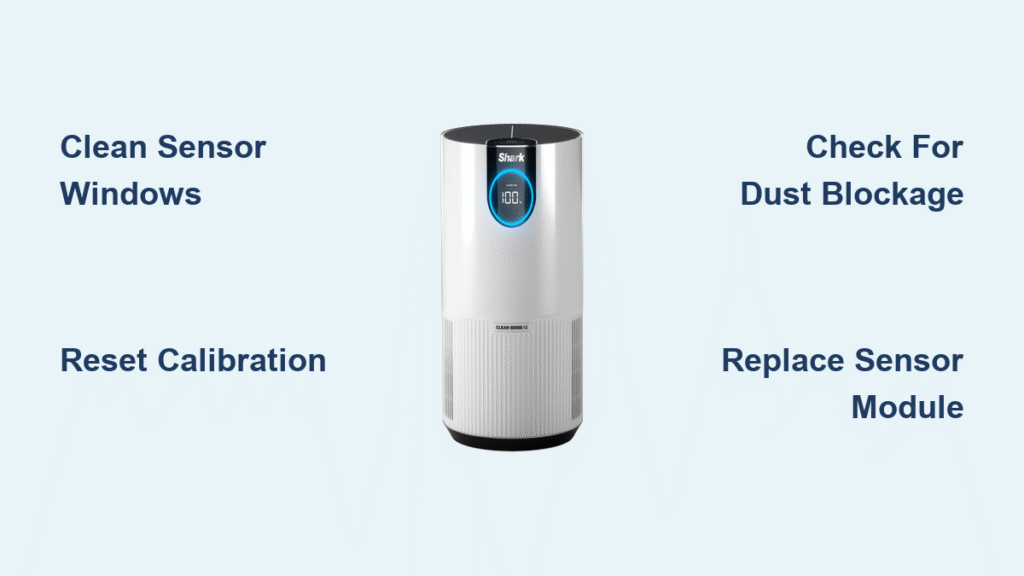
Your Shark air purifier’s sensor suddenly shows red lights when the air seems perfectly clean, or worse—it gives no response at all. This common issue affects automatic mode functionality, accurate fan speed adjustments, and reliable filter life tracking. When your sensor stops working properly, your smart purifier essentially becomes just an expensive fan with no intelligence.
This guide delivers proven diagnostics, safe cleaning methods, and effective fixes for Shark air purifier sensor not working issues across all models. You’ll learn to identify specific failure symptoms, perform proper maintenance without damaging components, and determine when professional service is necessary—saving you time, money, and frustration.
Identify Shark Sensor Failure Symptoms
Visual Indicator Problems
Red light stays on constantly despite clean air conditions—the most frequently reported symptom. No color changes from blue or green indicates a completely frozen sensor that isn’t registering any air quality changes. Flashing red suggests intermittent readings causing erratic assessments, while purple light specifically signals sensor calibration drift or hardware failure on newer Shark models.
Performance Issues to Watch
Your unit runs high speed continuously regardless of actual air quality, wasting energy and creating unnecessary noise. Auto mode becomes useless—you must manually adjust fan speeds because the sensor isn’t detecting changes. Filter alerts trigger prematurely, sometimes months before filters actually need replacement. 30+ second delays between air changes and sensor response indicate significant calibration drift that requires attention.
Locate Your Shark Sensor Components

Particulate Matter Sensors
Find the PM2.5 laser sensor behind the front grille—a clear plastic window about 1-inch diameter that detects particles 2.5 micrometers and smaller. Most Shark models integrate PM10 detection within the same unit for coarse particle monitoring. Ensure this window has unobstructed airflow for accurate readings, as even minor blockages can cause your Shark air purifier sensor not working issues.
VOC Detection System
The metal oxide semiconductor sensor sits near the top vent, detecting chemical vapors from 0.1-10 ppm. This sensor needs 30-60 seconds warm-up after power-on before providing accurate readings. Placement near kitchens or new furniture can trigger false high readings here, mimicking sensor failure when environmental factors are actually the cause.
Quick Diagnostic Steps
5-Minute Assessment
First, move the unit away from direct sunlight, heating vents, or strong odors that could affect readings. Check sensor windows for dust buildup or pet hair blocking detection—the most common cause of Shark air purifier sensor problems. Unplug for 60 seconds to reset calibration and clear temporary glitches. If you have a separate air quality monitor, compare readings to verify whether your Shark sensor is accurately reporting conditions.
Simple Smoke Test
Light a match 6 inches from the sensor—you should see the indicator respond within 5-10 seconds with a color change to red. No reaction indicates sensor failure requiring cleaning or replacement. Alternatively, use a handheld vacuum near the intake to simulate particle detection. This confirms if the laser sensor responds to environmental changes or if your Shark air purifier sensor not working issue is genuine.
Clean Sensors Safely
Weekly Maintenance Routine
Always unplug before cleaning to prevent electrical hazards. Use compressed air in short bursts (1-2 seconds) from 6 inches away to dislodge dust without damaging components. For stubborn residue, lightly moisten a cotton swab with isopropyl alcohol—never soak sensors or use water. Allow 10-15 minutes drying time before restarting to ensure no moisture remains near electrical components.
Deep Cleaning Protocol
When performance degrades significantly, perform monthly intensive cleaning. Remove the front panel on FP401/601 models to access sensors directly. Clean both laser emitter and receiver windows carefully, as residue on either surface causes inaccurate readings. Pet households need twice the cleaning frequency due to hair accumulation that quickly blocks sensor windows and triggers false “poor air quality” alerts.
Fix Specific Error Conditions
“Sensor Error” Display
This usually means dust on the laser components is preventing accurate readings. Follow the complete cleaning protocol thoroughly. If the error persists after proper cleaning, the sensor module needs replacement—typically covered under Shark’s 2-year warranty. Don’t ignore this error, as continued operation with faulty sensors reduces your purifier’s effectiveness.
Inaccurate High Readings
Candles, incense, or new furniture off-gassing can trigger false positives that mimic sensor failure. Natural sensor drift occurs after 12-18 months of normal use, requiring recalibration. Perform a factory reset by holding Auto and – buttons for 5 seconds (FP401) or use the SharkClean app for WiFi models to restore baseline accuracy when your Shark air purifier sensor not working properly.
Model-Specific Fixes

Shark Air Purifier 4 (FP401)
Access sensors behind the removable front panel bottom section. This model uses dual sensor systems for PM and VOC detection that work independently. Reset procedure: hold “Auto” and “-” buttons simultaneously for 5 seconds to recalibrate both sensor arrays when experiencing Shark air purifier sensor problems.
Shark Air Purifier 6 (FP601)
Features 4-sensor configuration including humidity monitoring for comprehensive air quality assessment. Use the SharkClean app for software resets when the sensor isn’t working correctly. Orange maintenance light specifically indicates sensor attention needed—not filter replacement—so don’t replace filters unnecessarily.
NeverChange Series
With enhanced sensitivity due to permanent filters, requires monthly calibration cycles to maintain accuracy. Error code E4 indicates sensor communication failure requiring professional service, not just routine cleaning. These models need more frequent sensor maintenance due to their continuous operation design.
Prevent Future Sensor Issues
Optimal Placement Guidelines
Position your purifier 3-5 feet from the floor and 2+ feet from walls for proper air circulation around the unit. Avoid corners with dead air space where particles settle. Central room placement provides most representative air sampling. Keep 10+ feet from cooking surfaces to prevent grease buildup that damages sensors and causes Shark air purifier sensor not working problems.
Environmental Controls
Maintain 30-50% humidity and 60-85°F temperature for optimal sensor accuracy. Ensure adequate air circulation through natural or mechanical ventilation to provide consistent air samples. In high-pollution areas like urban centers or smoking environments, expect 30-50% reduced sensor lifespan and increase your cleaning frequency accordingly.
Emergency Workarounds
Manual Mode Operation
When sensors fail completely, switch to manual fan speed to maintain air purification. Use 2-hour timer cycles during known pollution events like cooking or wildfire smoke. Consider a separate air quality monitor for manual control until you can repair the sensor issue—this maintains air quality protection while your Shark air purifier sensor not working.
Temporary Fixes
Try the re-calibration trick: place unit outdoors in clean air for 30 minutes to reset baseline readings. Gentle tapping on the side of the unit sometimes dislodges stuck components causing sensor failure. Rotate the unit 90 degrees to alter airflow patterns temporarily, which can bypass blocked sensor pathways while you plan a proper fix.
Professional Service Options

Warranty Coverage
Sensor components carry 2-year warranty from purchase date, covering parts and labor for genuine failures. Contact Shark support with serial number and purchase proof to initiate service. Mail-in service includes free shipping both ways under warranty. Turnaround is 7-10 business days for standard service, with 2-day expedited service available for urgent needs.
Replacement Parts
PM2.5 sensor module (Part #XPM2501) fits FP401/601/701 models when cleaning doesn’t resolve your Shark air purifier sensor not working issue. VOC sensor assembly (Part #XVOC301) works with all 2020+ models for chemical detection problems. Complete sensor board (Part #XSENBRD04) includes all sensors and wiring for major failures where individual components are damaged.
When your Shark air purifier sensor works correctly, it automatically adjusts to maintain optimal air quality without manual intervention. Regular maintenance prevents most sensor problems, but persistent issues after thorough cleaning usually indicate hardware failure requiring professional service. Document your unit’s baseline readings in clean conditions—gradual increases over time indicate sensor drift rather than actual air quality changes, helping you determine when replacement is truly necessary.


