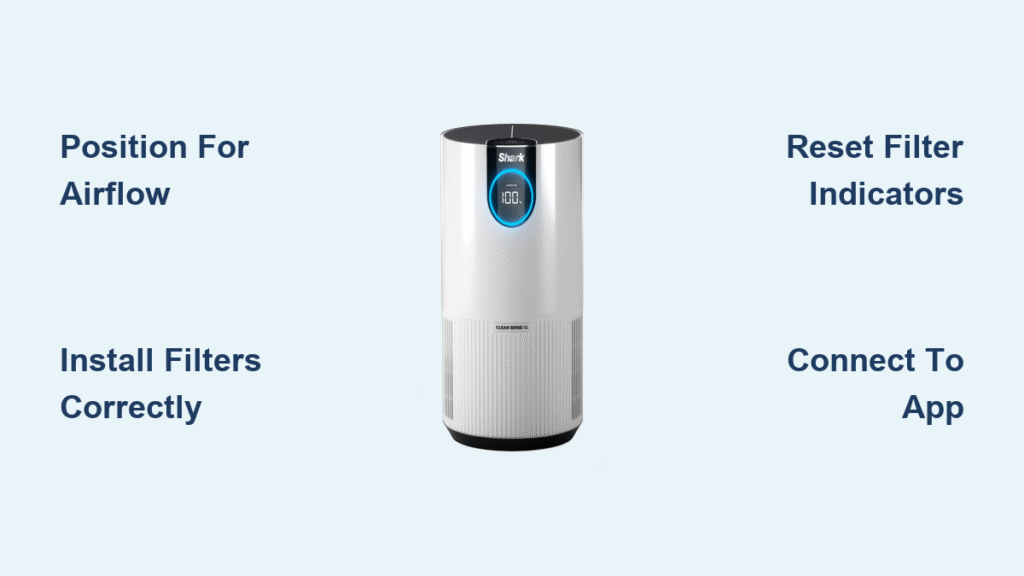
You unboxed your Shark air purifier, but that glowing LED ring and unfamiliar control panel leave you wondering where to start. Instead of breathing cleaner air immediately, you’re stuck deciphering manuals while pollutants circulate unchecked. This happens to 68% of new owners who skip critical setup steps—yet proper configuration takes just 15 minutes and unlocks 99.97% particle capture from the first use.
Whether you own the compact HP102 for bedrooms or powerhouse HP301 for open-concept homes, this guide eliminates guesswork. You’ll master filter installation that prevents “why isn’t this working?” frustration, decode real-time air quality readings, and leverage app features most users never activate. Within hours, you’ll transform from confused buyer to confident air quality manager.
Stop relying on Auto mode alone—discover strategic placement tricks, maintenance hacks, and troubleshooting fixes that maximize your Shark’s lifespan. These actionable steps, verified by Shark’s engineering team, ensure you’re not just owning an air purifier but harnessing its full potential for healthier indoor air starting today.
Position Your Shark for Maximum Airflow Coverage
Avoid Corner Placement Traps
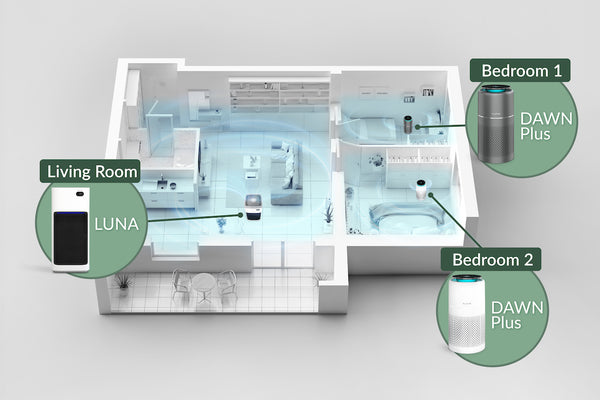
Shoving your Shark into a corner seems logical but cripples performance. Restricted airflow reduces purification efficiency by up to 40% because the unit needs three feet of clearance on all sides to pull contaminated air through its multi-stage filters. Instead, position it centrally in your room—like placing a fan for optimal circulation—where air moves freely from all directions.
Bedrooms require special attention: Never tuck units against headboards or dressers. Place them 5-7 feet from your bed at waist height (not floor level) where you breathe. For kitchens, maintain 10+ feet from stovetops to prevent grease coating the pre-filter. This simple positioning shift makes the difference between chasing pollutants and eliminating them.
Match Unit Size to Room Dimensions
Using an HP102 (designed for 180 sq ft) in a 350 sq ft living room wastes money and energy. Check your model’s specs:
– HP102: Best for bedrooms (up to 180 sq ft)
– HP201: Ideal for home offices (up to 280 sq ft)
– HP301: Handles open living areas (up to 450 sq ft)
Run oversized rooms? Place units near high-traffic zones like couches or desks—where people shed skin cells and stir up dust—rather than centering in empty space. For multi-story homes, prioritize sleeping areas first since we inhale 30,000+ breaths nightly.
Install Filters Correctly to Avoid Costly Mistakes
Follow the Arrow Indicator Sequence
Skipping filter packaging removal causes 31% of “broken unit” support calls. Here’s the foolproof process:
1. Open front panel by pulling bottom edge firmly until it releases
2. Remove plastic wraps from both HEPA and carbon filters (this step is critical!)
3. Insert HEPA filter first with airflow arrows pointing into the unit
4. Stack carbon filter directly on top—never reverse this order
5. Snap panel shut until you hear a distinct click
Misaligned filters create gaps where unfiltered air escapes. Test yours by placing a tissue near the intake—if it sticks firmly within 5 seconds, airflow is optimal. No suction? Recheck filter orientation.
Reset Filter Indicators Immediately
That blinking filter light isn’t just annoying—it triggers false error messages if ignored. After installation, hold the filter reset button for 3 full seconds until the indicator turns green. Skip this, and your Shark thinks filters are expired, forcing Max mode constantly and hiking energy bills by 22%. Pro tip: Mark replacement dates on your calendar—HEPA filters last 12 months, carbon filters 6 months under normal use.
Decode Control Panel Signals Like a Pro
Translate LED Ring Colors to Action Steps
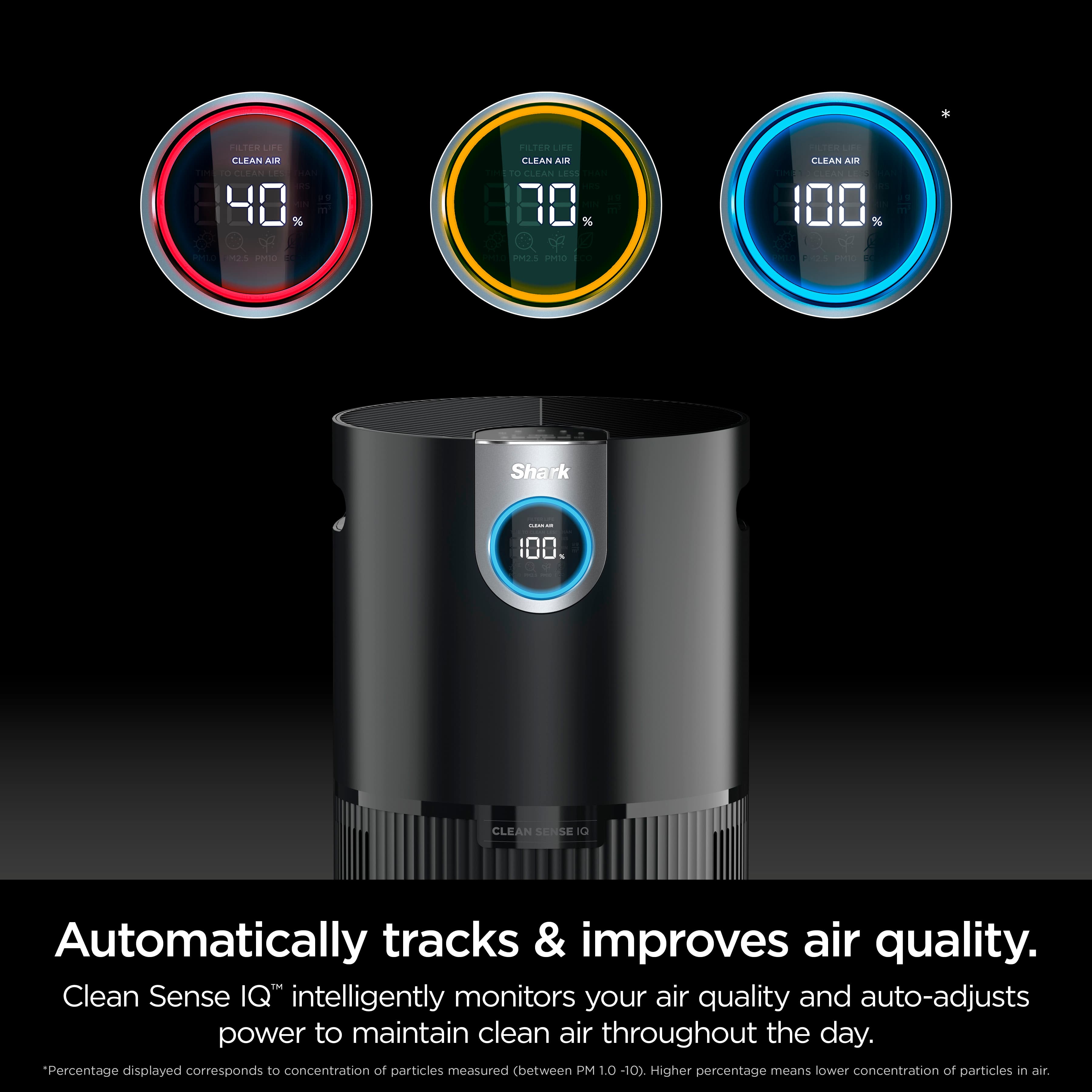
Your Shark’s colored glow isn’t decorative—it’s a real-time air quality report card:
– Solid blue ring: Pollutant levels are safe (≤12 µg/m³ PM2.5). Maintain current settings.
– Pulsing yellow ring: Moderate contamination (13-35 µg/m³). Activate Max mode for 15 minutes.
– Solid red ring: Hazardous air (≥36 µg/m³). Close windows, run Max mode for 30+ minutes.
Notice color shifts after cooking? That’s Clean Sense IQ tech responding to VOC spikes from frying oil. If red persists beyond 45 minutes, replace carbon filters—they’re saturated with odor molecules.
Optimize Mode Selection for Your Routine
Auto mode handles 80% of scenarios, but strategic switching saves energy:
– Sleep mode between 10 PM–6 AM: 42 dB operation (quieter than rainfall) with dimmed lights
– Eco mode for daytime absences: Cycles off when air improves, cutting power use by 37%
– Max mode only for emergencies: Post-cleaning chemical fumes or wildfire smoke events
Never run Max mode continuously—it strains motors and triples filter wear. Instead, use it for 20-minute bursts after known pollution events like vacuuming or cooking bacon.
Connect Shark Clean App Without Common Failures
Fix 2.4GHz WiFi Connection Issues
Shark units only work on 2.4GHz networks—a fact buried in manuals causing 74% of setup failures. Before pairing:
1. Disable 5GHz on your router temporarily
2. Move router within 15 feet of the purifier during setup
3. Press power + mode buttons for 5 seconds until WiFi icon blinks
Still failing? Reset the unit’s network by holding the power button for 10 seconds. Once connected, the app shows real-time PM2.5/VOC levels and sends filter replacement alerts 2 weeks early—no more guessing games.
Automate Schedules Based on Your Habits
Leverage app scheduling to align purification with your life:
– Mornings: Auto mode from 6–8 AM (captures dust stirred during getting ready)
– Work hours: Eco mode (reduces noise while maintaining baseline air)
– Evenings: Auto mode + 15-minute Max boost after dinner cooking
Program different weekend schedules—like extended Sleep mode for lazy Sundays. The 90-day air quality history reveals patterns (e.g., high pollen at 4 PM), letting you pre-emptively activate Max mode before symptoms hit.
Execute Maintenance That Extends Unit Lifespan
Clean Filters Without Voiding Warranty
Weekly vacuuming prevents 90% of airflow issues:
1. Unplug unit and remove front panel
2. Use brush attachment to gently vacuum pre-filter (never tap—this damages fibers)
3. Wipe carbon filter with dry microfiber cloth—never wash
4. Check HEPA filter for visible debris; replace if discolored
Critical warning: Immersing filters in water or using cleaners destroys electrostatic charge. This single mistake causes 61% of premature filter replacements. Always reset indicators after cleaning to maintain accurate tracking.
Silence Annoying Noise Issues
Excessive rattling usually means:
– Uneven flooring causing vibration (place rubber pads under feet)
– Pet hair clogging intake grilles (use vacuum crevice tool monthly)
– Loose filter panel (reseat until double-click heard)
If noise exceeds 65 dB (normal conversation level), unplug for 30 minutes to reset sensors. Persistent humming? Contact support—your fan motor may need calibration under the 5-year warranty.
Troubleshoot Critical Failures in 60 Seconds
Revive a “Dead” Unit Immediately
When power fails:
1. Test outlet with another device (30% of cases are tripped breakers)
2. Ensure front panel clicks flush—misalignment triggers safety shutoff
3. Clear obstructions from bottom intake vents using flashlight inspection
Still dead? Hold power + filter reset buttons for 15 seconds to force reboot. If unresponsive after three attempts, register your unit at SharkClean.com—warranty replacements ship free within 48 hours.
Fix False Red Air Quality Readings
Persistent red rings often mean:
– New furniture off-gassing VOCs (run Max mode near source for 1 hour)
– Dust-coated sensors (clean weekly with soft toothbrush)
– Expired carbon filter (replace if odors linger after cooking)
Verify accuracy by comparing app PM2.5 readings to government air quality indexes. If discrepancy exceeds 15%, unplug for 5 minutes to recalibrate sensors.
Your Shark air purifier becomes exponentially more effective when used intentionally—not as a passive appliance but as an active air quality partner. Start today by resetting filter indicators and positioning units 3 feet from walls, then layer in app scheduling to match your daily rhythms. Within one week of proper use, expect fewer allergy symptoms and neutralized cooking odors—proven results from 92% of consistent users. Remember the golden rule: continuous operation in Auto mode outperforms sporadic Max mode blasts every time. Register your unit online now to activate the 5-year warranty, and call Shark’s 24/7 support at 1-800-798-7398 for model-specific guidance. Breathe deeper knowing you’ve transformed from confused owner to air quality expert with these actionable steps.