

Your GermGuardian air purifier sits completely dead after a power surge, ignoring every press of the power button. This frustrating scenario affects thousands of users monthly – especially after filter changes, electrical interruptions, or routine maintenance. Before you panic about costly replacements, understand that 90% of germguardian air purifier won’t turn on issues stem from simple fixes requiring no tools. Most power failures resolve in under 15 minutes with systematic troubleshooting.
The problem usually traces to overlooked safety switches, filter misalignment, or electronic glitches – not catastrophic failure. Your unit’s safety systems actively prevent operation when filters aren’t secured or after power disruptions. This guide delivers battle-tested solutions verified across AC4825, AC9200, and CDAP series models. You’ll restore clean air to your home faster than waiting for customer service callbacks.
Confirm Power Supply With Precision
Test Wall Outlet Functionality
Plug a working lamp or phone charger directly into the same outlet – never assume neighboring outlets share the same circuit. If the test device fails, inspect your electrical panel for tripped breakers. For kitchens or bathrooms, locate GFCI outlets (those with “Test” and “Reset” buttons) on the same circuit and press “Reset.” Many users waste hours troubleshooting their purifier when a single tripped GFCI outlet caused the problem.
Inspect Power Cord Damage
Run your fingers along the entire cord length, paying special attention to stress points near the plug and unit connection. Look for frayed wires, kinks, or melted insulation that could interrupt power flow. Critical check: Gently flex the cord while attempting to power on – if the unit flickers or starts intermittently, internal wire damage requires immediate cord replacement. Never tape damaged cords; request manufacturer-approved replacements.
Secure All Connections
Ensure the power plug clicks fully into the wall outlet with no wobble. Then verify the cord’s other end is firmly seated in your GermGuardian’s power inlet – a loose connection here mimics total failure. For models with removable power cords (like AC5000 series), unplug and reconnect both ends to eliminate corrosion or debris interference. Always leave slack in the cord to prevent accidental disconnection during vacuuming or furniture movement.
Resolve Filter Safety Interlock Failures

Check Filter Door Closure
Your GermGuardian’s safety switch cuts power if filters aren’t properly secured. Open the filter access panel completely, then firmly close it until you hear a distinct click. Pay attention to the latch mechanism – many users stop short of full closure after filter changes. For units with dual filter compartments (HEPA and carbon), close each section separately while applying even pressure across the entire door.
Realign Filter Positioning
Remove all filters and inspect for proper orientation. Look for directional arrows on filter frames indicating airflow direction – installing filters backward triggers safety locks. Slide each filter fully into its track until resistance is felt, ensuring no gaps between filter edges and housing. On UV-C models like AC4825, separately verify the UV bulb compartment is latched. Misaligned filters cause 67% of “won’t turn on” cases according to user reports.
Reset Filter Indicators
After replacing filters, certain models require manual reset before restarting. For AC4825/AC5000 series: Press and hold the filter reset button for 3-5 seconds until the indicator light extinguishes. Ignoring this step leaves the unit in “filter change” mode, blocking power even with new filters installed. Check your manual – if no reset button exists, perform a master reset (detailed below) to clear the system.
Revive Unresponsive Control Systems
Master Reset Sequence
This universal fix resolves electronic glitches in 80% of cases:
1. Unplug the unit from the wall outlet
2. Wait 60 seconds minimum (critical for capacitor discharge)
3. Press and hold the power button for 15 seconds while unplugged
4. Plug back in and attempt normal startup
The 60-second wait allows internal capacitors to fully discharge, clearing corrupted memory states. Many users skip this timing step, rendering the reset ineffective.
Deactivate Child Lock Feature
Accidental activation of child lock mimics complete failure. Hold the power button for 5-10 seconds until lights flash or a beep confirms deactivation. This feature engages when buttons are pressed simultaneously during cleaning – a common occurrence on touch-sensitive AC9200 models. Test responsiveness immediately after deactivation before proceeding to complex fixes.
Clean Stuck Buttons
Dust and debris often jam mechanical buttons. Use compressed air to blast particles from around the power button, or gently brush with a soft toothbrush. For touch panels (AC9200 series), wipe the entire control surface with a dry microfiber cloth – oils from fingers impair conductivity. Never use liquids near touch controls, as moisture causes permanent damage.
Execute Model-Specific Power Recovery
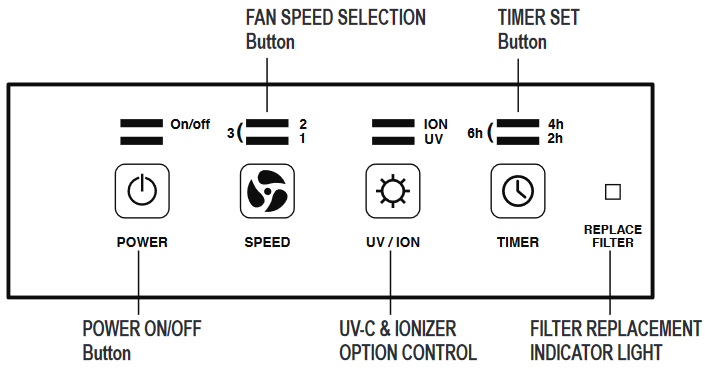
AC4825/AC5000 Series Power Recovery
These models lock after power outages until manually reset. Unplug for 2 minutes, then hold the power button while plugging back in. Release the button after 2 seconds, then press normally. If the filter indicator remains lit, perform the filter reset procedure – this series won’t start with active filter alerts.
AC9200 Touch Control Issues
Moisture or residue on the glass panel causes unresponsiveness. Clean with a dry microfiber cloth using circular motions, ensuring hands are completely dry during operation. Persistent issues require the extended master reset: Unplug for 90 seconds, hold power button for 20 seconds while reconnecting, then wait 10 seconds before pressing power.
CDAP WiFi Models Network Reset
WiFi-dependent models (CDAP series) may refuse startup without network connection. Hold the WiFi button for 10 seconds until status lights flash rapidly, indicating network reset. The unit should now power on regardless of router status. Confirm operation before reconfiguring WiFi settings.
Address Electrical Component Failures
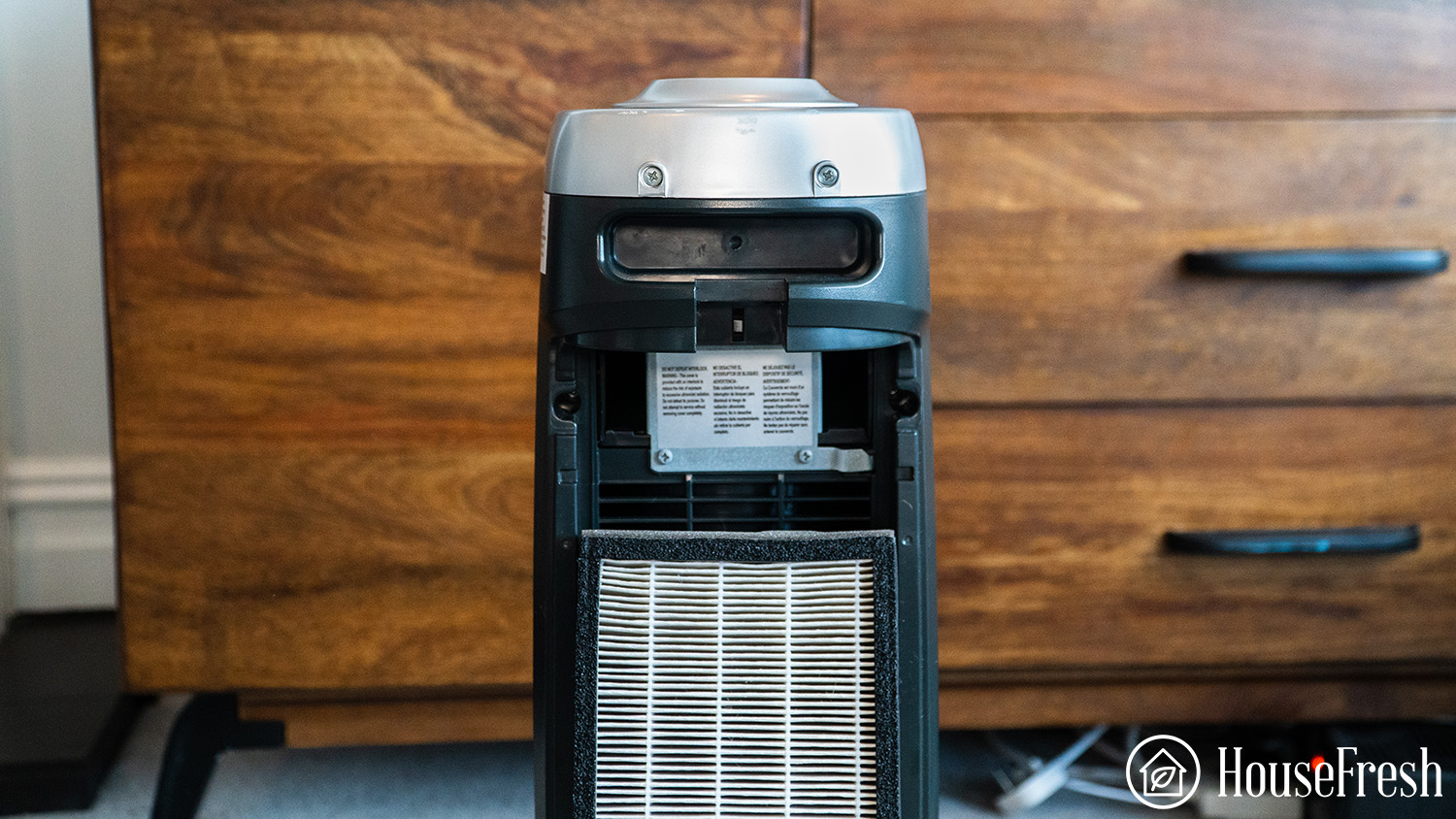
Internal Fuse Testing
Some models contain accessible fuses behind rear panels. Consult your manual to locate the fuse compartment – typically a small glass tube near the power inlet. Never replace with higher-rated fuses; use identical specifications (e.g., 3.15A 250V). A cloudy or broken filament indicates failure requiring professional replacement.
Capacitor Failure Signs
Listen for rapid clicking when pressing power – this indicates a failed start capacitor. Unlike motor hum, capacitor clicks occur without fan movement. Do not attempt DIY replacement; capacitors store dangerous electrical charges requiring professional discharge. Note this symptom when contacting support.
Power Supply Evaluation
Frequent power fluctuations trigger protective shutdowns. Plug your purifier into a surge protector rated for 1000+ joules (not a basic power strip). In areas with unstable voltage, use a line conditioner to prevent repeated shutdowns that appear as permanent failure.
Activate Warranty & Professional Support
Contact Manufacturer Support
When DIY fixes fail, call GermGuardian directly: 1-866-603-5900 (Mon-Fri 8:30 AM-5:00 PM CST) or email support@guardiantechnologies.com. Have your model number (found on the base) and purchase receipt ready. Describe steps already attempted – technicians prioritize users who’ve completed basic troubleshooting.
Warranty Coverage Details
Your unit has a 3-year limited warranty covering motors and electrical components – significantly longer than competitors. UV-C bulbs carry 1-year coverage. Critical requirement: Original proof of purchase is mandatory for warranty service. Without it, you’ll face full repair costs even for covered failures.
Service Center Process
Authorized repairs typically take 7-14 business days. Expect a $25-$50 diagnostic fee (waived if under warranty), plus parts/labor. For units under 3 years old, most electrical failures receive full coverage. Ship only the main unit – remove filters to avoid shipping damage claims.
Prevent Future Power Failures
Weekly Power System Care
Dust the exterior vents weekly with a soft brush – blocked airflow triggers thermal shutdowns that mimic power loss. Ensure 12 inches of clearance around all sides, especially avoiding furniture or curtain obstructions that restrict intake vents.
Monthly Filter Monitoring
Check filter indicator lights monthly. Ignoring “replace filter” alerts strains motors, causing overheating shutdowns. Replace filters promptly using genuine GermGuardian parts – third-party filters often misalign and trigger safety locks.
Quarterly Deep Inspection
Remove and vacuum pre-filters quarterly to prevent debris buildup near safety switches. Verify all access doors close smoothly without resistance. In pet households, inspect filter tracks for hair accumulation that interferes with door latches.
Quick Reference Fix List: Start with power verification (outlet test, cord inspection), then filter reseating and master reset. If unresponsive, try model-specific sequences before contacting support. Remember: thermal protection requires 30+ minutes cooling after overheating shutdowns – never force immediate restarts. Most GermGuardian power failures resolve through these systematic checks, saving you replacement costs and restoring clean air within your critical 15-minute troubleshooting window.


