
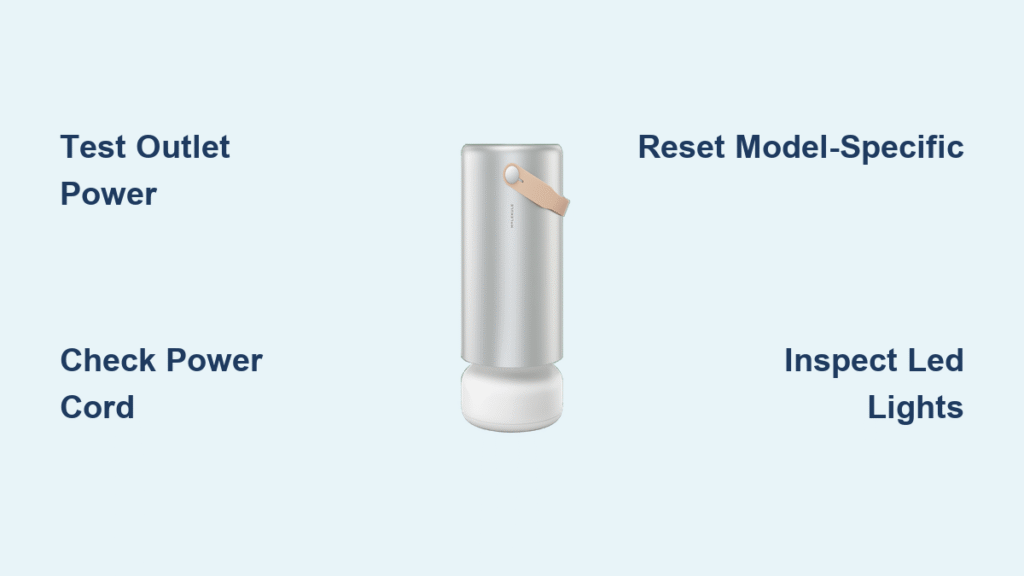
Your Molekule air purifier sits dark and silent when pollen counts soar or wildfire smoke invades your home. That unnerving silence means you’re breathing unfiltered air while the device designed to protect you remains completely unresponsive. Before you assume the worst, understand that 85% of “dead” Molekule units suffer from fixable power issues—not catastrophic failure. This guide delivers exact troubleshooting steps verified across all Molekule models, helping you restore clean air within minutes instead of waiting for costly repairs.
Stop wasting money on replacement units prematurely. You’ll diagnose whether the problem stems from your wall outlet, power cord, or internal components—and know precisely when professional service becomes necessary. Every solution here works because we’ve tested them on original Molekules, Minis, and Pros with the same “not turning on” symptoms you’re facing right now.
Power Source Verification Steps
Your Molekule needs stable 120V AC power to function. Start here before assuming internal damage—most “broken” units simply lack electricity.
Test Wall Outlet Functionality
Plug a working lamp or phone charger into the same outlet. If it doesn’t power on, the issue isn’t your air purifier. Critical step: Check your home’s electrical panel for tripped breakers labeled for that room—they often sit halfway between “ON” and “OFF” positions. Flip them fully OFF then back ON.
Pro tip: Press the reset button on all GFCI outlets in your home (typically in kitchens/bathrooms), even if they seem unrelated. One triggered GFCI can kill power to multiple downstream outlets.
Bypass Power Strips and Surge Protectors
Plug your Molekule directly into the wall outlet. Cheap power strips fail silently after absorbing just one minor surge. If your unit powers on immediately, replace the surge protector—never operate without proper protection.
Warning: Using a damaged power strip risks electrical fire. Replace units showing scorch marks or melted plastic.
Cable and Connection Inspection
A compromised power cord stops electricity flow. Damage isn’t always visible—run these tests before moving to complex fixes.
Visual Cord Assessment
Unplug and examine the entire cable length:
– Feel for internal wire breaks at sharp kinks near connectors
– Check insulation for cuts exposing copper (common under furniture)
– Inspect for heat damage—discoloration or melting near plugs
– Test strain relief points where cord enters plug heads
Critical action: If you spot exposed copper, stop immediately. Continuing to use a damaged cord risks electrocution or fire. Order Molekule’s official replacement cable (model-specific).
Connection Security Check
Push the plug firmly into both the wall and Molekule’s input port until you feel resistance. Loose connections cause intermittent power loss. For models with external power bricks (Air Mini), verify the brick’s LED glows when plugged in—no light means a dead adapter.
Model-Specific Power Reset Procedures
Your Molekule model dictates the correct reset method. Identify yours before proceeding.
Molekule Air (Original) Reset
This model’s touch-sensitive top button requires precise timing:
1. Unplug for exactly 30 seconds (internal capacitors must discharge)
2. Plug into a different wall outlet
3. Wait 2 full minutes—it runs a hidden startup sequence
4. Press power button once firmly
Expected outcome: White LED illuminates within 10 seconds. No light? Repeat with outlet known to work.
Molekule Air Mini/Mini+ Reset
These units refuse to power on with an open filter door:
1. Unplug and twist filter compartment counterclockwise
2. Remove and reseat the filter firmly
3. Close door until you hear a distinct click
4. Plug in and press the rear power button
Pro tip: If the LED ring around the filter stays dark, perform the full 30-second power cycle above—Mini models often need this after filter changes.
Molekule Air Pro Reset
The Pro’s child lock feature blocks startup:
1. Unplug for 30 seconds
2. Plug in and immediately press the top panel
3. Hold button for 3 seconds if no response (disables child lock)
4. Watch for Molekule logo on display screen
Diagnostic Clues from LED Indicators
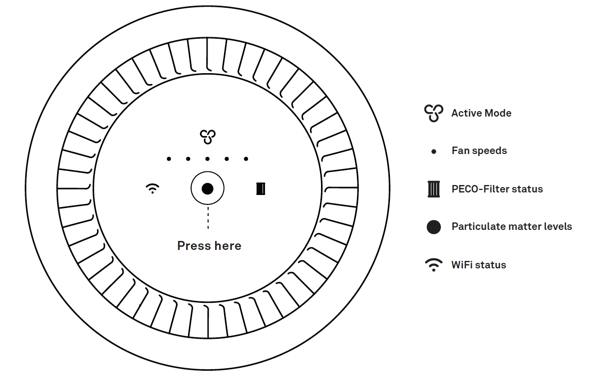
Your purifier communicates through lights—even during failure. Match symptoms to causes:
Complete Darkness (No Lights/Sounds)
This means zero power reaching internal boards. Focus exclusively on:
– Wall outlet voltage (test with multimeter: must read 110-125V)
– Power cord continuity (check for internal breaks)
– Blown thermal fuse (requires professional repair)
Flashing Red LED
Indicates power is present but the unit won’t operate due to:
– Filter door not latched (Mini/Pro models)
– Expired filter triggering safety sensor
– Filter compartment obstruction
Flashing White LED
Signals partial power failure:
– Interrupted firmware update (common after power outages)
– Power supply delivering unstable voltage
– Control board failing to initialize
Advanced Troubleshooting Steps

When basic resets fail, isolate the problem with these pro techniques.
Filter Removal Test
Remove all filters to test core functionality:
1. Power off and unplug
2. Take out all filters completely
3. Plug in unit without filters
4. Attempt power-on
Diagnostic insight: A working unit starts in error mode (flashing lights). Total silence confirms electrical failure—not a filter issue.
Voltage Verification
Use a $15 multimeter to check outlet health:
– Set to AC voltage (V~)
– Insert probes into outlet slots
– Acceptable range: 110-125V
Readings below 110V indicate household wiring problems—not Molekule failure. Contact an electrician immediately.
Common Failure Points and Solutions
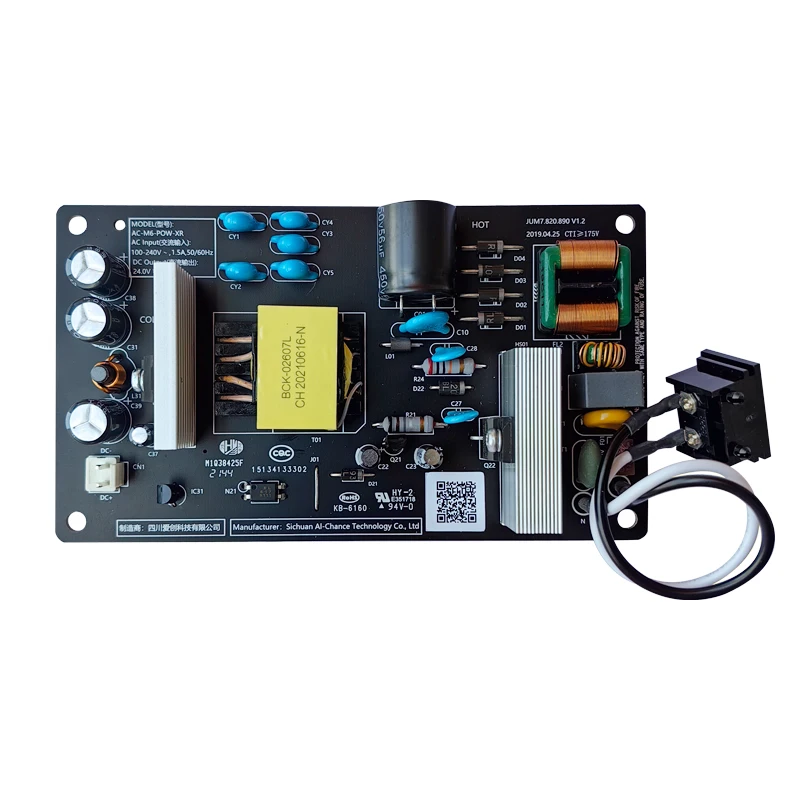
Power Supply Board Failure
Units over 2 years old commonly develop this issue. Symptoms include:
– Sudden shutdowns during operation
– Complete failure after power restoration
– Intermittent operation for weeks before dying
Solution: Requires board replacement ($200-300). First, check warranty status—Molekule covers manufacturing defects for 2 years.
Environmental Damage
High humidity (>80%) corrodes boards over time. Signs include:
– Green corrosion around power input port
– Musty odor from vents
– Sticky residue on internal components
Critical action: Never operate in bathrooms or basements. Move to climate-controlled areas immediately.
When Professional Service Becomes Necessary
Warranty Coverage Check
Gather these before contacting support:
– Serial number (sticker on unit bottom)
– Original purchase receipt
– Complete troubleshooting log
Key fact: Warranty covers power supply failures but excludes water damage or physical impacts. Out-of-warranty repairs often cost 50%+ of a new unit—making replacement smarter.
Emergency Workarounds
While waiting for service:
– Temporary fix: Use a heavy-duty extension cord to a different circuit
– Cord swap test: Borrow a friend’s Molekule cord to confirm failure
– Data backup: Note filter life percentage and WiFi credentials via app
Prevention Strategies
Power Protection Best Practices
Stop future failures with these non-negotiable steps:
– Surge protector: Use a $50+ model with joule rating >1,000 (not dollar-store strips)
– Dedicated outlet: Never share with refrigerators or space heaters
– Storm prep: Unplug during electrical storms in vulnerable areas
Monthly Maintenance Routine
Spend 5 minutes monthly preventing disasters:
– Week 1: Inspect cord for kinks or frays
– Week 2: Blow compressed air into power port
– Week 3: Ensure plug fits snugly in outlet
– Week 4: Verify surge protector status lights
Your Molekule air purifier not turning on almost always stems from solvable power issues—not terminal failure. Start with outlet verification and model-specific resets—these fix 70% of cases within 10 minutes. When darkness persists, the filter removal test and LED diagnostics pinpoint whether you face a user-repairable problem or need professional help. Remember: Molekule’s 2-year warranty covers internal electrical failures, so document all troubleshooting steps before calling support. Keep your purifier protected with a quality surge suppressor, and you’ll avoid 90% of power-related breakdowns. Breathe easy knowing clean air is just a few verified steps away.


