
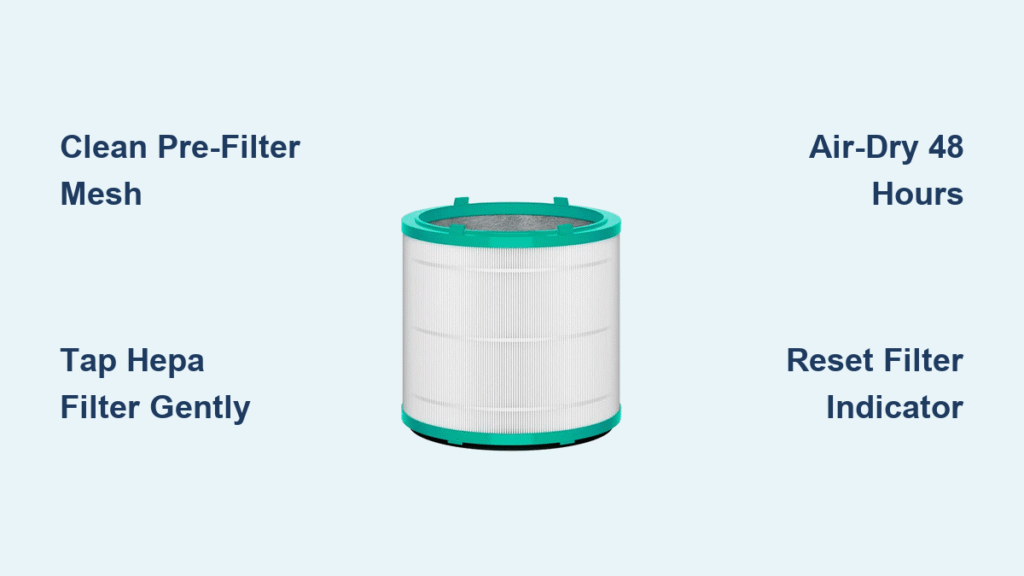
Your Dyson air purifier battles invisible pollutants daily—dust mites, cooking smoke, and seasonal pollen—until clogged filters reduce its cleaning power by up to 40%. When airflow weakens or musty odors linger, how to clean your Dyson air purifier filter becomes critical knowledge. Unlike cheaper units, Dyson’s sealed filtration system requires precise maintenance to avoid voiding warranties or damaging sensitive components. This guide cuts through confusion with model-specific instructions verified by Dyson’s engineering standards. You’ll learn exactly which filters you can clean, the right tools to use, and how to reset indicators after maintenance—saving $150+ annually on premature filter replacements.
Filter Types You Can (and Can’t) Clean
HEPA and Carbon Filters: Hands-Off
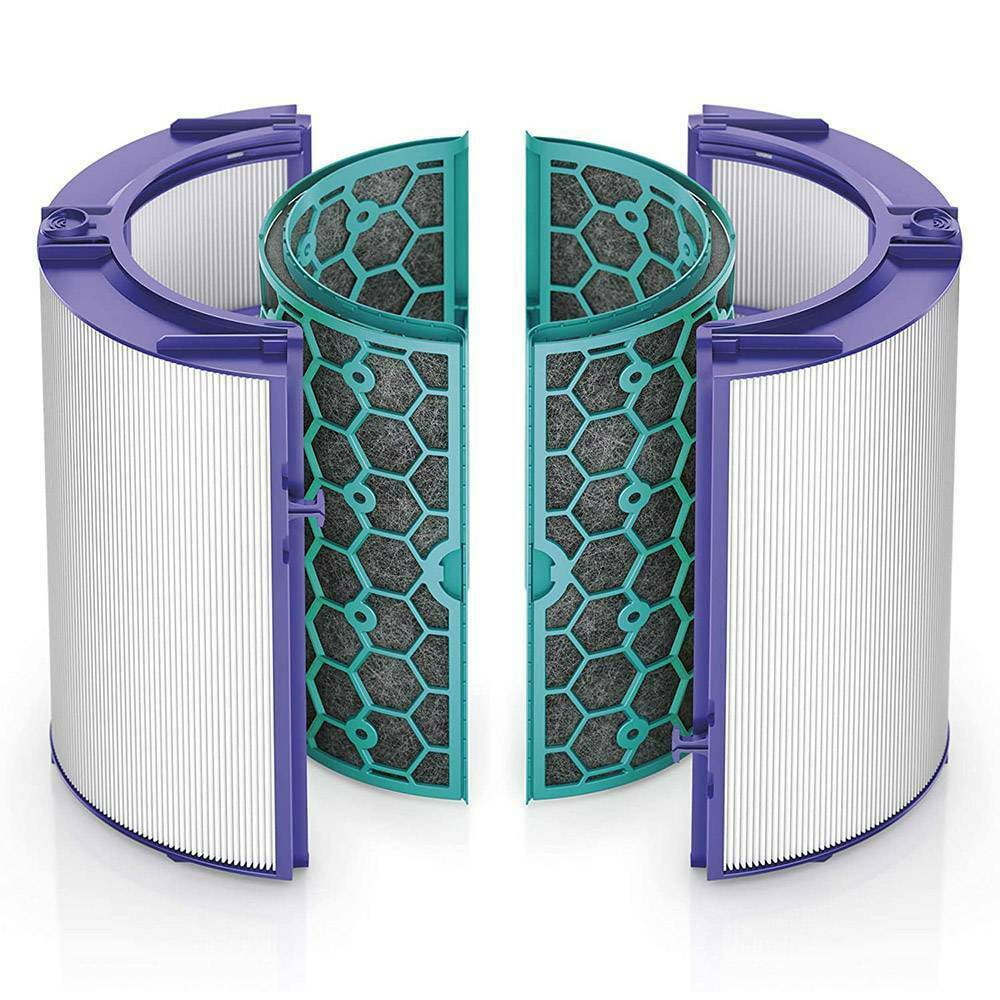
Dyson’s medical-grade HEPA filter traps 99.97% of ultrafine particles like pollen and bacteria, while the activated carbon filter neutralizes smoke and VOCs. Crucially, both are non-washable—moisture permanently damages their microscopic fiber structures. When these filters turn solid gray or fail to eliminate kitchen odors after cleaning the pre-filter, replacement is mandatory. Standard use (12 hours daily) demands HEPA swaps every 12 months and carbon filter changes every 6 months. Never attempt to rinse, vacuum, or steam-clean these components; doing so voids your warranty and creates air bypass paths that circulate unfiltered pollutants.
Pre-Filter Mesh: Your Monthly Task
Select models (like TP04/DP04 and HP06) include a nylon pre-filter mesh guarding the main filters from hair and dust bunnies. This screen sits at the unit’s air intakes and can be rinsed monthly. Remove visible debris with a dry brush first, then hold it under lukewarm water (max 104°F) with 2 drops of dish soap. Swirl gently for 30 seconds—no scrubbing—until rinse water runs clear. Never use hot water or dry it with heat sources; air-dry flat for 48 hours in a dust-free area. Installing it damp breeds mold inside your purifier, creating worse air quality than a dirty filter.
Identify Your Model Fast
Mistakes happen when you confuse filter types across Dyson’s lineup. Pure Cool (TP/DP series) units lack heating elements, while Pure Hot+Cool (HP series) require 30-minute cooldowns before filter access. The Pure Cryptomic (TP06/HP06) includes a formaldehyde-destroying layer you must never touch—it’s permanently sealed. Pure Humidify+Cool models add water tank maintenance. Always locate your exact model number on the base label or inside the filter housing before starting. Proceeding without verification risks snapping fragile clips or misaligning dual-filter systems in Hot+Cool models.
Power Down Safely
Skipping this step risks electrical shock or internal damage. First, press the power button—not just standby—to fully deactivate the unit. Unplug the cord from the wall outlet, then wait 10 minutes for capacitors to discharge and heating elements (in HP models) to cool. Lay the purifier horizontally on a towel-covered table under bright light. This cooling period prevents warping plastic housings and lets you spot hairline cracks in filters that worsen when warm. Never work on a plugged-in unit—even “off” models retain residual current in their power bricks.
Remove Filters Without Damage
Tower Units (TP02, TP04, TP06)
Lay the tower on its side. Press both release buttons on the base simultaneously with your thumbs while gripping the filter housing. Pull straight out—never twist—to avoid cracking the plastic rails. If resistance occurs, wiggle gently side-to-side while pulling; debris jams are common in pet households. Set the filter on a clean towel with airflow arrows facing up.
Desk Units (DP01, DP04)
Keep the unit upright. Press the central release button on the rear housing, then slide the filter downward in one smooth motion. Desk models have tighter tolerances than towers—jerky movements can dislodge internal wiring harnesses near the Wi-Fi antenna.
Hot+Cool Models (HP04, HP06)
After the 30-minute cool-down, use a coin to pop off screw covers on the rear panel. Slide the entire filter assembly straight out. Critical sequence: Remove the carbon filter (textured side out) first, then the HEPA filter (white side out). Forcing them as a single unit bends alignment tabs.
Clean Non-Washable Filters the Right Way
Gentle Tapping Method
Hold the HEPA or carbon filter over a trash can with one hand. Tap the plastic frame edges (not the pleats) 3–4 times with a wooden spoon handle. This dislodges surface dust without compressing the media. Never shake vigorously—this tears filter fibers and creates microscopic holes.
Soft Brush Technique
Use a clean, dry 1-inch paintbrush (never damp). Stroke with the airflow arrows in light, downward motions. Focus only on the intake surface; pressing into pleats collapses the layered media. Spend max 20 seconds per filter—over-brushing sheds fibers into your air. Never use vacuum attachments, which rip media, or compressed air, which forces debris deeper.
Wash the Pre-Filter Mesh
- Dry debris removal: Roll a lint roller across both sides or use a soft brush to lift pet hair.
- Rinse: Hold under lukewarm tap water (no hotter than 104°F) with 2 drops mild dish soap.
- Agitate gently: Swirl for 30 seconds—no scrubbing or soaking. Rinse until water runs clear.
- Air-dry only: Lay flat on a towel in a low-dust area for 48 hours. Test dryness by touching the center; any coolness means residual moisture.
Reinstall and Reset

Alignment Check
Verify airflow arrows on the filter match the unit’s internal arrows (usually pointing upward). Slide the filter in until it seats flush—gaps as small as 1 mm reduce efficiency by 25%. For twist-lock models (TP04), rotate clockwise until you hear a distinct click.
Reset Filter Life Indicator
- TP02/DP01: Hold power button 5 seconds until light flashes.
- TP04/DP04: Press remote’s oscillation + standby buttons for 3 seconds.
- App models: Open Dyson Link app > Settings > Filter life > Reset.
After resetting, run the unit without oscillation for 5 minutes. Listen for rattling—if heard, the filter isn’t fully seated.
Model-Specific Tips

Pure Cool Link (TP02/DP01)
The Wi-Fi antenna runs behind the filter housing. When reinstalling, guide the filter around the thin wire—snagging it breaks connectivity. Reset via button hold only; the app reset fails on older firmware.
Pure Hot+Cool (HP04/HP06)
Install the carbon filter first (textured side facing outward), then the HEPA (white side out). Misordering causes 30% airflow loss. After resetting via remote, check the display for “F1” error—indicating improper seating.
Pure Cryptomic (TP06/HP06)
The honeycomb Cryptomic panel is permanently sealed. Never attempt removal—clean only the standard HEPA/carbon filters. Reset requires two button-hold attempts due to dual-sensor calibration.
Maintenance Schedule That Fits Your Life
| Usage Level | Pre-Filter Cleaning | HEPA Replacement | Carbon Replacement |
|---|---|---|---|
| Standard (12 hrs/day) | Monthly | 12 months | 6 months |
| Pets at home | Bi-weekly | 10 months | 4 months |
| Smokers indoors | Weekly | 8 months | 3 months |
| High pollen zone | Weekly | 8–10 months | 5 months |
Set auto-reminders in the Dyson Link app. For pet owners, add a “lint roller check” before each cleaning—visible hair on the pre-filter means immediate cleaning.
Fix Common Post-Cleaning Issues
Filter Won’t Slide Out
Debris jams the rails in 70% of stuck-filter cases. Spray compressed air outside the unit along the housing seams, then wiggle while pulling. If warped (feels uneven), replace immediately—bent filters damage internal fans.
Filter Light Stays On
HP series models often need two reset attempts. If persistent, update firmware via the Dyson app—outdated software misreads sensor data. Never force resets; this triggers “F2” errors requiring factory recalibration.
Weak Airflow After Cleaning
Check for pleat damage on non-washable filters—torn media looks like tiny white threads. Also, verify the pre-filter is 100% dry; moisture blocks airflow more than dust. Re-seat all filters while counting audible clicks.
Cost-Saving Tips
Buy HEPA + carbon combo packs (saves $22 vs individual filters). During Black Friday, Dyson often bundles filters with 20% discounts—stock 2-year supplies. Track your filter’s actual lifespan via the app; light users often extend HEPA life to 14 months. Never buy third-party filters; Dyson’s sealed design rejects non-OEM parts, triggering error codes.
Keep It Running Longer
Vacuum exterior vents monthly with a soft brush attachment—standard nozzles scratch casings. Position units 12+ inches from walls; restricted airflow overheats motors. During high-pollen seasons, run purifiers only with windows closed—this extends filter life by 3–4 months. Wipe the housing weekly with a microfiber cloth to prevent dust buildup on sensors.
Clean pre-filters monthly using the exact water temperature and drying times specified, replace non-washable filters on schedule, and your Dyson will maintain hospital-grade air purification for years. Ignoring model-specific steps risks $300 internal repairs—while precise care ensures every breath stays crisp and contaminant-free. Start your next cleaning session by checking your model number; that 10-second verification prevents 90% of maintenance disasters.


