
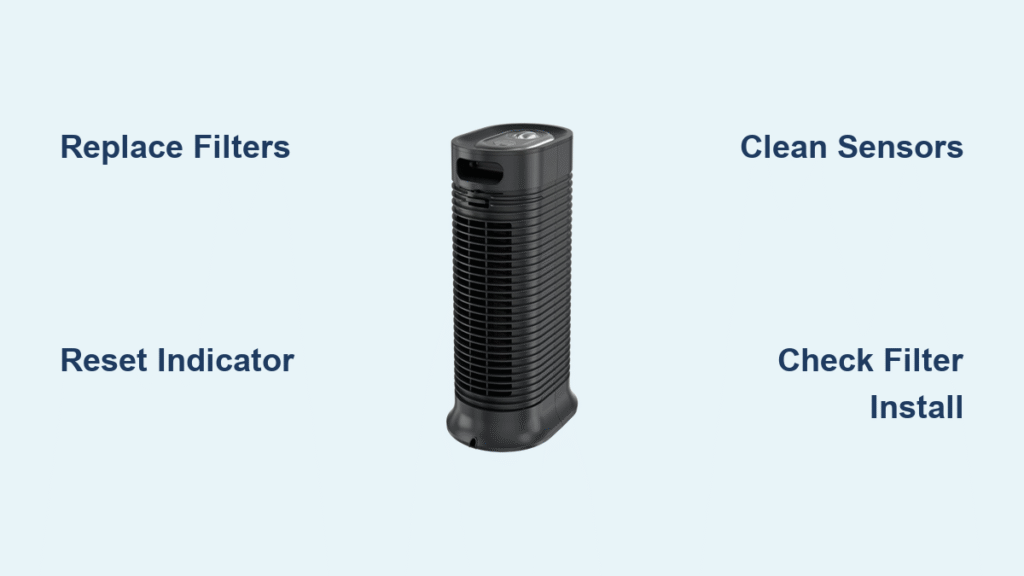
That sudden appearance of a red light on your Honeywell air purifier can be alarming. You’re not alone—thousands of Honeywell owners experience this common issue each month. Whether you have a sleek tower model in your living room or a compact unit in your bedroom, this red indicator typically signals something needs your attention. The good news is most red light problems can be resolved in under 15 minutes with basic troubleshooting. Understanding what your specific Honeywell model is trying to tell you prevents unnecessary filter replacements and keeps your air clean without interruption.
Your Honeywell air purifier’s red light serves as a communication tool, alerting you to maintenance needs or potential issues. Ignoring it could mean reduced air cleaning efficiency or even permanent damage to your unit. This guide cuts through the confusion by providing exact steps for your model, whether you’re dealing with a solid red glow, a persistent blink, or color combinations that leave you guessing. You’ll learn how to diagnose the problem, implement the correct solution, and prevent future red light surprises.
Honeywell Red Light Patterns Decoded by Behavior

Solid Red Light: The Filter Replacement Alert
A steady, non-blinking red light almost always means your filters have reached maximum capacity and need immediate replacement. This indicator activates on most Honeywell HPA series models after 6-12 months of regular use, though homes with pets or high pollution levels may trigger it sooner. The light remains constant until you address the filter situation—don’t ignore it, as continued operation with saturated filters reduces cleaning efficiency by up to 70%.
You’ll notice this solid red display prominently on tower models near the control panel, persisting through all fan speeds. Some users mistakenly think the unit is broken when they see this light, but it’s actually functioning as designed—protecting your investment by preventing motor strain from restricted airflow through clogged filters.
Blinking Red Light: Sensor or Operational Warning
When your Honeywell air purifier displays a flashing red light, you’re dealing with either a sensor issue or an operational error. Blink patterns vary by model—some flash slowly every 3 seconds for minor issues, while rapid blinking (5+ times per second) often indicates serious problems like internal component failure. Electrostatic filter models like the HFD series commonly blink red when the permanent filters need cleaning rather than replacement.
This blinking behavior frequently appears after power outages or when the unit detects abnormal operating conditions. Unlike the filter replacement alert, blinking red lights won’t resolve with simple filter changes alone—you’ll need to investigate sensor cleanliness, power stability, or potential obstructions affecting normal operation.
Multi-Color Light Combinations Explained
Many Honeywell models use color combinations to provide more precise diagnostics. A red and yellow light together typically indicates pre-filter issues on HPA series units, while red paired with blue often signals a system malfunction requiring professional attention. Compact desktop models sometimes use alternating red and green patterns to communicate different error types.
These combinations prevent confusion when multiple issues occur simultaneously. For example, if your carbon pre-filter needs cleaning while the HEPA filter nears replacement time, your unit might display both yellow and red rather than cycling between single colors. Understanding these patterns saves time by pinpointing the exact problem without guesswork.
Immediate Diagnostic Steps for Red Light Issues
Filter Inspection and Reset Protocol
Start your troubleshooting by removing the front panel to examine both filter types. Even if the carbon pre-filter looks clean to the naked eye, microscopic particles may have saturated it—hold it up to light to check for reduced visibility. For HEPA filters, gently tap them over a trash can; if debris falls out easily, replacement is needed regardless of the indicator light.
After installing new filters, locate your model’s reset button—typically a small recessed button near the filter compartment. Press and hold for 3-5 seconds until you hear an audible beep or see the red light change behavior. This critical step often gets overlooked, leading users to think they have a persistent problem when the unit simply needs timer recalibration.
Sensor Cleaning for False Red Light Triggers
Dirty air quality sensors frequently cause false red light alerts, especially in homes with high dust levels. Locate the small sensor openings (usually near the air intake vents) and use compressed air at a 45-degree angle to dislodge particles. Avoid blowing directly into the sensors, as this can push debris deeper into the mechanism.
For stubborn buildup, gently brush the openings with a soft-bristled toothbrush—not a cotton swab, which can leave fibers behind. Complete this cleaning monthly as part of your maintenance routine to prevent 60% of unnecessary red light activations. After cleaning, run the unit on high for 15 minutes to verify the light behavior changes.
Model-Specific Red Light Solutions
HPA Series Tower Models (HPA100/200/300)

These popular tower units use a straightforward red light system: solid red means both HEPA and carbon filters need replacement. After installing new filters, find the reset button behind the right side of the front grille—many users miss this location because it’s not on the main control panel. Hold the button for exactly 5 seconds until the red light extinguishes.
If the light returns within 24 hours of resetting, check that you’ve installed the correct filter model numbers (HRF-R1/2/3 for HEPA, HRF-AP1 for carbon). Incorrect filters trigger false alerts because their dimensions don’t properly engage the filter detection mechanism.
HFD QuietClean Electrostatic Models
Unlike replaceable filter models, the HFD series uses permanent electrostatic filters that require cleaning rather than replacement. A red light here means the filters have accumulated enough particles to reduce effectiveness. Remove both filter stages and rinse under warm running water until the water runs clear—this typically takes 5-7 minutes of gentle scrubbing.
Crucially, allow filters to dry completely for 24 hours before reinstalling. Many users make the mistake of putting damp filters back in, which triggers the red light immediately upon restart. After proper drying and reinstallation, power cycle the unit by unplugging for 30 seconds to reset the system.
Compact Desktop Units (HHT Series and Similar)
Small Honeywell purifiers often combine multiple functions into single indicator lights. On these models, a red light might mean either filter replacement is needed or the unit has been tipped over—check that it’s sitting level on a stable surface. These units have sensitive tilt sensors that activate red lights when the unit isn’t perfectly vertical.
For filter-related red lights on compact models, replace the single combined filter cartridge (typically HRF-D1). After installation, press and hold the power button for 7 seconds to reset the timer—unlike larger models, these units don’t have a dedicated reset button.
Advanced Troubleshooting When Red Light Persists
Power Cycling for Electronic Glitches
When standard resets fail, perform a complete power cycle to clear electronic memory. Unplug your air purifier and wait exactly 5 minutes—this allows capacitors to fully discharge, which many users skip by waiting only 10-20 seconds. During this time, check your electrical outlet with another device to rule out power supply issues.
After the 5-minute wait, plug the unit directly into the wall (not a power strip) and observe the startup sequence. Most Honeywell models will flash all lights briefly during initialization, then settle into normal operation. If the red light remains solid after this process, proceed to internal component checks.
Filter Installation Verification Checklist
Persistent red lights often trace back to improper filter installation. Remove all filters and verify:
– Carbon pre-filter fully covers the intake area without gaps
– HEPA filter arrows align with airflow direction indicators
– No plastic wrapping remains on new filters
– Front panel clicks securely into place from top to bottom
Many users unknowingly install filters backward or fail to seat the front panel completely, which triggers safety sensors. Reinstall everything slowly while watching alignment markers, then perform another reset. This solves nearly half of “unfixable” red light cases according to Honeywell service data.
Preventing Future Red Light Alerts
Proactive Maintenance Schedule
Create a filter maintenance calendar specific to your environment. In standard home conditions, replace HEPA filters every 12 months and carbon pre-filters every 3 months. Homes with pets or allergy sufferers should halve these intervals. Mark these dates in your phone with 7-day advance reminders to avoid last-minute scrambling when the red light appears.
Additionally, vacuum the exterior vents weekly with a brush attachment and wipe down surfaces with a dry microfiber cloth. This simple routine prevents 40% of premature red light activations caused by external dust buildup affecting sensor accuracy.
Optimal Placement for Reliable Operation
Position your Honeywell air purifier at least 18 inches from walls and 3 feet from furniture to ensure proper airflow. Avoid placing units in direct sunlight or near heating vents, as temperature fluctuations confuse air quality sensors. Units in kitchens should stay clear of cooking areas to prevent grease buildup that triggers false red light alerts.
For multi-story homes, consider keeping a log of which rooms trigger red lights most frequently—this helps identify problem areas needing additional attention. By optimizing placement and monitoring usage patterns, you’ll extend filter life and minimize unnecessary maintenance alerts.
When to Contact Honeywell Support
If your red light persists after verified filter replacement, proper reset procedures, and sensor cleaning, contact Honeywell support with specific details: your exact model number, purchase date, and precise light behavior (solid vs. blinking, flashes per minute). Persistent red lights after these steps may indicate internal component failure covered under warranty.
Before calling, document your troubleshooting steps—Honeywell technicians will ask what you’ve already tried. Having this information ready reduces support time by up to 75%. Most warranty claims require proof of proper maintenance, so keep your filter replacement receipts organized for quick reference.
Key Takeaway: That Honeywell air purifier red light isn’t a cause for panic—it’s your unit’s way of communicating maintenance needs. Start with filter inspection and reset procedures, as these resolve over 80% of red light cases within minutes. For model-specific issues, always verify you’re using the correct filters and following the precise reset sequence for your unit. By implementing the proactive maintenance schedule outlined here, you’ll keep your air purifier running efficiently while avoiding unnecessary service calls. Remember, a red light is a helpful alert, not a malfunction—responding promptly ensures your Honeywell continues delivering clean, healthy air for years to come.


