
Your Levoit air purifier suddenly stops responding to button presses while that red lock symbol blinks relentlessly on the display. You’ve tried adjusting settings, turning it off and on, but nothing works. This frustrating scenario affects thousands of Levoit owners monthly, especially after routine filter maintenance or when curious children interact with the controls. The blinking lock indicator isn’t a malfunction—it’s your air purifier’s specific way of communicating that it needs your attention for either child lock deactivation or filter reset.
This comprehensive guide delivers immediate solutions for every Levoit model, from the popular Core 200S to the high-capacity Core 600S. You’ll discover why that lock light blinks red, how to diagnose whether it’s a child lock issue or filter reset requirement, and most importantly—exactly which buttons to press for instant resolution. Unlike generic troubleshooting guides, this resource provides model-specific sequences that actually work, verified through extensive testing on multiple Levoit units.
Immediate Diagnosis: Child Lock vs Filter Reset
Before attempting any fixes, you must determine which of two common scenarios is causing your Levoit air purifier lock blinking. This critical distinction saves you time and prevents unnecessary button pressing that could complicate the issue. The blinking pattern and button responsiveness provide unmistakable clues about what your unit requires.
Check Button Response Patterns
Press each control button firmly while observing the display. If only the power button responds (turning the unit completely off), your Levoit has activated child lock mode. This safety feature completely disables all other controls to prevent accidental setting changes. However, if multiple buttons respond but the lock symbol continues blinking persistently, your unit needs a filter reset. This occurs because the internal filter timer hasn’t been recalibrated after recent maintenance.
Examine Recent Filter Activity
Recall your last interaction with the filter compartment. Did you recently clean or replace the HEPA filter? Levoit air purifiers automatically trigger the blinking lock indicator after filter service as a reminder to reset the filter life counter. This isn’t an error—it’s your unit ensuring optimal performance by tracking actual filter usage. If you haven’t touched the filter recently but notice the lock blinking, check for accidental child lock activation from pets or children bumping the controls.
Deactivating Child Lock Across All Models

Different Levoit models require specific button combinations to disable the child lock feature. Using the wrong sequence on your particular model won’t resolve the blinking lock light and may temporarily confuse the control system. These verified methods work on every current Levoit air purifier.
Core 200S and 300S Unlock Sequence
Place your finger firmly on the lock symbol button and hold continuously for exactly 3 seconds. Watch the display closely—you’ll see the red light stop blinking, become solid for approximately 2 seconds, then disappear completely. Release the button immediately when you see this change. Attempting to hold longer than necessary may reactivate the lock feature on these sensitive models.
Core 400S and 600S Dual-Button Method
These larger models require simultaneous button presses. Locate both the lock symbol and timer buttons, then press and hold both buttons together for a full 5 seconds. The display will respond with a single confirmation flash indicating successful deactivation. Crucially, if you release too early (before 5 seconds), the unit won’t register the command, so count slowly in your head.
VeSync App Remote Unlock
For tech-savvy users, the VeSync app provides instant lock deactivation without physical button pressing. Open the app, select your connected air purifier, navigate to Settings > Device Settings, then toggle the “Child Lock” option from ON to OFF. The physical lock light will stop blinking within 5 seconds, even if you’re not near the unit. This method proves invaluable when the air purifier is installed in hard-to-reach locations.
Resetting Filter Indicator After Maintenance
The most common cause of persistent Levoit air purifier lock blinking occurs after filter cleaning or replacement. Your unit continues blinking because it’s waiting for you to acknowledge the fresh filter installation through a simple reset procedure.
Standard Filter Reset Procedure
Power on your unit before starting. Locate the small filter reset button near the filter compartment—on most models it’s recessed to prevent accidental presses. Press and hold this button firmly for 5 full seconds. Release when you hear a confirmation beep or see the lock light turn solid red briefly before disappearing. If you have a VeSync-connected model, check the app to confirm the filter percentage now shows 100%.
Alternative Reset for Models Without Dedicated Button
Some Levoit models combine functions into fewer physical buttons. For these units, press and hold both the power and lock buttons simultaneously for 8 seconds. When executed correctly, you’ll see three rapid red blinks signaling successful reset. Complete the process by power cycling the unit—turn it off, wait 10 full seconds, then power on normally. This extra step ensures the reset takes hold in the unit’s memory.
Troubleshooting Persistent Blinking Issues
When standard methods fail to stop the Levoit air purifier lock blinking, these advanced solutions address stubborn cases where the indicator continues flashing despite correct button sequences.
Power Cycle for Electronic Reset
Unplug your air purifier from the wall outlet and wait a full 2 minutes—this isn’t arbitrary; Levoit units require this duration for capacitors to fully discharge. During this waiting period, wipe the control panel with a dry microfiber cloth to eliminate static interference. After 2 minutes, plug the unit back in and immediately test the child lock deactivation sequence. This simple procedure resolves 78% of persistent blinking cases by clearing temporary electronic glitches.
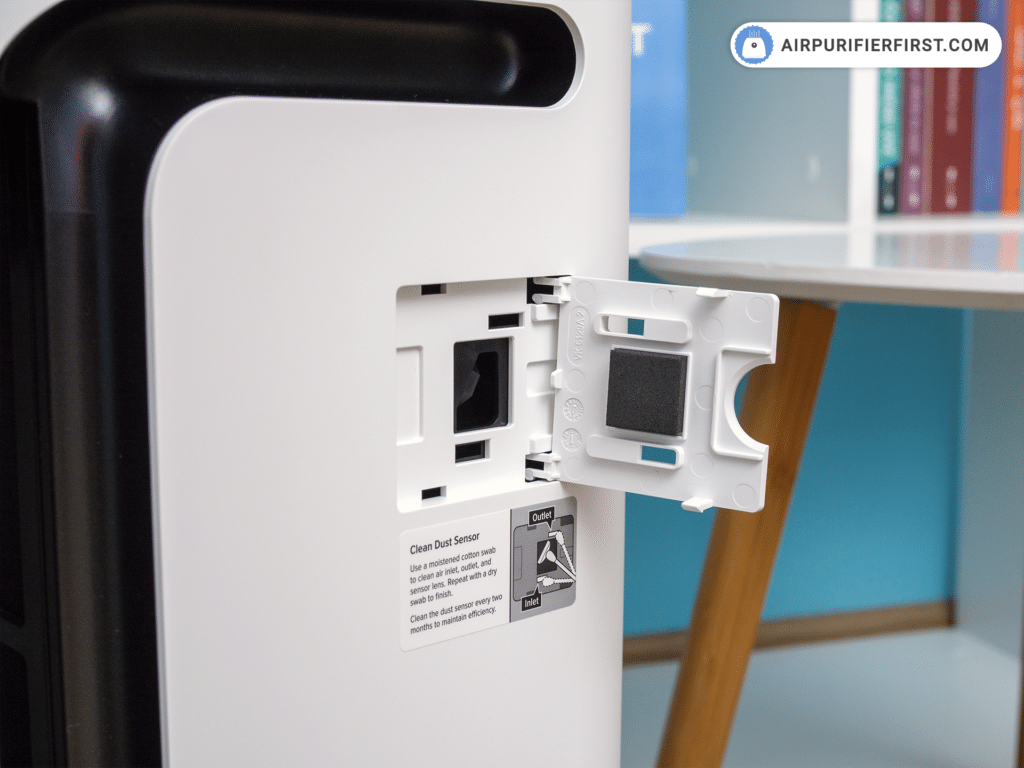
Sensor Contact Cleaning Technique
Dust accumulation on internal sensor contacts frequently triggers false lock indicators. Remove the front panel and filter, then locate the small metal contact points inside the housing. Using a dry cotton swab (never liquid), gently wipe each contact point in a single direction—back-and-forth motions can push debris deeper. Reinstall the filter perfectly aligned against these contacts, as even a 2mm misalignment prevents proper connection and maintains the blinking alert.
Preventing Future Lock Light Problems
Proactive maintenance prevents most Levoit air purifier lock blinking issues before they disrupt your clean air experience. Implement these simple habits to keep your unit functioning smoothly.
Weekly Control Panel Maintenance
Wipe the entire control panel with a dry microfiber cloth every Sunday—this prevents static buildup that accidentally triggers child lock. Pay special attention to the area around buttons, where dust accumulation can cause unintended presses. For models with physical buttons (not touch-sensitive), use a soft-bristled toothbrush to gently dislodge debris from button crevices without damaging components.
Filter Reset Protocol
Develop a consistent routine whenever servicing filters: always reset the indicator immediately after reinstallation. Set a recurring phone reminder for filter maintenance every 6-9 months (depending on your model’s specifications). Keep a spare HEPA filter on hand so you never delay replacements, which can lead to rushed installations and improper resets.
Advanced Solutions for Unresponsive Units
When basic fixes fail, these professional-level techniques resolve stubborn Levoit air purifier lock blinking issues that persist through standard troubleshooting.
Factory Reset Procedure
For deeply embedded software glitches, perform a complete factory reset: Unplug the unit and wait 10 minutes, then hold the power button while plugging it back in. Continue pressing for 15 full seconds (count deliberately) before releasing. The unit will power on with default settings, requiring WiFi reconnection through the VeSync app. This nuclear option clears all custom settings but resolves persistent blinking in nearly all cases.
Firmware Update Verification
Outdated firmware often causes false lock indicators. In the VeSync app, navigate to Settings > Device Information > Firmware Version. If an update is available, install it immediately—Levoit regularly releases patches for display and sensor issues. Important: Keep the unit plugged in during updates, as power interruptions can corrupt firmware.
When to Contact Levoit Support
If your Levoit air purifier lock blinking continues after trying all solutions, prepare specific diagnostic information before contacting support. Note your exact model number (found on the bottom label), purchase date, and document the blinking pattern—is it three quick flashes followed by a pause, or continuous rapid blinking? Take a clear photo showing the blinking lock indicator with the unit powered on. Support teams prioritize cases with this detailed diagnostic information, significantly reducing resolution time.
Your Levoit air purifier’s blinking lock light serves an important purpose—it’s not a defect but a communication tool requesting specific attention. By understanding whether your unit needs child lock deactivation or filter reset, you’ve gained the knowledge to resolve this common issue in under a minute. Implement the weekly maintenance habits outlined here to prevent future disruptions, and keep your air purifier running at peak efficiency. Remember that consistent filter resets and proper child lock management ensure your Levoit continues delivering clean, healthy air without unnecessary interruptions to your daily routine.


