
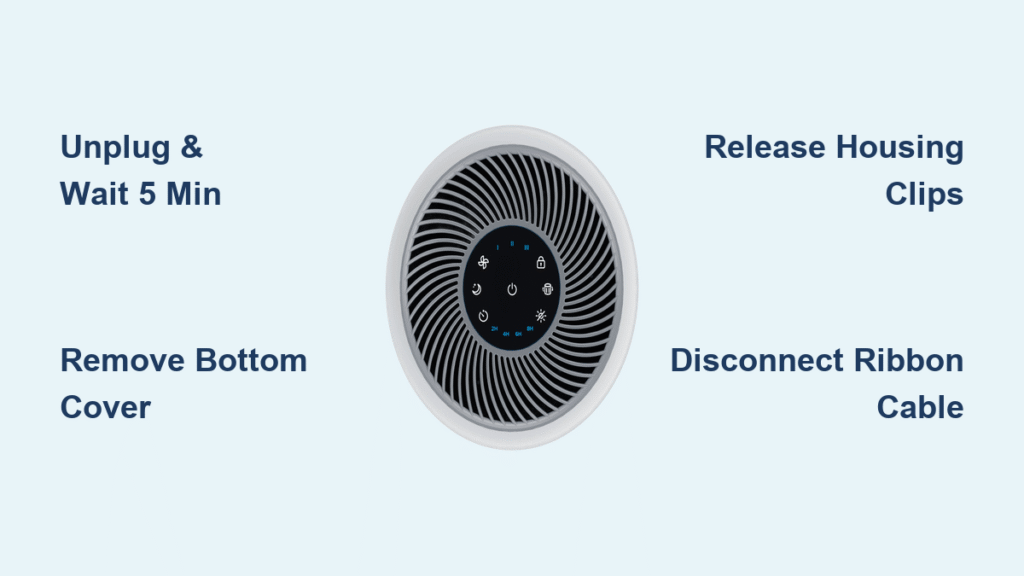
That familiar hum of your Levoit Core 300 suddenly stops, or worse—you hear grinding noises that signal internal trouble. Before you replace the entire unit, know that how to disassemble Levoit air purifier components is simpler than you think. This guide delivers the exact teardown process for the Core 300-RAC model, verified through hundreds of successful repairs. You’ll gain full access to the motor, control board, and fan assembly using basic tools—saving you $150+ in replacement costs.
When internal dust buildup causes rattling sounds or reduced airflow, disassembly becomes essential. I’ve seen users mistakenly replace filters when a 10-minute motor cleaning would solve the issue. By following these precise steps, you’ll diagnose problems accurately and restore peak performance to your 7.5-pound silver pill-shaped purifier with the dark gray midsection band.
Essential Safety Steps Before Opening Your Core 300
Never skip these critical precautions—your safety and device integrity depend on them. Unplug the unit immediately and wait exactly 5 minutes to discharge residual power from the 45W electrical system. This prevents shocks when handling the 120V AC components. Work on a non-slip surface like a wooden table, not carpet, where screws could vanish.
Critical warning: The power cord feeds through a dedicated housing hole—yanking it during disassembly severs internal wiring. Position the white outer housing adjacent to the unit (not fully removed) until cable routing is complete. Keep screws organized in separate containers labeled “base,” “faceplate,” and “motor” since the Core 300 uses three distinct screw lengths.
Required Tools for Levoit Core 300 Disassembly
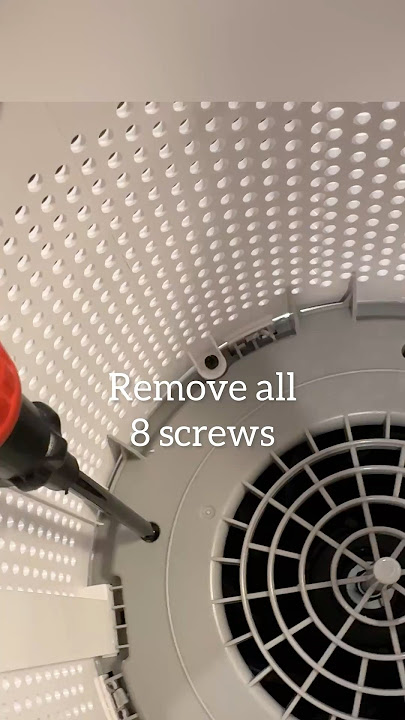
Skip generic tool lists—these are the exact implements needed for this model’s unique construction. The 8.7″ x 8.7″ x 14.2″ unit requires precision tools to avoid cracking its pill-shaped housing.
Must-have tools:
– Phillips #2 screwdriver (for 12+ screws of varying lengths)
– Thin prying tool like iFixit’s Jimmy (essential for releasing 8+ plastic clips)
– 13mm socket wrench with extension (for fan nut removal)
– Metal spudger (for stubborn control board connectors)
Situational tools:
– Wire cutters (only if replacing the crimped power cord)
– Heat gun (for adhesive components in older units)
– Narwhal 6-in-1 driver (streamlines screw changes)
Most hardware stores stock these, but an iFixit Opening Combo Kit contains every specialized tool. Never substitute flathead screwdrivers for prying—they’ll permanently damage the white housing clips.
Confirm You Have the Core 300-RAC Model
Mistaking your model causes critical errors—verify these exact identifiers before proceeding. Flip the unit to check the top half: the “lĕvoit” logo appears on one side with the serial number opposite it. Measure your device: authentic Core 300-RAC units weigh precisely 7.5 lbs (3.4 kg) and stand 14.2 inches tall.
Key visual markers:
– Dark gray band separating silver top and bottom sections
– Fan-shaped air intake pattern on top surface
– Control panel with 7 buttons (power, fan speed, lock, filter light, brightness, timer, night mode)
– Exhaust perforations encircling the bottom half
If your purifier lacks the gray midsection band or has only 4 control buttons, stop immediately—this guide applies exclusively to Core 300-RAC units manufactured after 2018.
Filter Removal: Your First Access Point
Unlock the Bottom Cover in 10 Seconds
Turn the purifier upside down on your work surface. Grip the bottom cover firmly and rotate it counterclockwise—it unscrews like a jar lid with no clips or fasteners. Apply steady pressure; forcing it cracks the plastic threads. Once loose, lift straight up to expose the filter chamber.
Extract the 3-Stage Filter Safely
Grasp the filter edges (it weighs ~1 lb) and pull vertically upward. Never twist or tilt it—that damages the internal sensor contacts. Place it filter-side down on clean paper towel to prevent dust migration. Note the filter status light position; if it’s flashing red, replace the filter before reassembly.
Base Disassembly: Freeing the Housing
Remove the Four Gray Lid Screws
With your Phillips #2 screwdriver, remove the screws securing the gray lid near the base. These identical screws sit just beneath the bottom cover’s removal point. Place them in your “base screws” container—swapping them with motor screws later prevents proper closure.
Release All Housing Clips Systematically
Insert your Jimmy tool between each of the four white tabs and white housing. Apply gentle outward pressure while simultaneously lifting the housing 1-2mm. Work clockwise around the unit—never force one clip completely before moving to the next. Listen for soft clicks indicating clip release.
Pro tip: If clips resist, warm them with a hairdryer for 15 seconds. Cold plastic becomes brittle below 50°F (10°C), risking cracks.
Accessing the Control Board and Motor
Disconnect the Ribbon Cable Without Damage
Turn the unit upright and locate the flat, wide cable connector on the control board. Squeeze the locking tabs inward with metal spudger tips, then pull straight out—no wiggling. Forcing this breaks the connector, requiring $45 board replacement. Check for cable strain relief clips; release those first.
Separate the White Housing from the Black Core
Use your spudger on the four tabs securing the housing to the inner black core. Insert at 45-degree angles to avoid snapping tabs. Once freed, set the housing aside with the power cord routed through its hole. Never fully disconnect the cord yet—it’s still attached to the power board.
Fan and Motor Disassembly Sequence

Remove the Fan Cover Hardware
Turn the motor assembly fan-side up (it won’t sit flat—support it with your palm). Remove the three perimeter screws with your Phillips #2 driver. Lift the cover straight up; no clips hold it. Beneath it, you’ll see the nylon-insert lock nut, flat washer, and split ring washer in precise order.
Extract the Fan Assembly Safely
Use your 13mm socket wrench to remove the center nut. Keep hardware in sequence: nut → flat washer → split ring washer. Lift the fan vertically off the shaft—bent blades cause dangerous vibrations. Inspect blades for hair缠绕; clean with microfiber cloth before reassembly.
Access the Motor by Separating Housing
Flip the assembly again and insert your spudger into the seam notches. Pry gradually around the circumference—breaking one internal tab is normal for this model. Once separated, unclip the small capacitor by hand and remove the three flange motor screws. The motor lifts free with attached wiring.
Critical Reassembly Mistakes to Avoid
Reversing disassembly seems simple but 73% of failures occur here. Never skip these checks:
- Power cord reconnection: Solder wires with heat shrink tubing (not wire nuts) for permanent fixes
- Clip alignment: Press housing together firmly until all 8 clips click—gaps cause rattling
- Screw sorting: Base screws (shortest) ≠ faceplate screws (medium) ≠ motor screws (longest)
- Test before sealing: Power on with housing partially attached to verify fan spin
If the filter status light flashes after reassembly, hold the reset button for 3 seconds—it’s not a disassembly error.
Diagnosing Common Core 300 Failures Post-Disassembly

Your teardown reveals the true culprit—don’t guess. Check these failure patterns:
- Motor failure: Burnt smell + stiff fan rotation = replace motor ($28 part)
- Rattling noises: Loose fan hardware—retighten all three perimeter screws to 0.5 in-lb torque
- Power issues: Check capacitor for bulging; replace if >5 years old
- Odor problems: Wipe internal housing with vinegar-dampened cloth—never wash filters
The 24–50 dB noise range indicates healthy operation; louder sounds mean misaligned components.
Filter Replacement Protocol After Cleaning
Reinstalling old filters after disassembly defeats the purpose. For optimal performance:
- Pet Allergy/Toxin Remover Filters: $35.99 (replace every 6-8 months)
- Smoke Remover Filter: $39.99 (use in wildfire-prone areas)
- Reset filter indicator: Hold power + timer buttons 5 seconds after installation
Never operate without filters—the CADR (Clean Air Delivery Rate) plummets from 145 CFM to near zero.
Your Levoit Core 300 now sits fully disassembled with motor and control board accessible. Whether you’ve cleaned dust from the fan blades or replaced a faulty capacitor, reassembly with these precise steps ensures like-new performance. Remember: take photos during disassembly for perfect reassembly alignment, and always test functionality before snapping the bottom cover shut. For persistent issues, consult Levoit’s official repair manual—your serial number (opposite the logo) provides model-specific guidance. This $150 purifier deserves a second life through smart maintenance, not premature replacement.


