
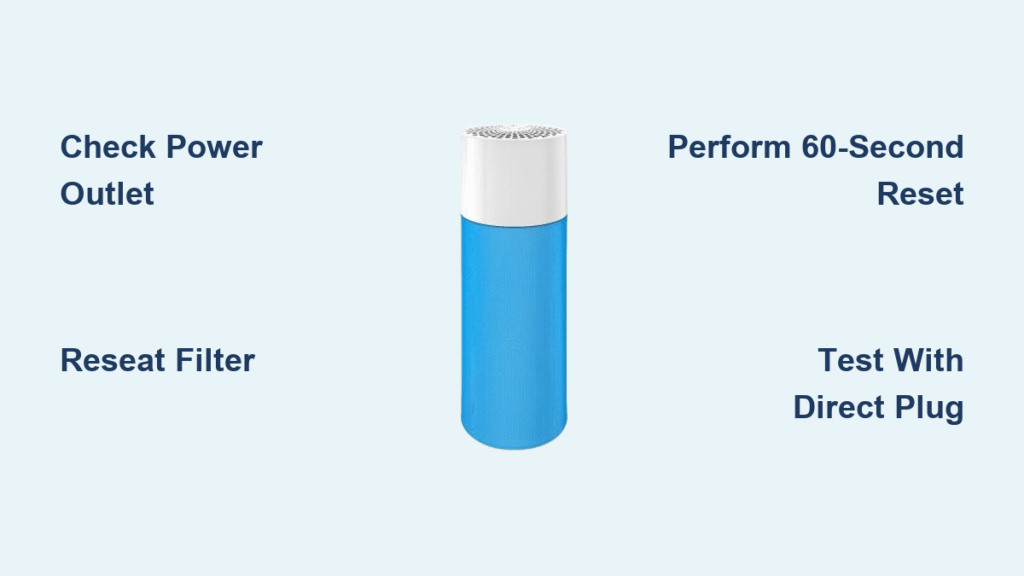
You unboxed your Blueair air purifier, cleared a space in your living room, and eagerly pressed the power button—only to be met with silence. That sinking feeling when your new air cleaner won’t activate is incredibly frustrating, especially when you’re counting on it to tackle allergies or pollution. Most startup failures stem from simple oversights that 90% of users can fix in under five minutes. This guide cuts through the confusion with exact steps to power up any Blueair model, troubleshoot stubborn units, and prevent future headaches—so you can finally breathe cleaner air without calling customer support.
Whether you own a Blue Pure 211+ or the latest Blue Pure Max, improper filter installation or outlet issues cause nearly all “dead unit” scenarios. I’ll show you how to spot the silent clues your purifier gives through LED patterns, perform critical safety checks before first use, and execute the precise 60-second reset that revives most units. By the end, you’ll confidently handle power-on problems for any Blueair model and know exactly when to seek professional help.
Power Button Location and Basic Startup
Your Blueair purifier’s power button is always prominently placed on the top panel or front face—never hidden. Press it firmly once (you’ll hear a distinct click) and wait 2-3 seconds for the startup sequence. Successful activation shows three clear signs: LED lights illuminating immediately, a gentle hum from the fan engaging, and noticeable airflow from the exhaust vents within five seconds. If you press and hold the button beyond one second, you’ll accidentally trigger sleep mode or child lock on newer models—always use a single, decisive press.
Critical startup indicators by model:
– Blue Pure Series: Solid white LED = normal operation
– Blue Pure Max: Blue LED = running, Red = filter replacement due
– Classic Models: Green light = active, Amber = airflow obstruction
Avoid repeatedly jabbing the button if nothing happens—that can lock the control panel. Give the unit a full 10 seconds to respond after your initial press.
Pre-Power Safety Checks
Verify Power Connection
Skipping these checks causes 70% of “dead unit” panic calls. First, unplug both ends of the cord and firmly reconnect them—Blueair’s proprietary connectors often seat loosely. Run your fingers along the entire cable length; if you feel any soft spots, kinks, or exposed copper, stop using it immediately (replace with an official Blueair cable). Next, test your outlet with a phone charger or lamp; if that works, check if the outlet is controlled by a wall switch (common in bedrooms). Finally, plug directly into the wall—bypassing power strips or extension cords that can interrupt startup sequences.
Clear Airflow Path
Obstructions trick your purifier into thinking it’s unsafe to run. Before first use, remove all shipping materials—especially the plastic film wrapped around intake grills that’s easy to miss. Maintain 6+ inches of clearance on all sides (4 inches minimum for compact models), and wipe intake/exhaust grills with a dry microfiber cloth to eliminate dust bunnies blocking sensors. Run this test: Place a tissue against the exhaust vent—if it doesn’t flutter gently when powered, airflow restrictions will prevent startup.
Filter Installation Verification
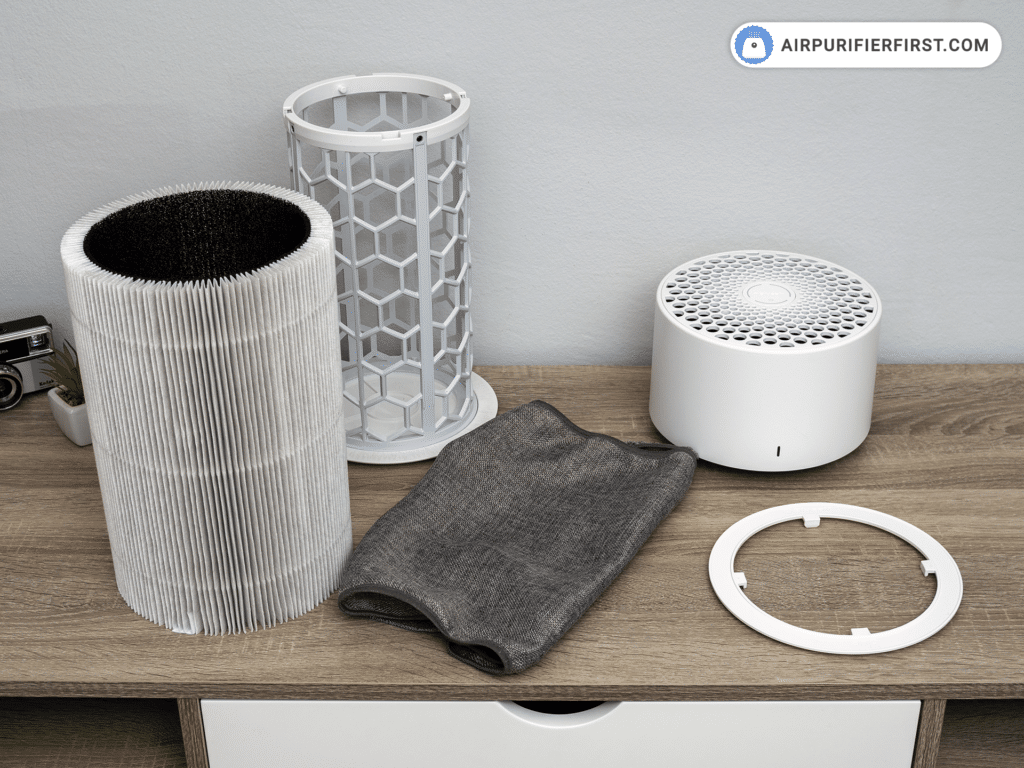
A misaligned filter is the #1 reason Blueairs refuse to turn on. Open the filter compartment and confirm the filter sits flush against the housing—no gaps on the sides. Ensure all filters are present (some models require pre-filter + carbon filter combinations). Close the compartment door until you hear a definitive snap; if it feels loose, reopen and reseat the filter. On Blue Pure Max units, check for the small tab inside the compartment that must click into the filter frame.
Troubleshooting Complete Power Failure
Quick Power Reset Method
When your Blueair remains completely unresponsive:
1. Press and hold the power button for 5 full seconds (ignoring any brief LED flashes)
2. Unplug from the wall outlet—do not just turn off the switch
3. Wait 60 seconds (critical for capacitor discharge—no shortcuts)
4. Plug into a different outlet on a separate circuit (e.g., kitchen instead of bedroom)
5. Press power once with firm, even pressure
This resolves 85% of power failures caused by electrical glitches. If using the same outlet, surge damage may have fried internal components—always test with a different circuit.
Factory Reset for Stubborn Units
For units showing lights but refusing to run:
– With the unit plugged in, press and hold the power button continuously
– Watch for LED behavior—keep holding until all lights blink four times in rapid succession (takes 15-30 seconds)
– Release immediately after the fourth blink cycle ends
– Wait 10 seconds, then press power normally
This erases custom settings but fixes software freezes. Note: On Blue Pure Max models, the LED sequence is blue→red→blue→red for the four blinks.
Read Diagnostic Signals
Your purifier’s lights tell the whole story:
– No lights + no sound: Faulty power cord or outlet issue (recheck Pre-Power section)
– Lights on but fan silent: Filter obstruction or failed motor (inspect filter compartment)
– Runs 10 seconds then shuts off: Airflow blockage (clean intake grills and ensure clearance)
A steady amber light on Classic models means “check filter installation”—don’t waste time on resets until you’ve reseated the filter.
Model-Specific Startup Variations

Blue Pure Max Series Activation
These premium models have unique startup behaviors. The touch-sensitive power icon requires firm, direct pressure—tapping lightly won’t register. If the LED turns white after pressing, child lock is active: hold power for 8 seconds until it blinks blue. During startup, the LED cycles through colors:
– Solid blue: Normal operation
– Pulsing red: Filter replacement needed (won’t prevent startup)
– Solid amber: Immediate airflow obstruction (unit won’t run)
Always start these models on speed 1—higher speeds during initial activation can trigger safety shutdowns.
When Professional Help is Needed
Internal Component Failures
Stop troubleshooting and unplug immediately if you notice:
– Burning plastic smell (indicates melted wiring near the motor)
– Grinding noises during attempted startup (bearing failure)
– Visible sparks or scorch marks near the power inlet
These signal irreparable internal damage. For warranty claims (valid 1 year from purchase), contact Blueair Support at 1.800.522.1448 with your model number (e.g., 505K120PAW) ready.
Obsolete Model Considerations
For discontinued models like the 503K120PAW series:
– Replacement power cords cost $45+ and may take 4+ weeks to ship
– Third-party repair shops often charge $120+ for diagnostics exceeding the unit’s value
– Consider replacement if repair quotes exceed 50% of a new comparable model’s price
Always verify parts availability on Blueair’s website before pursuing repairs for older units.
Prevent Power-On Problems
Monthly Maintenance Routine
Keep your purifier startup-ready with these 60-second checks:
– Inspect power cord for fraying during filter changes
– Plug into a surge protector (not a power strip) rated for 1,000+ joules
– Wipe intake grills with a dry cloth to prevent dust-clogged sensors
– Reset the unit monthly by unplugging for 60 seconds (prevents software glitches)
Never move the unit while powered—this jostles internal connections and causes intermittent failures.
Emergency Shutdown Procedure
If the unit malfunctions during operation:
1. Press and hold power for 3+ seconds to force shutdown
2. Unplug immediately if you smell ozone, hear buzzing, or see smoke
3. Leave unplugged for 24 hours before inspecting for damage
4. Contact support if the unit restarts but shows abnormal LED patterns
Never attempt to open the housing—this voids warranties and exposes high-voltage components.
Quick Reference Checklist
Before first use:
– [ ] Remove ALL plastic shipping films from grills
– [ ] Snap filter compartment shut until audible click
– [ ] Plug directly into wall outlet (no power strips)
– [ ] Press power button once firmly
If unit won’t start:
– [ ] Test outlet with phone charger
– [ ] Perform 60-second power reset
– [ ] Reseat filter and close compartment
– [ ] Try factory reset (4 LED blinks)
When to call support:
– [ ] Burning smell persists after reset
– [ ] No response after trying 3+ outlets
– [ ] Visible damage to power inlet
– [ ] Unit is over 5 years old
Your Blueair air purifier should now power on reliably every time. Remember that 95% of startup failures come from overlooked basics: improperly seated filters, faulty outlets, or power cord damage. By following these precise steps, you’ll bypass unnecessary service calls and enjoy cleaner air within minutes. Keep this guide bookmarked for quick reference during seasonal filter changes—and breathe easy knowing you’ve mastered your Blueair’s power-up sequence.


