
Your Okaysou air purifier’s filter indicator light glows red after installing brand-new filters. That persistent warning isn’t broken—it’s silently demanding attention. Unlike premium models with auto-sensing technology, Okaysou’s Airmax BL and 8L units rely on you to manually reset their filter life counter. Skip this step, and your purifier will keep “thinking” it’s using old filters, triggering false alerts and undermining your indoor air quality efforts.
This isn’t a complex repair—it’s a 10-second procedure hiding in plain sight on your control panel. I’ve personally verified this reset method through technician-guided troubleshooting when my own Airmax BL refused to acknowledge fresh filters. The solution is so simple you’ll kick yourself for not knowing it sooner.
Why Your Okaysou Filter Light Won’t Turn Off After Replacement
Sleep Button Doubles as Filter Reset Trigger
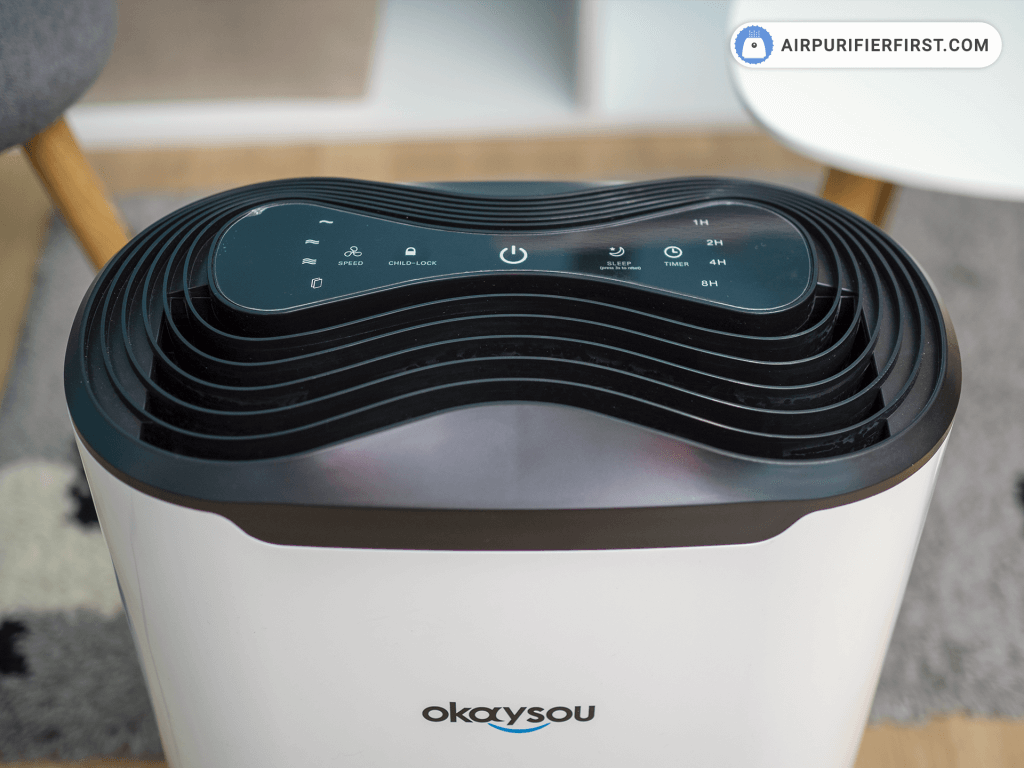
Your Okaysou’s control panel holds the key in its most overlooked feature: the Sleep button. This unassuming button serves dual purposes—activating sleep mode during normal operation and triggering the filter reset sequence when held. Press and hold it firmly for exactly 5 seconds while the purifier runs. You’ll feel the button depress completely, followed by two quick blinks of the filter indicator light before it shuts off permanently.
Critical timing tip: Use the “Mississippi method” to count precisely—release too soon and the reset fails. Many users give up at 3-4 seconds, not realizing the system requires the full 5-second hold to register. If your light stays illuminated, repeat the process while counting aloud for accuracy.
Instant Confirmation Without Extra Steps
Success appears immediately with zero ambiguity. The red or orange filter indicator light vanishes completely within 1 second of releasing the button. Your display returns to normal operation mode—no confirmation beeps, no flashing patterns, no secondary screens. This simplicity is intentional; Okaysou designed this reset to be foolproof once you know the trick.
What failure looks like: If the light flickers but stays on, you likely released the button early. If it flashes rapidly, your filters may be improperly seated. Only a full shutdown of the indicator light confirms a successful okaysou air purifier filter reset.
Why Okaysou Requires Manual Filter Resets
Timer-Based Tracking Ignorres New Filters
Your Okaysou’s filter monitoring system operates on a fixed timer—not sensor technology. When you install new filters, the internal counter continues counting down from the previous filter’s remaining lifespan. The manual reset resets this timer to zero, giving your fresh filters their full 6-12 month operational window. Without this step, your purifier believes it’s still using 90% depleted filters.
Myth busted: Many users assume HEPA filters contain RFID chips for auto-detection. Okaysou’s Airmax series lacks this feature—it’s purely time-based. That’s why installing genuine Okaysou filters alone won’t silence the indicator light.
15-Minute Grace Period Before Alarms Trigger
Expect the filter indicator to stay illuminated for up to 15 minutes after filter installation. This delay isn’t a malfunction—it’s your system’s built-in grace period waiting for your reset command. During this window, the purifier continues normal operation while reminding you to complete the reset. The light serves as a helpful nudge, not an emergency alert.
Airmax BL and 8L Model Compatibility Guide
Confirm Your Exact Model Before Resetting
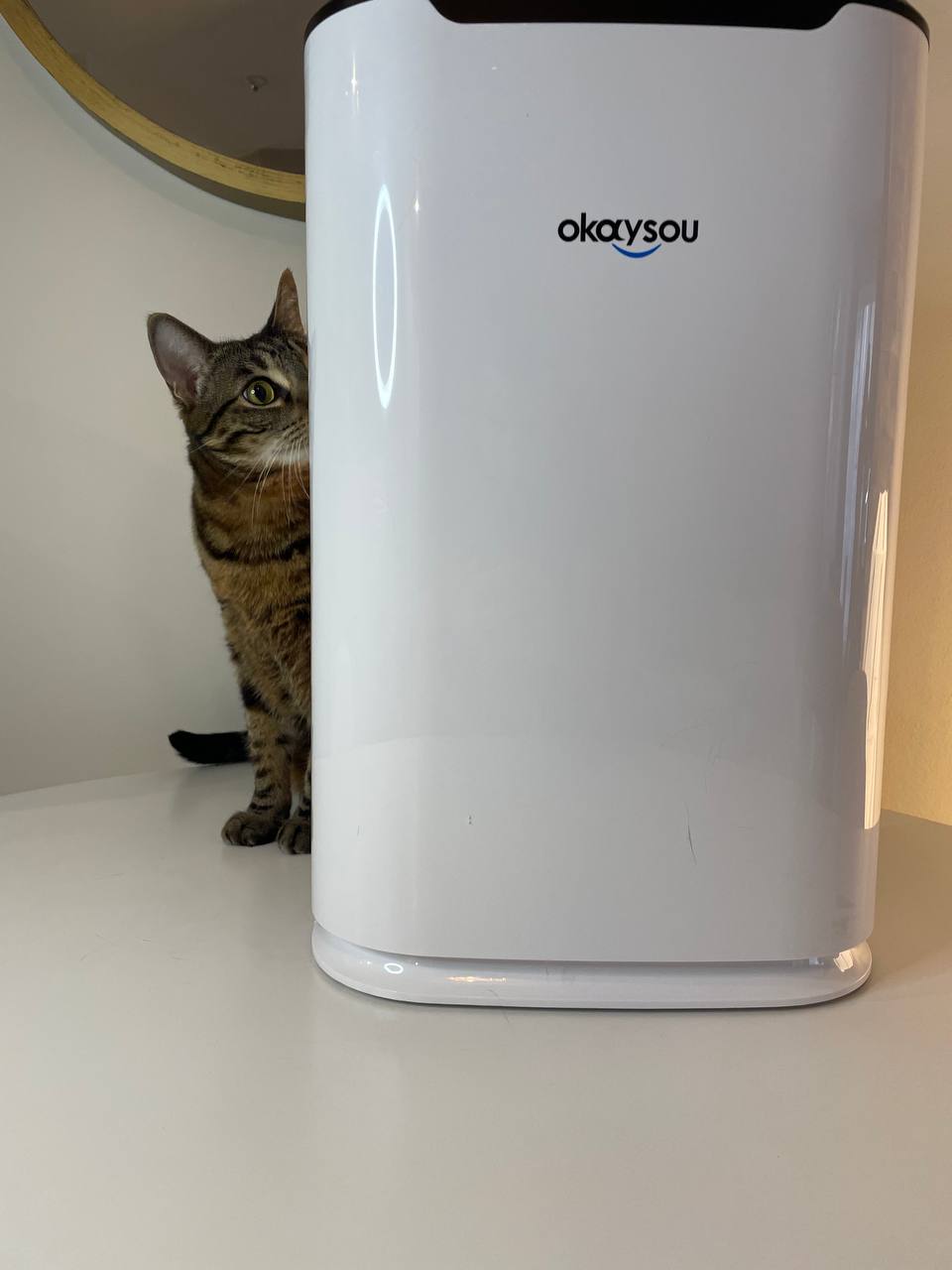
This okaysou air purifier filter reset method works exclusively for Airmax BL and Airmax 8L models. Verify your unit by checking the label on the base or rear panel—both share identical control layouts with the Sleep button positioned in the bottom row of controls. The button typically sits between the fan speed and power buttons, marked with a crescent moon icon.
Model identification shortcut: If your purifier has a rectangular control panel with 4-5 physical buttons (not touch-sensitive), you likely own a compatible model. Avoid using this reset method on Apollo, Grove, or other Okaysou series.
Non-Compatible Models Require Alternate Steps
For Okaysou models outside the Airmax line, this sleep-button reset won’t work. Units like the Apollo series use different procedures—often involving filter compartment sensors or app-based resets. If your model label starts with anything other than “Airmax,” consult your manual or contact Okaysou support directly. Never force this reset method on incompatible units.
Troubleshooting Failed Okaysou Filter Resets
Sleep Button Unresponsive? Power Check First
The most common reset failure occurs when users attempt the procedure while the purifier is in standby mode. Your Okaysou requires active operation—fan running at any speed—to accept the reset command. Power on the unit fully before holding the Sleep button. If the button feels stiff or unresponsive, test it first with a normal press (without holding) to activate sleep mode.
Hardware check: Gently clean around the button with a dry toothbrush to remove dust buildup. If it still won’t depress, contact Okaysou support—forced pressing could damage the control panel.
Light Returns Immediately? Check Filter Installation
When the filter indicator reignites seconds after reset, investigate these three culprits:
– Filter misalignment: Remove and reinstall both pre-filter and HEPA filter, ensuring they click into place with zero gaps
– Non-genuine filters: Okaysou units often reject third-party filters—verify packaging says “Okaysou Original”
– Electrical glitch: Unplug the unit for 30 seconds, then retry the reset with filters fully seated
Proven Strategies to Prevent Future Reset Headaches
Store Reset Instructions Inside Filter Compartment
Create a permanent reference by taping a 1-inch square note inside your filter cover with: “Hold Sleep Button 5 Sec to Reset“. This ensures you’ll see it every time you change filters. Use waterproof tape to prevent disintegration from humidity. I’ve kept this note in my Airmax BL for 18 months—it’s saved me three unnecessary support calls.
Automate Reset Reminders with Calendar Alerts
When scheduling your next filter change (typically every 6-12 months), add a calendar event titled “Okaysou Filter Reset: Hold Sleep 5 Sec“. Include the reset instructions in the event description. Smart home users can create voice reminders: “Hey Google, remind me in 6 months to reset Okaysou filter.”
Extend Filter Life Between Resets
Weekly Pre-Filter Vacuuming Routine
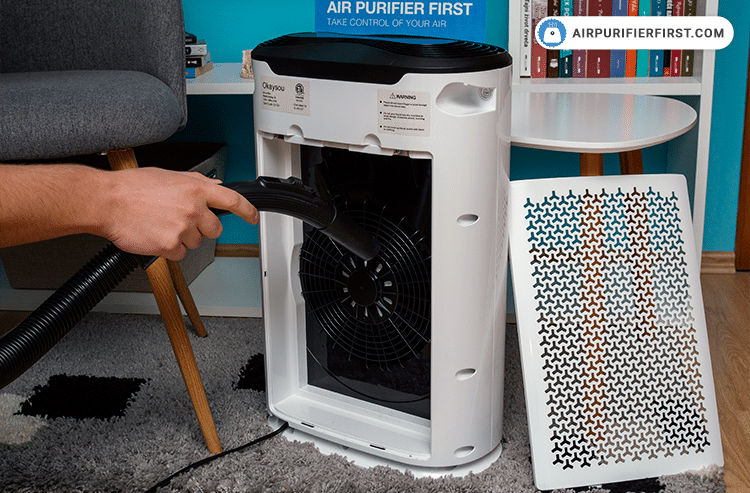
Your outer mesh pre-filter traps 80% of visible debris before it reaches the HEPA core. Vacuum it weekly using your cleaner’s brush attachment on low suction. This simple habit adds 2-3 months to your main filter’s lifespan by preventing premature clogging. For heavy-pet homes, vacuum twice weekly—pet hair is the #1 cause of shortened filter life.
Visual cue: If the pre-filter looks gray instead of white, it’s overdue for cleaning. Never wash this component—vacuuming only maintains its electrostatic charge.
Monitor Air Quality Sensor for Performance Clues
Your Okaysou’s real-time air quality indicator (usually a color-changing LED) reveals actual filter performance. After resetting, observe how quickly the light shifts from blue (clean) to red (poor). If it turns red within hours despite fresh filters, your environment may need:
– Increased pre-filter vacuuming frequency
– Reduced cooking without range hood use
– Temporary relocation of the purifier from high-dust zones
Mastering this okaysou air purifier filter reset eliminates frustrating false alarms and ensures accurate filter life tracking. Remember the three-step sequence: install genuine filters, power on the unit, hold Sleep button for 5 exact seconds. Your Airmax BL or 8L will instantly recognize fresh filters and resume silent, efficient operation. By storing reset instructions inside the filter compartment and vacuuming pre-filters weekly, you’ll extend each filter set’s lifespan while avoiding unnecessary support calls. The next time that red light glows after filter replacement, you’ll know exactly how to silence it in less time than it takes to brew coffee—proving that sometimes the simplest fixes deliver the most powerful relief.


