
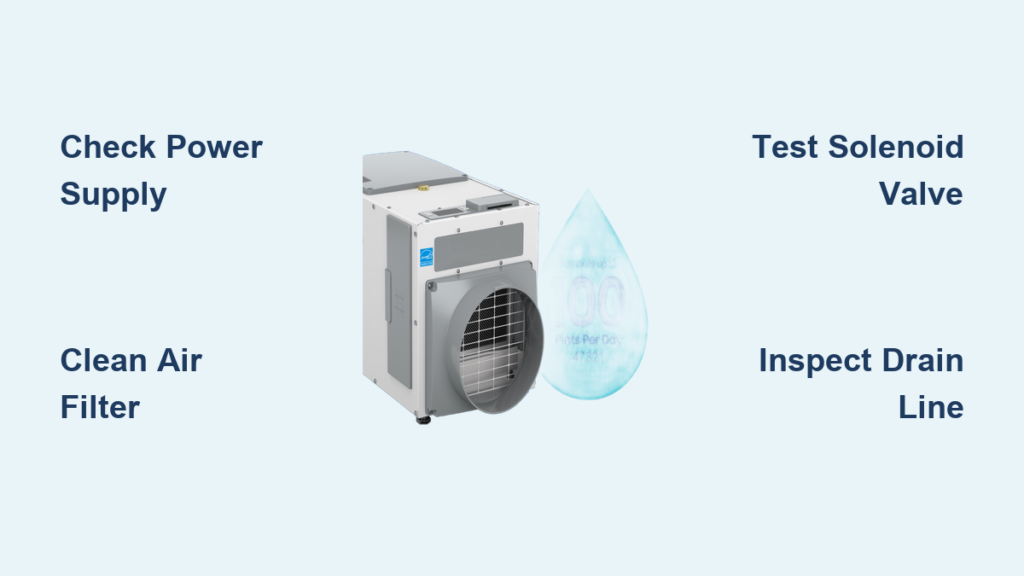
When your Aprilaire dehumidifier stops pulling moisture effectively, your home becomes vulnerable to mold growth and structural damage within days. These high-capacity units (removing up to 70 pints daily) protect up to 3,800 square feet of living space, but even the most reliable models eventually need attention. Knowing how to diagnose and fix common Aprilaire dehumidifier repair issues saves hundreds in service calls while maintaining optimal indoor air quality. This guide delivers professional-grade troubleshooting steps and maintenance routines that keep your unit performing like new for years to come.
Why Your Aprilaire Dehumidifier Stops Removing Moisture Effectively
Dehumidifier Won’t Turn On Despite Power Connection
When your Aprilaire refuses to start, the issue typically stems from power supply problems or control system failures. Verify the unit receives proper voltage by testing the outlet with another appliance—many homeowners discover their dehumidifier plugs into a tripped GFCI outlet, especially in basement installations. Check your circuit breaker panel for tripped switches that might have been overlooked.
Power supply checklist:
– Reset all GFCI outlets on the same circuit
– Test outlet voltage with a multimeter (should read 115V)
– Inspect power cord for visible damage or fraying
– Confirm circuit breaker hasn’t tripped due to overload
Insufficient Moisture Removal Despite Continuous Operation
If your dehumidifier runs constantly without reaching target humidity levels, examine these critical components. Dirty filters reduce airflow by up to 40%, forcing your unit to work harder while removing less moisture. Models 1830 and 1820 both use EZ Kleen filters that require monthly inspection during peak seasons. Always maintain humidity between 45-60%—below 45% causes structural damage and nosebleeds, while above 60% risks mold growth.
Performance testing sequence:
– Measure current humidity with a separate hygrometer
– Verify target setting is between 45-55% RH
– Check for blocked air intake vents or obstructions
– Inspect discharge air temperature (should feel cool)
Grinding or Squealing Noises During Operation
Grinding, rattling, or squealing sounds indicate mechanical component failure. Fan motor bearings typically produce high-pitched squeals when failing, while compressor issues create deeper grinding sounds. Document the noise type and frequency to help narrow down the failing component. These sounds often precede complete system failure, so address them immediately before moisture damage occurs.
Model 1830/1820 Diagnostic Steps You Can Perform

Visual Inspection Checklist Before Repair Attempts
Start every repair with a thorough visual examination. Look for ice buildup on coils—a sign of low refrigerant or airflow restrictions. Check the drain line for kinks or clogs that prevent water removal, causing the unit to shut down on overflow protection. Many Aprilaire models feature automatic shut-off when water levels exceed safe limits.
Key inspection points:
– Filter condition (clean or clogged)
– Coil cleanliness (ice or frost indicates problems)
– Drain line integrity (kinks or blockages)
– Fan blade damage (cracks or obstructions)
– Electrical connections (corrosion or looseness)
Testing WiFi Control Systems with Model 8620W Thermostat
The Model 8620W WiFi thermostat integration adds diagnostic complexity. Verify communication between devices by checking the thermostat’s humidity reading against the dehumidifier’s display. Discrepancies indicate sensor calibration issues or communication failures. This smart thermostat offers remote monitoring through mobile apps, but connectivity issues can disrupt proper dehumidifier operation.
Control system tests:
– Display accuracy check against independent hygrometer
– Setting adjustment response time
– WiFi connectivity status indicators
– Remote app functionality verification
EZ Kleen Filter Replacement Procedures That Restore Performance
Matching Correct Filter Models to Your Aprilaire Unit
Identify your filter model before ordering replacements. The 5570 and 5569 filters service larger capacity units, while the 4904 fits compact models. Never substitute filter types—using incorrect filters reduces efficiency and may void your warranty. Each filter serves specific capacity requirements to maintain optimal airflow through your dehumidification system.
Filter compatibility chart:
– 5570: High-capacity models, $82.60 USD
– 5569: Standard models, $74.40 USD
– 4904: Compact units, $29.96 USD
– 5443: Replacement standard, $26.19 USD
– 4510: Universal fit, $35.30 USD
Step-by-Step Filter Replacement in 10 Minutes
Replacement takes 5-10 minutes with basic household tools. Always power down the unit completely before accessing internal components to prevent electrical hazards during the Aprilaire dehumidifier repair process.
- Power down unit and unplug from wall outlet
- Remove front panel by pressing release tabs
- Slide out old filter noting airflow direction indicator
- Insert new filter with arrow pointing toward coils
- Replace panel ensuring proper seal around edges
- Power up and test operation for proper airflow
Pro tip: Mark your calendar for monthly filter checks during humid seasons—neglected filters cause 80% of performance issues and can lead to costly repairs.
Solenoid Valve Repair for Proper Drainage Function

4040 Solenoid Replacement When Water Isn’t Draining
The 24-volt solenoid valve controls water flow to your dehumidifier’s drainage system. Failure symptoms include water backing up into the unit or continuous running without water removal. This critical component ensures proper drainage to prevent overflow and water damage in your basement or crawl space.
Replacement procedure:
– Shut off water supply to unit completely
– Unplug all electrical connections safely
– Remove mounting screws securing valve
– Install new 4040 valve ($53.99 USD)
– Test operation before sealing unit casing
Solenoid Valve Troubleshooting Without Replacement
Check these common failure modes before replacing the entire valve assembly. Mineral buildup often causes temporary sticking that can be resolved with cleaning rather than replacement, saving you unnecessary parts costs.
Check these common failure modes:
– Coil resistance (should read 20-30 ohms when tested)
– Valve sticking due to mineral buildup in hard water areas
– Electrical connection corrosion at contact points
– Water pressure irregularities affecting valve operation
Steam Canister Maintenance for Whole-Home Humidity Control
Aprilaire 80 Replacement Steam Canister Timing
The Aprilaire 80 steam canister ($99.99 USD) requires replacement every 2-3 years depending on usage and water quality. Hard water areas need more frequent changes due to mineral accumulation that reduces steam output and efficiency. This component is critical for maintaining proper humidity levels throughout your entire home.
Replacement indicators:
– Reduced steam output despite proper settings
– Error codes on display panel
– Visible mineral deposits around canister
– Unusual odors during operation cycles
Steam Canister Installation Process Without Professional Help
Canister replacement takes 15-20 minutes for experienced DIYers. Always allow the unit to cool completely before beginning work to avoid burns from residual heat in the system. This repair maintains your 5-year warranty when performed correctly with genuine Aprilaire parts.
- Power down and disconnect electrical supply completely
- Drain remaining water from canister housing
- Disconnect electrical and water connections carefully
- Remove old canister noting precise orientation
- Install new 80 canister reversing removal steps
- Fill and test for proper operation before final reassembly
Preventive Maintenance Schedule to Avoid Costly Repairs
Monthly Maintenance Tasks Taking 15 Minutes
Dedicate 15 minutes monthly to these critical checks that prevent 90% of Aprilaire dehumidifier failures. These simple tasks maintain optimal performance while extending the lifespan of your investment in whole-home humidity control.
- Clean or replace air filters according to usage
- Inspect drain lines for developing clogs
- Check water level in reservoir container
- Clean exterior vents of dust accumulation
- Verify humidity settings match your requirements
Seasonal Deep Cleaning Every 3-4 Months
Every 3-4 months, perform comprehensive maintenance that goes beyond basic filter changes. This deeper cleaning prevents mineral buildup and ensures all components function at peak efficiency throughout the humid season.
- Deep clean coils using approved coil cleaner spray
- Flush drain lines with vinegar solution to remove buildup
- Calibrate humidity sensors against reference device
- Test safety shutoffs by simulating overflow conditions
- Inspect electrical connections for early corrosion signs
When to Call Professionals for Complex Aprilaire Dehumidifier Repair
Repairs Requiring EPA Certification
Never attempt these repairs yourself as they require specialized training and equipment. Attempting complex repairs without proper certification can void your warranty and create safety hazards in your home.
- Refrigerant system service and recharging
- Compressor replacement procedures
- Electrical panel modifications
- Ductwork alterations or repairs
- WiFi thermostat reprogramming
Emergency Situations Needing Immediate Professional Help
Call immediately if you notice these warning signs that indicate serious problems requiring professional intervention. Delaying service in these situations can lead to extensive water damage or electrical hazards.
- Electrical burning smells near the unit
- Water leaks near electrical components
- Repeated circuit breaker trips when operating
- Ice buildup despite warm ambient conditions
- Complete system failure during high humidity periods
Key Takeaway: Regular maintenance prevents 90% of Aprilaire dehumidifier failures. Create a simple maintenance calendar, stock common filters for your model, and address small issues before they become expensive repairs. Your Aprilaire will reward you with decades of reliable moisture control when properly maintained, protecting your home from mold and structural damage while maintaining optimal indoor air quality. Budget $200-300 annually for filter replacements and professional service to avoid $1,000+ replacement costs down the line.


