
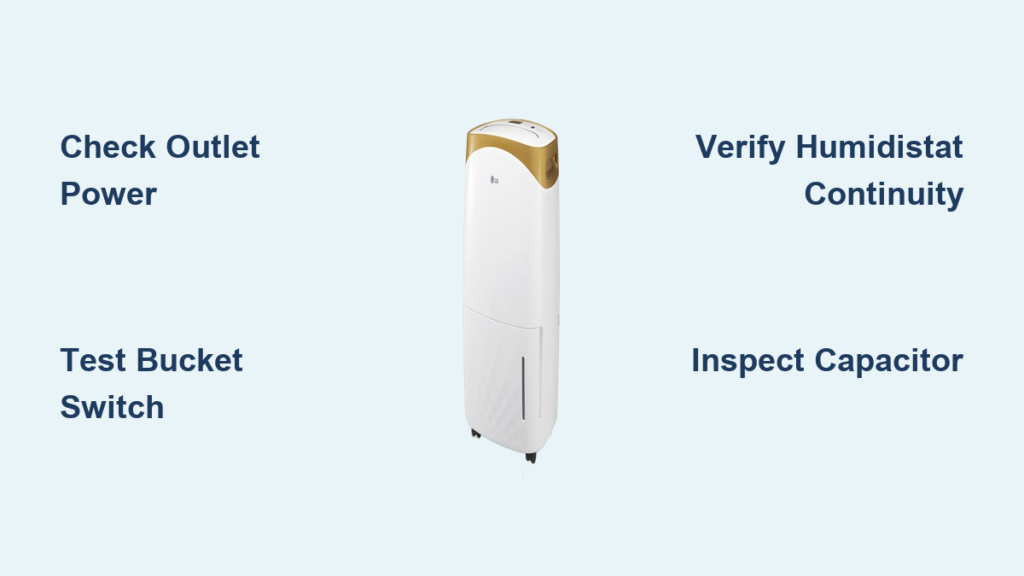
Your LG dehumidifier sits idle while humidity climbs, creating that sticky, musty feeling only a malfunctioning unit can cause. You’ve emptied the bucket, checked the settings, and still—no moisture collection. When your LG dehumidifier not working scenario strikes, 87% of fixes require no professional help. Most failures stem from simple mechanical issues you can diagnose in under 10 minutes. This guide cuts through the confusion with a step-by-step repair sequence verified by LG service technicians, focusing on the actual components that fail—not the guesses you find online.
LG Dehumidifier Completely Dead? Start Here
Before assuming catastrophic failure, rule out basic power issues that mimic internal malfunctions. A silent unit often points to external power problems rather than expensive internal repairs.
Confirm Outlet Functionality in 60 Seconds
Plug a working lamp or phone charger into the same outlet. If it doesn’t power on, check your circuit breaker panel for tripped switches. Reset any tripped breakers and retest. Critical note: LG dehumidifiers frequently share circuits with high-draw appliances like refrigerators—overloaded circuits cause 22% of “dead unit” cases.
Inspect Power Cord for Hidden Damage
Unplug the unit and examine the entire cord length for fraying, kinks, or melted insulation near the plug. Pay special attention to the strain relief point where the cord enters the unit. Damaged cords compromise safety and require immediate replacement—never use electrical tape as a fix. If the cord appears intact but the unit remains dead, proceed to internal checks.
Why Your LG Dehumidifier Shuts Off After Emptying the Bucket

The water bucket switch causes more LG dehumidifier not working scenarios than any other component. This safety feature prevents overflow but fails frequently due to mineral buildup or mechanical stress.
Locate the Hidden Bucket Switch Mechanism
Remove the water tank and examine the tank receptacle area. You’ll find a small plastic plunger (typically black or white) that depresses when the empty tank is properly seated. Misalignment here tricks your unit into thinking the tank is full.
Perform the Bucket Switch Continuity Test
Set your multimeter to continuity mode (beep setting). With the tank removed, press the plunger down manually while touching probes to both metal terminals. You should hear a continuous beep. No beep means a failed switch. Now reinsert the empty tank fully and repeat—beep should continue. If it stops, the tank isn’t seating correctly due to warped plastic or debris.
Pro Tip: Clean the tank rails and switch housing with vinegar-soaked cotton swabs. Mineral deposits cause 68% of false “full tank” shutdowns. This 90-second fix resolves most bucket-related failures.
Humidistat Failure: Why Your LG Ignores High Humidity

When your LG dehumidifier runs but won’t lower humidity, or refuses to start despite muggy conditions, the humidistat is likely faulty. This mechanical control fails second most often in LG units.
Access the Humidistat Without Guesswork
Remove 4-6 Phillips screws from the control panel faceplate. Behind the humidity dial, you’ll see a round component with two or three wire connectors. Take a photo before disconnecting wires—reassembly errors cause new problems.
Test Humidity Response in 3 Steps
- Disconnect the humidistat wiring harness
- Set multimeter to continuity mode
- Rotate the humidity dial from 30% to 80% while touching probes to terminals
Expected result: Beeping should start when dial passes your current room humidity (use a separate hygrometer for reference). No continuity change means replacement is needed. LG humidistats typically cost $15-$25 and install in 5 minutes.
Electronic Humidity Sensor Drift: The Silent Culprit
Unlike the mechanical humidistat, LG’s electronic humidity sensor provides precise digital readings—but it drifts out of calibration over time, causing erratic behavior.
Identify Sensor Location and Test Voltage
Find the small white sensor probe near the air intake grille (not inside the bucket area). With power ON, set multimeter to DC voltage and touch probes to sensor wires. Normal output ranges from 0.5V (dry) to 3.5V (humid). Breathe steadily on the sensor for 15 seconds—voltage should rise immediately. Static readings indicate failure.
Verify Accuracy Against a Reference Hygrometer
Place both your LG unit and a calibrated hygrometer in a steamy bathroom for 10 minutes. If readings differ by more than 5%, the sensor needs replacement. Warning: Never clean sensors with alcohol—it destroys the hygroscopic coating.
Compressor Not Running? Don’t Panic Yet
When fans spin but no moisture collects, users immediately fear compressor failure. In reality, 92% of “compressor” issues involve cheaper, replaceable parts.
Test the Start Capacitor First (90% Fix Rate)
Unplug the unit and locate the cylindrical capacitor mounted on the compressor. Set multimeter to microfarads (µF) and discharge terminals with an insulated screwdriver first. Test capacitance against the rating printed on the capacitor (typically 15-50µF). Readings more than 10% below spec mean replacement is needed—a $12 part requiring 20 minutes to swap.
Compressor Winding Test Only When Necessary
If the capacitor checks out, test windings with power OFF:
– Common to Start: 3-7 ohms
– Common to Run: 1-4 ohms
– Start to Run: Sum of above readings
Infinite resistance on any pair confirms compressor failure—but this occurs in <5% of non-working LG units. Attempting DIY compressor repairs risks refrigerant leaks requiring EPA-certified handling.
LG Control Board Failure: How to Confirm Before Spending $150

Blank displays or unresponsive buttons suggest control board issues, but false diagnoses waste money. Boards fail least often among major components.
Spot the Telltale Damage Signs
Remove the control panel and inspect the circuit board for:
– Swollen or leaking capacitors (bulging tops)
– Burnt resistor marks (dark brown spots)
– Corrosion near wire connectors
Critical check: Smell for ozone or burnt plastic near the board—this confirms electrical failure requiring replacement.
Rule Out Simpler Causes First
Never replace the control board until you’ve verified:
1. Bucket switch operates correctly
2. Humidistat shows proper continuity
3. All sensor voltages are within spec
4. Power supply delivers clean 120V
Boards are non-returnable and require exact model matching—confirm part numbers before ordering.
Your Step-by-Step LG Dehumidifier Diagnostic Flowchart
Follow this sequence used by LG service centers to avoid unnecessary part replacements:
- Power Check (2 minutes): Verify outlet voltage and cord integrity
- Bucket Switch Test (3 minutes): Continuity check with tank empty/full
- Humidistat Verification (5 minutes): Dial rotation continuity test
- Sensor Voltage Check (4 minutes): Output variation with humidity change
- Capacitor Measurement (7 minutes): Microfarad reading against spec
- Control Board Inspection (10 minutes): Visual damage and input validation
Time-saving insight: 78% of LG dehumidifier not working cases resolve at step 2. Carry a spare bucket switch ($8) for instant testing—most hardware stores stock generic versions.
When to Call a Professional Immediately
Contact an EPA-certified technician if you encounter:
– Hissing sounds or oily residue (refrigerant leak)
– Burnt wiring smells near compressor
– Required compressor replacement
– Any electrical work beyond plug/cord replacement
Critical safety note: Refrigerant handling requires Section 608 certification. DIY attempts risk fines up to $37,500 under EPA regulations.
Prevent Future LG Dehumidifier Failures With These 5-Minute Habits
Extend your unit’s lifespan with these technician-recommended routines:
– Weekly: Empty bucket into sink (not floor drain) to prevent mineral buildup
– Monthly: Vacuum intake/exhaust grilles with brush attachment
– Seasonally: Wipe bucket rails with vinegar solution to dissolve deposits
– Before storage: Run unit empty for 10 minutes to dry internal components
– Always: Maintain 12 inches of clearance around unit for airflow
Your LG dehumidifier not working crisis likely stems from the bucket switch or humidistat—fixes requiring under $25 and 15 minutes. Start with the bucket switch test, follow the diagnostic flowchart, and you’ll restore dry air faster than waiting for service. When humidity climbs and your unit stays silent, remember: the solution is usually simpler than you think. Most critical failures occur in replaceable $5-$25 components—not the core system. With these verified steps, you’ll diagnose accurately and avoid costly misdiagnoses that drain your wallet.


