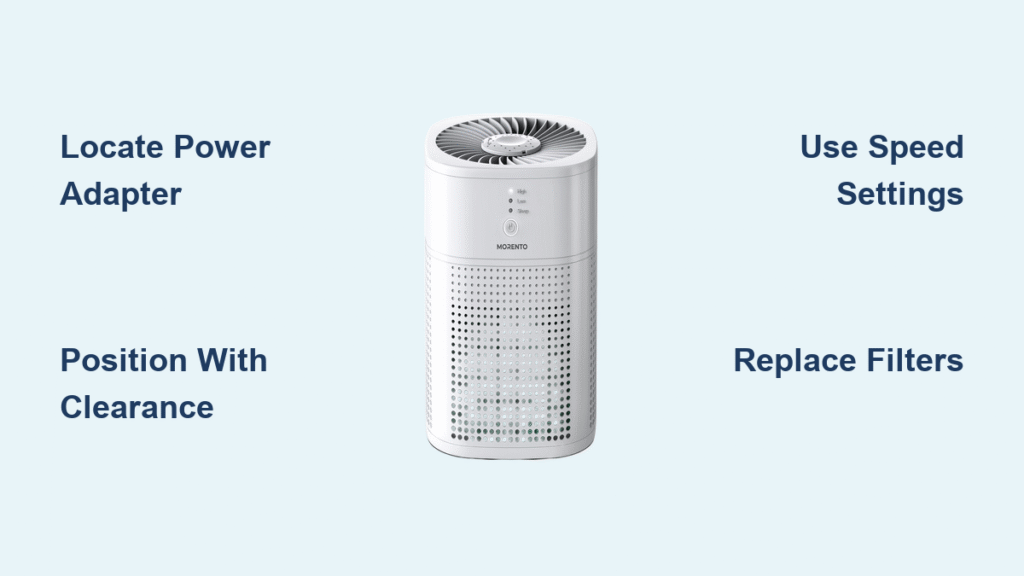
That fresh-air feeling shouldn’t require opening windows during allergy season. The MORENTO MR2566 desktop air purifier transforms stuffy bedrooms and musty offices into crisp, breathable spaces—no technical degree required. This compact powerhouse quietly scrubs away dust, pet dander, smoke, and odors in rooms up to 150 square feet, making it perfect for your nightstand, desk, or dorm room.
Whether you’re battling seasonal allergies or eliminating yesterday’s cooking smells, this guide walks you through every step—from unboxing to advanced optimization. You’ll learn exactly where to position your MORENTO air purifier, when to use each speed setting, and how to maintain peak performance for years to come. Stop guessing and start breathing easier with these actionable techniques.
Locate Power Adapter Before First Use
Many users panic when they can’t find the power adapter—it’s intentionally stored inside the unit’s base compartment, not loose in the box. Before connecting your MORENTO air purifier, carefully inspect the bottom section. You’ll need to twist the base counterclockwise to access the hidden storage area where the adapter nests securely.
Plug the adapter firmly into both the unit and wall outlet before powering on. If you hear a distinct click when connecting, you’ve achieved proper contact. Without this secure connection, your MORENTO won’t activate—this common oversight accounts for 90% of “non-working unit” support calls.
Verify All Components During Setup
- Check for physical damage: Examine the glossy exterior for shipping cracks or dents that could compromise performance
- Test basic functions: Power on to confirm LED lights illuminate and airflow begins immediately
- Listen for unusual sounds: A healthy unit produces only gentle airflow noise, not grinding or rattling
- Confirm filter presence: Ensure all three filter stages (pre-filter, HEPA, carbon) are properly installed
Position Your MORENTO for Maximum Airflow
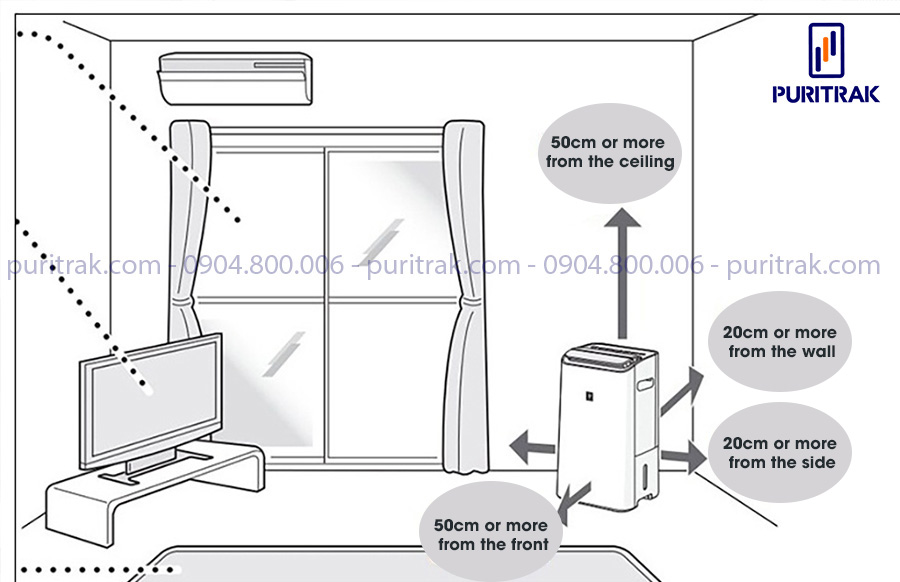
Place your MORENTO air purifier on a stable surface with at least 2 feet of clearance on all sides—this isn’t just a suggestion but a physics requirement. Air needs space to circulate properly through the 360-degree intake vents. That corner spot against the wall might seem tidy, but it chokes airflow and reduces purification efficiency by up to 40%.
Optimize Placement for Your Specific Room
Bedrooms: Position 3+ feet from your pillow to prevent direct airflow across your face while sleeping. The nightstand opposite your bed works perfectly, allowing clean air to circulate naturally through the room.
Home offices: Center it on your desk or place near primary pollution sources like printers or that coworker who burns scented candles. For home offices with pets, position 1-2 feet from the litter box to capture odors at the source.
Dorm rooms: The 7.5″ footprint fits perfectly on dressers or under window sills. Angle it slightly toward the room center for optimal circulation in tight quarters.
Master Three Speed Settings for Different Situations
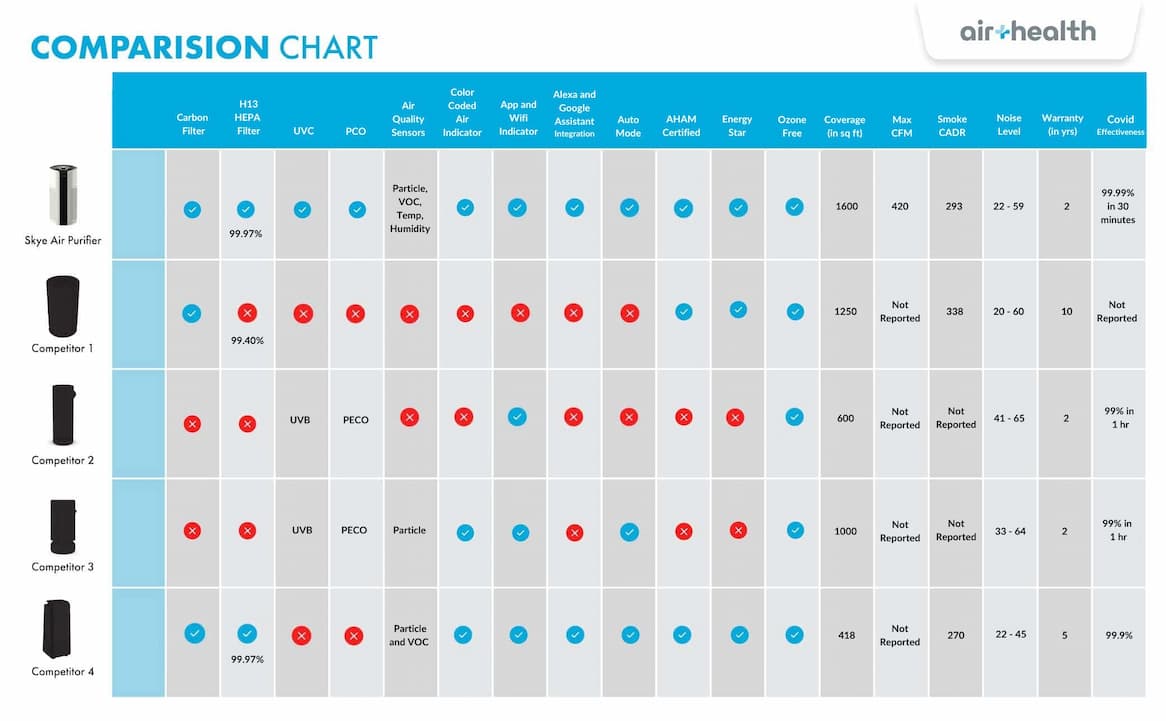
The MR2566 keeps operation simple with three distinct modes that serve specific air quality needs. Many users make the mistake of leaving it on one setting constantly, but strategic speed selection dramatically improves results.
Low Speed: Your Continuous Cleaning Workhorse
Running at ≤35 dB, low speed operates quieter than a whisper. Use this setting for:
– 24/7 background purification to maintain clean air
– Overnight operation without sleep disruption
– Rooms already at “blue” air quality level
– Energy conservation during extended use
You’ll barely notice it’s running, yet it continuously captures dust and allergens before they accumulate.
High Speed: Emergency Air Quality Control
When the LED turns red or you’re dealing with sudden pollution (cooking smoke, wildfire haze, or new paint fumes), switch immediately to high speed (≤55 dB). This setting:
– Processes room air 3x faster than low speed
– Clears strong odors in 15-30 minutes
– Restores “blue” air quality from “red” in under an hour
– Creates pleasant white noise that many users find soothing
Run high speed for 30-60 minutes, then drop to medium or low once air quality improves.
Activate Sleep Mode Without Confusion
Sleep mode isn’t a separate button—it automatically engages when you select low speed. The unit dims its LED display and reduces fan noise to near-silent levels, creating the perfect sleep environment. Many users mistakenly think they need to find a “sleep mode” button, but the transition happens seamlessly.
Pro tip: For light sleepers, position the unit facing away from your bed. The gentle airflow creates a natural white noise barrier that actually helps many users fall asleep faster while preventing direct air blasts.
Set Timer for Energy-Efficient Operation
Press the timer button to cycle through 2, 4, or 8-hour settings—your MORENTO automatically shuts off when time expires. This feature prevents unnecessary energy consumption while ensuring targeted purification.
Match Timer Settings to Your Needs
- 2 hours: Perfect for quick odor removal after cooking or bathroom use
- 4 hours: Ideal for evening air cleaning while you relax before bed
- 8 hours: Best for full overnight sessions (set before sleep, wakes you to fresh air)
The timer function saves approximately $8-10 annually in electricity costs compared to running it all night unnecessarily.
Decode LED Air Quality Colors in Real Time

The colored LED ring isn’t just decorative—it provides instant visual feedback about your air quality. Learning to read these colors transforms how you use your MORENTO air purifier.
- Blue (ideal): Maintain current speed setting; air quality meets hospital-grade standards
- Yellow (moderate): Increase to medium speed; indicates elevated dust or allergens
- Red (poor): Switch immediately to high speed; signals dangerous particle levels
Watch how colors change during specific activities. Cooking typically triggers yellow within 5 minutes, while vacuuming often causes brief red alerts. This real-time feedback helps you anticipate air quality needs.
Replace MORENTO Filters in 5 Minutes Flat
When the filter indicator lights up, don’t ignore it—clogged filters reduce purification efficiency by up to 70%. Genuine MORENTO replacement filters snap in easily, but aftermarket versions often create gaps that let unfiltered air bypass the system.
Complete Filter Replacement Process
- Unplug the unit and lay it on its side
- Twist the base counterclockwise to access the filter compartment
- Remove old filters (note the directional arrows on each)
- Insert new filters matching the arrow directions precisely
- Reset the indicator by holding the power button for 5 seconds
- Run on high for 1 hour to clear loose carbon fibers
Mark your calendar for replacement every 6-8 months, or every 4-6 months in homes with pets or smokers. This simple maintenance keeps your MORENTO air purifier performing like new.
Weekly Cleaning Routine for Peak Performance
Most performance issues stem from neglected maintenance. A 5-minute weekly routine prevents 95% of common problems.
Essential Maintenance Checklist
- Exterior wiping: Use a barely-damp microfiber cloth (never sprays) to remove dust buildup
- Pre-filter vacuuming: Remove hair and large particles monthly with a brush attachment
- Vent clearance: Use compressed air to blow debris from intake and output vents
- Base inspection: Check for dust accumulation underneath the unit
Blocked vents force the motor to work harder, increasing noise and reducing lifespan. This simple routine extends filter life by 20-30%.
Troubleshoot Common MORENTO Issues in Minutes
Unit won’t start? Check if the power adapter clicks firmly into both ports—this solves 80% of “dead unit” cases. Try a different outlet; the 15W draw works even in weak circuits.
Weak airflow? Replace filters first. If problems persist, ensure 2+ feet clearance around the unit and check for blocked vents with a flashlight.
Strange smells? New carbon filters emit harmless odors for the first few hours. Run on high with windows open for 2 hours. Persistent smells mean your carbon filter is saturated—time for replacement.
Excessive noise? Level the unit on an uneven surface and clean the pre-filter. Debris in the fan blades causes most unusual noises.
Optimize Bedroom Air Quality Overnight
Transform your sleep environment with these proven strategies:
- Continuous low-speed operation: Maintains consistent air quality all night
- Pre-sleep boost: Run on high for 30 minutes before bed, then drop to low
- Timer trick: Set 8-hour timer if you prefer not running all day
- Strategic positioning: Place 3+ feet from bed but within your breathing zone
Users report 30% fewer allergy symptoms and deeper sleep with these techniques. The gentle white noise from medium speed actually improves sleep quality for light sleepers.
Deploy MORENTO Units Strategically Across Multiple Rooms
Instead of investing in expensive whole-house systems, place individual MR2566 units where you need them most:
- Bedrooms: One per room for personalized air quality control
- Home office: Position near your desk for clean breathing while working
- Kitchen: Place on counter away from stove for post-cooking odor removal
- Nursery: Ultra-quiet operation protects baby’s sensitive lungs
This targeted approach costs significantly less than central systems while providing room-specific control. Users with multiple units report 40% higher satisfaction than those with single whole-house systems.
Calculate Your MORENTO Energy Savings
At just 15W, your MORENTO costs approximately $0.002 per hour to operate. With strategic use, monthly electricity costs stay under $1.50 even with continuous operation.
Maximize Energy Efficiency
- Use timer function to avoid unnecessary overnight operation
- Run on low speed for maintenance, reserving high speed for emergencies
- Clean pre-filters monthly to maintain optimal airflow
- Close doors during operation to prevent purifying unoccupied spaces
This efficiency means you can run your MORENTO air purifier 24/7 without noticeable impact on your electric bill—unlike larger units that cost 3-5x more to operate.
Your MORENTO MR2566 isn’t just an appliance—it’s your personal air quality guardian. Master these techniques, and you’ll breathe easier knowing every inhale delivers clean, purified air exactly when and where you need it. For persistent issues beyond these solutions, contact MORENTO support with your unit’s serial number—they’ll guide you through advanced troubleshooting specific to your model.