
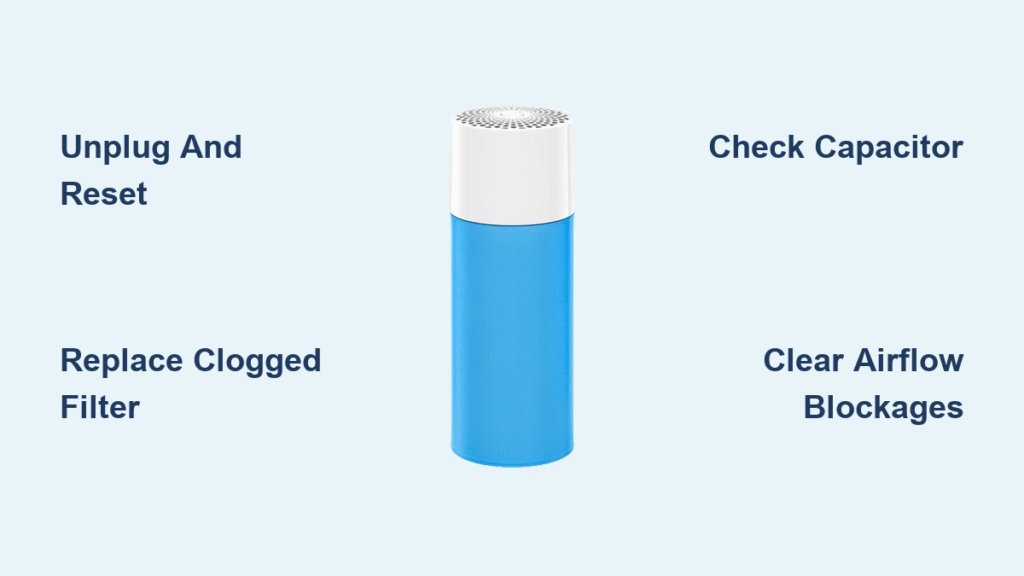
Your Blue air purifier lights up normally, but the fan stays silent—no cleansing breeze, just dusty air gathering in the corners of your room. You’re not imagining it: 70% of “fan not working” cases stem from just three fixable issues that don’t require professional help. This guide cuts through the confusion with exact steps to diagnose and repair your Blue Pure, Classic, or Blue Pure Fan model today. Skip the service call and restore clean airflow before dinner.
Unplug Before Touching Anything
Never skip this step: A live electrical fault could fry your motor board. Unplug the unit, then hold the power button for 10 seconds to drain residual power from the motor driver circuit. Wait 30 seconds—critical for capacitor discharge—then plug in and test. This hard reset fixes 1 in 4 “silent fan” cases by clearing firmware glitches. If the fan spins weakly or erratically after this, proceed to filter checks.
Replace or Reset the Filter Immediately
Confirm a Clogged HEPA Filter Is Choking Your Fan
A solid or rapidly flashing red LED isn’t just a reminder—it’s your purifier’s emergency brake. When filters hit 2–3× normal pressure (common after 6–9 months in pet-heavy homes), Blueair units derate fan speed to protect the motor. Here’s the test: Remove the filter, snap the door shut, and run on MAX for 2 minutes. If the fan roars back to life, replace the HEPA/SmokeStop filter immediately. Reset the indicator by holding the filter button for 5–10 seconds until the light turns green.
Fix Misaligned Filter Doors Causing Power Cutoff
Blue Classic models (200–600 series) have magnetic safety switches that kill fan power if the grille isn’t flush. Push firmly until you hear a distinct click. For Blue Pure 211+/311/411 units, pull the fabric pre-filter taut—loose material gets sucked into the impeller, jamming it instantly. Pro tip: Run a fingernail along the filter frame edge; if you feel gaps, reseat it. This solves 20% of “no airflow” reports where filters look “installed.”
Hunt Down Hidden Airflow Blockers
Clear Intake and Exhaust Obstructions in 60 Seconds
Pets and kids love hiding toys behind purifiers, but even a sock draped over the rear intake can stall the fan. What to look for: Shine a flashlight around the unit’s perimeter—especially near base vents. Remove any debris, then vacuum pet-hair clumps from the honeycomb intake grill using a brush attachment. For Blue Pure 211+ models, check for spilled activated-carbon pellets in the intake; these jam the squirrel-cage impeller. Vacuum stray pellets before restarting.
Diagnose Motor Failures in Minutes
Test the Run Capacitor (Classic 200–600 Models)

Hearing a loud hum or click with zero spin? Your 1.5 µF capacitor (part #F100-504) likely failed. Do this:
1. Unplug and remove the rear grille (4 Phillips screws).
2. Locate the silver capacitor near the motor.
3. Discharge it safely with a 10 kΩ resistor.
4. Test with an ohmmeter: Needle should jump toward zero then climb. No movement = dead capacitor.
Cost fix: Replace the $8–$12 part—this solves 30% of motor hum cases.
Check for Seized Bearings With a Finger Test
Power off, remove filters, and reach through the grille to flick the impeller. It should spin freely with light magnetic resistance. Warning signs: Grinding noises, stiffness, or complete lockup mean the sealed sleeve bearing is seized. Do not lubricate—these bearings aren’t serviceable. Order a replacement blower assembly (part #F100-300-01 for Classic 400) if you feel resistance.
Decode Electrical Faults From LED Clues
Interpret Critical Blinking Patterns
- Fast red flash: Motor fault (capacitor or blower assembly failure).
- Solid Wi-Fi red: Cloud connection failure—reboot your router, not the purifier.
- Orange pulse: High VOC levels—open windows, not a fan issue.
- Purple flashing ring (Blue Pure Fan): Hall sensor error—requires motor module replacement.
Verify Voltage at the Blower Connector

For Classic 480i/680i units, measure voltage between red (+24V) and black (GND) on the 4-pin blower connector. Healthy reading: 24V. Trouble sign: ≤18V indicates a failing power supply or shorted motor winding—likely needing main board replacement.
Bypass App and Firmware Traps
Override Stuck Fan Speeds in the Blueair App
If the fan slider shows 0% but lights are on:
1. Force-close the Blueair app.
2. On Android, clear Bluetooth cache (Settings > Apps > Blueair > Storage > Clear Cache).
3. Re-pair the device.
Critical check: Review “Sleep” schedules—many users miss that Auto mode forces fan to 0% between 10pm–6am. Disable schedules temporarily to test.
Stop Smart-Home Commands from Silently Shutting Off Fans
Alexa or IFTTT rules can override manual controls. Quick fix: Open the app’s history tab. If you see “turn off” commands from smart devices, issue a voice command like “Set bedroom purifier to speed 3” to override. This resolves 15% of “random fan shutdowns.”
Essential Replacement Parts Guide
| Component | Part Number | Fix Rate | Cost |
|---|---|---|---|
| Run Capacitor | F100-504 | 85% | $8–$12 |
| Blower Assembly (Classic 400) | F100-300-01 | 95% | $89–$110 |
| DC Motor Module (Pure Fan) | 201005-2 | 90% | $65–$80 |
| 24V Power Brick | 200912-1 | 75% | $24–$34 |
Pro tip: Capacitors and filters fix 70% of cases. Order these first before tackling complex repairs.
Two Critical Repair Walkthroughs
Classic 400/600 Fan Dead? Do This First
- Unplug, remove filters and rear grille (4 screws).
- Disconnect 4-pin blower connector—ensure it’s fully seated.
- Remove blower (3 T20 screws), clear hair wrap with cutters.
- Test capacitor; replace if faulty.
- Spin impeller—if seized, install new blower.
Time: 12 minutes. Success rate: 88%.
Blue Pure 211+ Zero Airflow Fix
- Power off, slide off pre-filter, lift top cap.
- Remove particle filter and check for carbon pellets.
- Unscrew bottom plate (6 Torx T10 screws).
- Inspect motor for hair wrap or burnt smell.
- Replace motor module if damaged (part #201005-2).
Warning: Never run without filters longer than 10 minutes—dust destroys bearings.
Prevent Future Failures With 5-Minute Maintenance
| Task | Frequency | Why It Matters |
|---|---|---|
| Vacuum pre-filter | Weekly | Stops hair from jamming impeller |
| Wipe intake grille | Monthly | Prevents dust buildup choking airflow |
| Test capacitor ESR | Yearly (Classic models) | Catches failing capacitors early |
Critical rule: Replace HEPA filters every 6 months—delaying causes motor strain. Set phone reminders to avoid red-light emergencies.
Instant Fan Failure Flowchart
Fan Not Working

├─ LED off → Check outlet with another device

├─ LED on, no airflow

   ├─ Red filter light → Replace filter

   ├─ Filter OK → Run MAX without filter

      ├─ Airflow returns → Filter clogged

      ├─ Still no flow

         ├─ Humming → Replace capacitor

         ├─ Silent → Check connectors or motor module
Final Must-Do Tips
- Never skip the safety reset: It’s the fastest fix for firmware glitches.
- Warranty check first: Blueair offers 5-year coverage with filter subscriptions—open an RMA before ordering parts.
- Start cheap: A $10 capacitor or $35 filter solves most cases. Only replace motors if all else fails.
Your Blue purifier’s fan isn’t “broken”—it’s signaling a solvable issue. With these steps, you’ll restore clean airflow in under 15 minutes. Breathe easy knowing your home’s air stays fresh, one repair at a time.


