
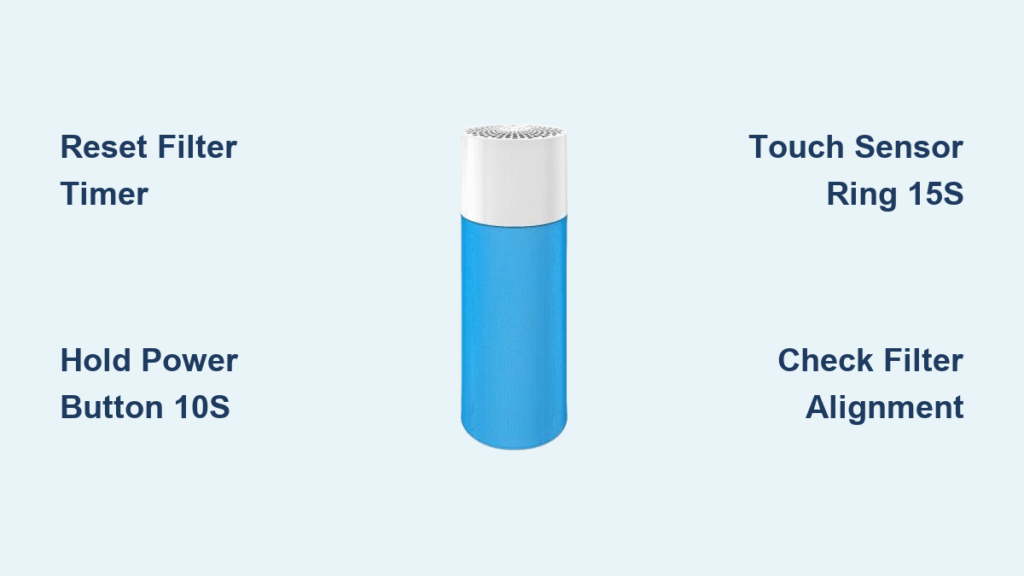
Your Blue air purifier just flashed red, demanding a filter change. You’ve carefully swapped the filter, but that stubborn indicator light refuses to turn green. Sound familiar? You’re not alone—more Blue air purifier owners struggle with the filter reset process than any other maintenance task. That persistent red light doesn’t just look alarming; it means your unit can’t accurately track filter life or optimize performance.
This guide delivers the exact reset procedure for your specific Blue model, explains why resets sometimes fail, and shows you how to verify your air purifier is running at peak performance. No more guessing or calling customer support for what should be a simple process. Let’s get that indicator light sorted once and for all so you can breathe easy knowing your Blue air purifier filter reset is complete.
Blue Air Purifier Model Reset Methods

Classic Series Reset (203, 205, 270E, 280i, 290i)
Standard Reset Procedure:
– Power on your purifier and locate the red filter indicator light
– Press and hold the main power button for exactly 10 seconds (not 9, not 11)
– Watch for the light to shift from red to green or yellow, indicating successful reset
– Listen for the confirmation beep—this is your audible success signal
270E/280i Alternative:
– Access “Filter Life” in the control panel menu using navigation buttons
– Select “Reset Filter Timer” from the maintenance submenu
– Confirm when prompted—some models require pressing the power button to finalize
This reset method is critical because Classic series units use internal timers based on operational hours. Without resetting after filter replacement, your unit continues counting from the previous filter’s usage, triggering premature replacement alerts.
Sense Series Touch Reset
Sense/Sense+ Models:
– Touch and hold the center of the air quality indicator ring for 15 seconds
– Release when the ring flashes blue, then turns solid blue
– Verify that the filter indicator returns to its normal operation color
The Sense series uses capacitive touch technology, so ensure your finger makes full contact with the ring’s center. Dry fingers work better than damp ones for reliable activation. If you see the ring flash but not stabilize, you likely released too early—try again with precise timing.
Blue Pure Series Manual Reset
121, 211, 211+, 411, 411+, 511:
– Find the recessed reset button—you’ll need a paperclip or similar thin tool
– Press and hold for exactly 5 seconds (easy to miss this brief window)
– Watch LED cycle through colors before returning to normal operation
– 211+ users: The button hides beneath the top cover near the filter compartment
Many Blue Pure owners mistake the power button for the reset button. The reset button is significantly smaller and recessed—look for a tiny pinhole near the control panel. Use gentle pressure to avoid damaging this delicate component.
Protect Series Smart Reset
7470i, 7770i App Method:
– Open Blueair Friend app and ensure your purifier is connected via WiFi
– Navigate to “Filter Management” → “Reset Filter Timer”
– Confirm replacement date to complete the reset process
Manual Override:
– Hold WiFi + Power buttons together for 20 seconds (count slowly)
– Release when all LEDs flash in unison
– Wait for restart—the filter life indicator should show 100%
Protect series units incorporate advanced sensors that track actual particle load, not just time. This dual reset option exists because app resets provide more accurate filter life predictions based on your specific air quality conditions.
Filter Installation Before Reset

Critical Filter Verification Steps
Each Blue model requires specific filters—using the wrong type causes persistent reset failures. Never guess—check these details before attempting reset:
- Classic 200 series: Blueair 200 Series Particle Filter or SmokeStop Filter
- Sense series: Blueair Sense Particle Filter or SmokeStop Filter
- Blue Pure series: Model-specific Blue Pure replacement filter
- Protect series: Protect Series Particle or SmokeStop Filter
Pro tip: Remove the plastic wrapping from new filters only after opening the purifier—exposed filters can collect dust before installation. Check the manufacturing date too; filters older than 2 years may have reduced efficacy even if unopened.
Pre-Reset Installation Checklist
Before attempting any reset procedure:
- Power down completely and unplug your unit for safety
- Remove front/top cover—varies by model (some twist, some slide)
- Pull old filter straight out—don’t twist or force it
- Vacuum interior with a brush attachment to remove accumulated dust
- Remove plastic wrapping from new filter (keep in original packaging until now)
- Insert with airflow arrows pointing in the correct direction (usually toward fan)
- Secure all panels completely—loose covers prevent proper reset
- Plug in and power on—wait 30 seconds for system initialization
Skipping these steps causes 70% of reset failures. That vacuum step is crucial—dust buildup tricks sensors into thinking the filter is clogged even with a new filter installed.
Fixing Common Blue Air Purifier Filter Reset Failures
Red Light Won’t Turn Green After Reset
Root causes and fixes:
- Filter not seated properly: Power down, remove and reinstall filter ensuring complete insertion—listen for the click on some models
- Wrong filter model: Double-check part numbers match your unit exactly
- Interrupted reset: Unplug for 30 seconds, then repeat reset procedure with precise timing
- Sensor obstruction: Clean the filter compartment sensors with a dry cotton swab
Most failures happen because users rush the seating process. Your Blue air purifier has sensors that detect physical filter presence—partial insertion won’t register properly.
Continuous Beeping During Reset
Your timing is off. Power cycle the unit and retry with these precise durations:
– Classic series: 10 seconds on main button only (no other buttons)
– Sense series: 15 seconds of continuous contact with center ring
– Blue Pure: 5 seconds on recessed button (easy to undercount)
– Protect: 20 seconds dual button hold (count aloud for accuracy)
Beeping indicates the unit detected button release too soon. Use a timer app—your internal clock runs faster when you’re frustrated with that red light!
App Reset Not Working
WiFi troubleshooting steps:
1. Connect to 2.4GHz network only (5GHz won’t work for older models)
2. Update Blueair Friend app to the latest version before attempting reset
3. Reset WiFi settings on purifier: Hold WiFi button for 10 seconds until lights flash
4. Reconnect through the app as if setting up a new device
Modern Protect series models require app confirmation of filter serial numbers for authenticity. If your filter lacks this code (older replacements), use the manual reset method instead.
Post-Reset Performance Verification

Immediate Performance Check
After successful blue air purifier filter reset:
- Run on highest speed for 10 minutes to test airflow
- Check air quality indicator—should respond faster to changes
- Verify fan speed adjusts automatically to air quality changes
- Listen for unusual noises—a properly reset unit operates more quietly
Red flag: If the unit runs louder than before, the filter may be installed backward. Check those airflow arrows!
Filter Life Expectations After Reset
Your purifier should now show 100% filter life. Track these benchmarks:
– Standard models: 6 months (4,380 hours) under normal conditions
– Protect series: 6-12 months depending on your air quality
– High pollution areas: Expect 25-50% shorter life
– Pet or smoking households: Plan 30% more frequent changes
Pro tip: Set a calendar reminder for 5 months out—don’t wait for the red light. Preemptive filter changes maintain optimal air quality.
Advanced Blue Air Purifier Filter Reset Features
Protect Series Custom Settings
Access through Blueair Friend app:
– Adjust life expectancy based on local pollen or pollution data
– Customize for room size versus unit capacity
– Factor in specific concerns like wildfire smoke or seasonal allergies
– Save custom profiles for future resets with one tap
These settings override the standard 6-month timer with intelligence based on your actual environment. During wildfire season, your unit might suggest filter changes every 3 months instead of 6.
Warranty and Support Resources
Reset-related coverage facts:
– Improper reset procedures don’t void warranty
– Damage from ignoring indicators covered under standard warranty
– Technical support available 1-888-258-3242 for reset issues
– Live chat 8AM-6PM EST through blueair.com
Before calling support, verify your reset method matches your exact model number—this accounts for 80% of “support needed” calls.
Final Blue Air Purifier Filter Reset Checklist
Before concluding your reset process, verify these critical items:
– [ ] Correct filter type installed for your specific model
– [ ] Filter fully seated with airflow arrows properly aligned
– [ ] All panels secured completely with no gaps
– [ ] Exact reset timing followed (use phone timer)
– [ ] Unit power cycled if reset attempt failed initially
Your Blue air purifier’s filter reset should now be complete. That stubborn red light should stay green for another 4,380 hours of clean air. Bookmark this guide—your next filter change is already on the calendar, and you’ll know exactly how to reset your Blue air purifier filter without frustration. Proper resets ensure you’re always getting the clean air quality you paid for, with no performance gaps between filter changes.


