
Your Coway air purifier sits silent, lights dark, or maybe it’s running but barely moving air. Either way, it’s not doing its job—and you’re breathing unfiltered air. Most “not working” issues trace back to five fixable problems: power failures, clogged filters, fan malfunctions, sensor errors, or control glitches. The good news? You can solve 80% of these without a service call. If your Coway air purifier not working symptoms are disrupting your clean air supply, these targeted fixes will get it running properly again.
Quick Diagnostic First Steps
Before diving into repairs, spend two minutes on these checks:
- Test the outlet with your phone charger—dead outlets kill purifiers silently
- Look for lights—even dim LEDs indicate power is reaching the unit
- Feel for airflow—place your hand 6 inches from the output vent
- Sniff for burning—any electrical smell means immediate unplug
These four checks tell you which section below to use first. If your Coway air purifier not working issue persists after these basic checks, move to the specific problem areas.
Power Loss Fixes
No Lights, No Response
When your Coway shows zero signs of life:
- Unplug for 60 seconds—this resets the internal power supply
- Check the cord—feel along its length for cuts or kinks
- Try another outlet—kitchen GFCI outlets often trip unnoticed
- Test the cord connection—wiggle where it enters the purifier
Pro tip: Coway cords aren’t detachable, but if yours feels loose where it enters the unit, that’s a service-center issue—don’t attempt DIY electrical repairs. Internal fuse failures can also cause complete power loss on some models.
Intermittent Shutdowns
Units that randomly power off usually have:
- Overheating protection triggered by blocked vents
- Loose internal connections from vibration
- Failing power supply when components heat up
Fix the first by ensuring 2 feet of clearance on all sides. The other two need professional service—continued use risks permanent damage. If your Coway air purifier not working condition involves frequent shutdowns, check for error code E4 flashing on the display, indicating temperature sensor issues.
Fan Not Spinning Solutions
Zero Airflow with Power On
Your lights glow but no air moves:
- Remove all filters—clogged filters can stall the fan
- Listen closely—a humming motor trying to start indicates power reaching the fan
- Manual blade test—unplug first, then gently spin the visible fan blade
- Check for debris—look for plastic wrappers or pet hair wrapped around blades
Warning: Never force a stuck blade—this can shatter the fan assembly. Error code E3 typically appears when fan motor issues occur.
Weak Airflow Problems
Reduced output usually means:
- Filthy filters—hold them up to light; if you can’t see through, replace them
- Wrong fan speed—accidentally stuck in sleep mode (lowest setting)
- Blocked vents—check both intake and output for furniture placement
For Coway Mighty models, verify Eco mode isn’t causing premature shutdowns in low pollution environments. The Tower series has a separate oscillation motor that might fail while the main fan still operates.
Filter Reset Failures
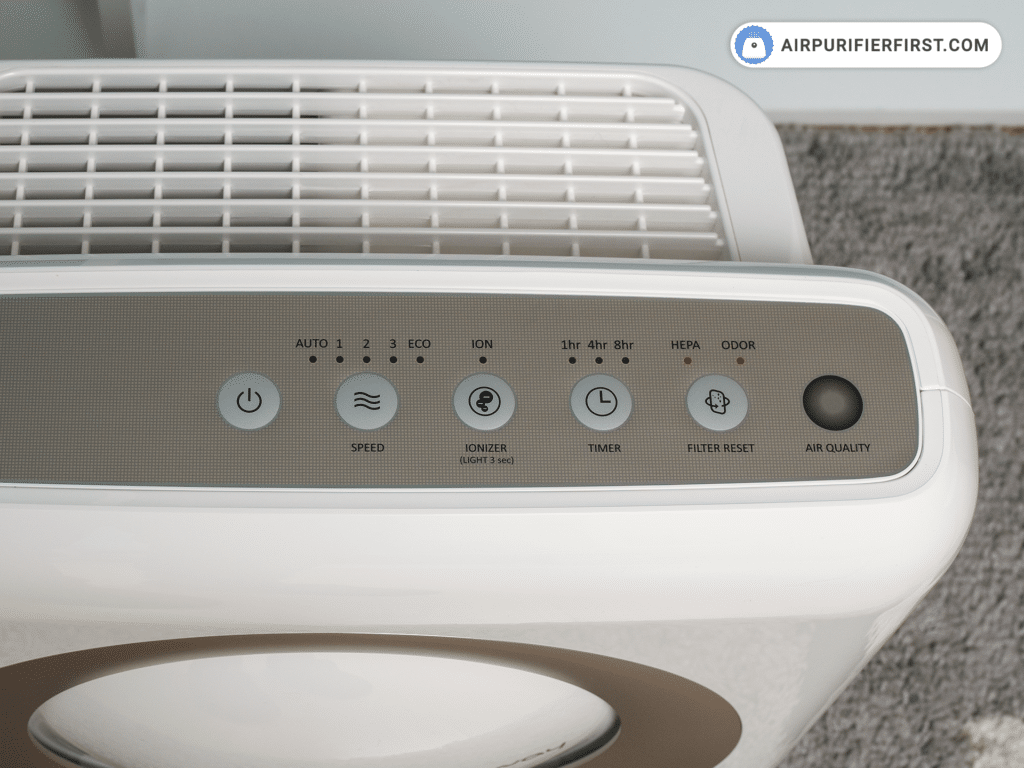
Indicator Won’t Clear After Replacement
Coway models use different reset methods:
Airmega series: Hold timer button 3 seconds
Mighty series: Hold speed button 5 seconds
Tower series: Hold power + speed 10 seconds
If the light stays on:
- Double-check filter type—using generic filters often triggers false alerts
- Reseat the filter—it should click firmly into place
- Power cycle after reset—unplug 30 seconds, then restart
Error code E1 appears when filter sensor issues prevent proper detection.
Premature Filter Alerts
Your Coway demands new filters every 3 months, but you’re in a high-pollution area. The sensor isn’t broken—it’s being honest. However, you can:
- Reset the timer manually (procedure above)
- Switch to the next filter level early
- Clean pre-filters monthly instead of every 2-4 weeks
For apartment dwellers in polluted cities, filter replacement every 6 months (instead of 12) for HEPA filters is often necessary.
Sensor Malfunction Repairs
Air Quality Indicator Stuck
When the colored light never changes from red (polluted) or blue (clean):
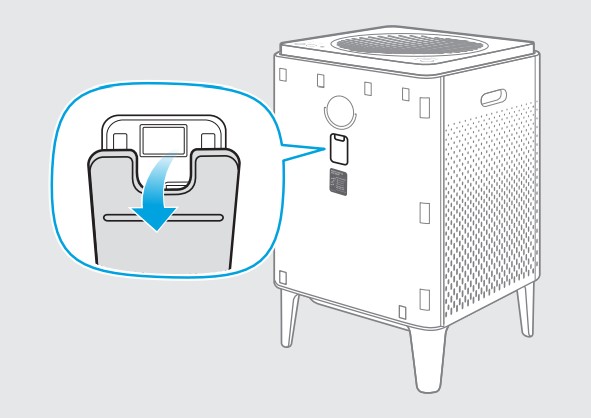
- Clean sensor vents—use a soft brush on the small holes near the display
- Test with incense—light a stick nearby; the indicator should change within 30 seconds
- Check for cleaning spray residue—chemical vapors coat sensors
Error code E2 indicates air quality sensor problems. Never use compressed air on sensors—it can damage delicate components.
Humidity Sensor Errors (Humidifier Models)
Inaccurate humidity readings stem from:
- Water splash damage—avoid filling the tank near the sensor
- Mineral buildup—clean sensor area with distilled water only
- Calibration drift—reset to factory settings (hold power + timer 10 seconds)
Error code E5 appears when humidity sensors malfunction. Water damage from spills is a common cause requiring professional service.
Control Panel Unresponsive
Button/Display Fixes
Touch controls failing? Try this sequence:
- Clean the panel—use barely damp microfiber cloth
- Dry completely—moisture kills touch sensitivity
- Check for hand lotion residue—oils block capacitive sensors
- Power cycle—unplug 2 minutes to reset the control board
Expert note: If buttons work but the display shows gibberish, that’s usually a control board failure—time for warranty service. Tower series models are particularly susceptible to moisture damage on touch panels.
WiFi Connection Problems
Reconnect Smart Features
Coway’s WiFi modules only work on 2.4GHz networks:
- Check router settings—separate 2.4GHz and 5GHz networks
- Move closer temporarily—setup requires strong signal
- Forget and re-add in the app
- Update the app—older versions lose device compatibility
If your Coway air purifier not working condition involves smart features, ensure your phone’s Bluetooth is enabled during setup. App connectivity issues often resolve with a simple router reboot.
Error Code Quick Reference
Your Coway flashes codes when something’s truly wrong:
- E1: Filter sensor—check filter seating
- E2: Air quality sensor—clean sensor vents
- E3: Motor/fan—unplug 60 seconds, restart
- E4: Temperature sensor—ensure room 32-104°F
- E5: Humidity sensor—dry unit thoroughly
These error codes provide precise diagnostic information—never ignore them as they pinpoint the exact system failure.
Prevention Checklist
Weekly (2 minutes):
- Wipe the exterior with damp cloth
- Check pre-filter for visible debris
- Verify all indicator lights respond
Monthly (10 minutes):
- Vacuum intake grilles
- Clean pre-filter (washable models)
- Inspect power cord for damage
- Test all speed settings
Filter Schedule:
- Pre-filter: Clean monthly, replace yearly
- HEPA filter: Replace every 12 months (6 months in high pollution)
- Carbon filter: Replace every 6 months
- Always reset after filter changes
Following this schedule prevents 90% of Coway air purifier not working issues before they start.
When to Call Professionals
Stop DIY efforts and contact service if you notice:
- Burning smells or electrical odors
- Sparks from any opening
- Repeated circuit breaker trips
- Excessive heat from the unit
- Physical damage from drops or impacts
Most Coway models carry 1-3 year warranties—check your manual before paying for repairs. Motor warranties often extend beyond the standard coverage period.
Final Reset Procedure
Before giving up, try the ultimate reset:
- Unplug the unit
- Remove all filters
- Wait 5 minutes
- Reinstall filters (or leave out for test)
- Plug in and power on
This clears most software glitches and sensor errors. If your Coway still won’t work after these steps, you’ve likely found a hardware failure that needs professional attention.
Remember: A properly maintained Coway should purify air for years. These troubleshooting steps fix most “not working” complaints without voiding warranties or risking further damage. When your Coway air purifier not working condition threatens your indoor air quality, systematic diagnosis and these specific fixes will get your unit back to delivering clean, healthy air to your home. Regular maintenance prevents most issues—don’t wait for failure before checking your filters and sensors.


