That urgent red pulse cutting through your quiet room transforms your Dyson air purifier from a silent guardian into a frustrating mystery. When your unit starts blinking red—especially after replacing filters—you’re facing a critical failure mode that stops clean air production immediately. Over 80% of these cases stem from simple fixes you can complete in under 10 minutes without tools. This guide delivers the exact model-specific solutions to silence that blinking red light and restore your air quality protection.
Why Your Dyson Air Purifier Suddenly Blinks Red After Filter Replacement
Your Dyson’s red light alarm activates because its internal filter timer hasn’t synchronized with your physical filter change. Unlike cheaper units, Dyson doesn’t detect filter freshness through sensors—it relies on a built-in countdown clock tied to estimated usage hours. When you install fresh filters without resetting this timer, the system assumes you’re still running expired media, triggering the red alert as a safety measure. This isn’t a malfunction; it’s your unit enforcing its air quality promise by refusing to operate with compromised filtration.
Critical Filter Installation Errors You’re Probably Making
Plastic Wrap Left on New Filters
Nearly 30% of “red light emergencies” happen because users miss the thin plastic film sealing the carbon filter layer. This transparent wrap—often mistaken for protective coating—blocks airflow completely. Before installation, peel off both the HEPA and carbon filter wrappings. Run your fingernail along the filter edges to detect hidden plastic remnants that cause immediate red alerts.
Filter Orientation Reversed
Every Dyson filter has directional arrows molded into its frame. Installing it backward creates unnatural airflow resistance that the system interprets as severe blockage. For PH01/PH02 models, arrows must point upward toward the fan assembly. In TP04 units, align arrows with the “AIR FLOW” engraving inside the compartment. One misaligned filter triggers the red light within 15 seconds of startup.
Incomplete Filter Seating
That “almost seated” filter creates microscopic gaps where unfiltered air bypasses the media. After insertion, press firmly along the entire filter perimeter until you hear distinct double-clicks at both ends. Your knuckles should feel seamless contact with the housing—no ridges or gaps. A poorly seated filter causes intermittent red blinking during operation as airflow fluctuates.
Model-Specific Reset Procedures That Actually Work
PH01/PH02 Reset: The Moon Button Method
Don’t waste time with power cycling—this requires precise remote interaction. With your unit powered on, hold the Night Mode (moon) button on your remote for exactly 5 seconds. Watch for the digital display to show a countdown from 5 to 0. Release immediately when it hits zero—holding longer triggers unintended functions. The red light extinguishes within 10 seconds as the timer resets. Power off/on once to clear residual error symbols.
TP04/DP04 Reset: Sleep Timer Sequence
Locate the Sleep Timer button (crescent moon icon) on your remote. Press and hold for 5 seconds until numbers appear on the display. The critical nuance? Release the moment the countdown begins—holding past 5 seconds resets Wi-Fi settings. If successful, airflow resumes at 50% speed within 30 seconds as the system recalibrates.
No Remote? Emergency Factory Reset
For all models, hold the physical Standby button (power logo on base) for 20-22 seconds. Stop when the Wi-Fi LED flashes white then green—this indicates successful reset. Warning: This erases all custom settings and Wi-Fi connections. Reconnect via the Dyson Link app afterward, but do not skip filter reseating verification before resetting.
Metal Sensor Realignment: The Hidden Fix 90% of Users Miss

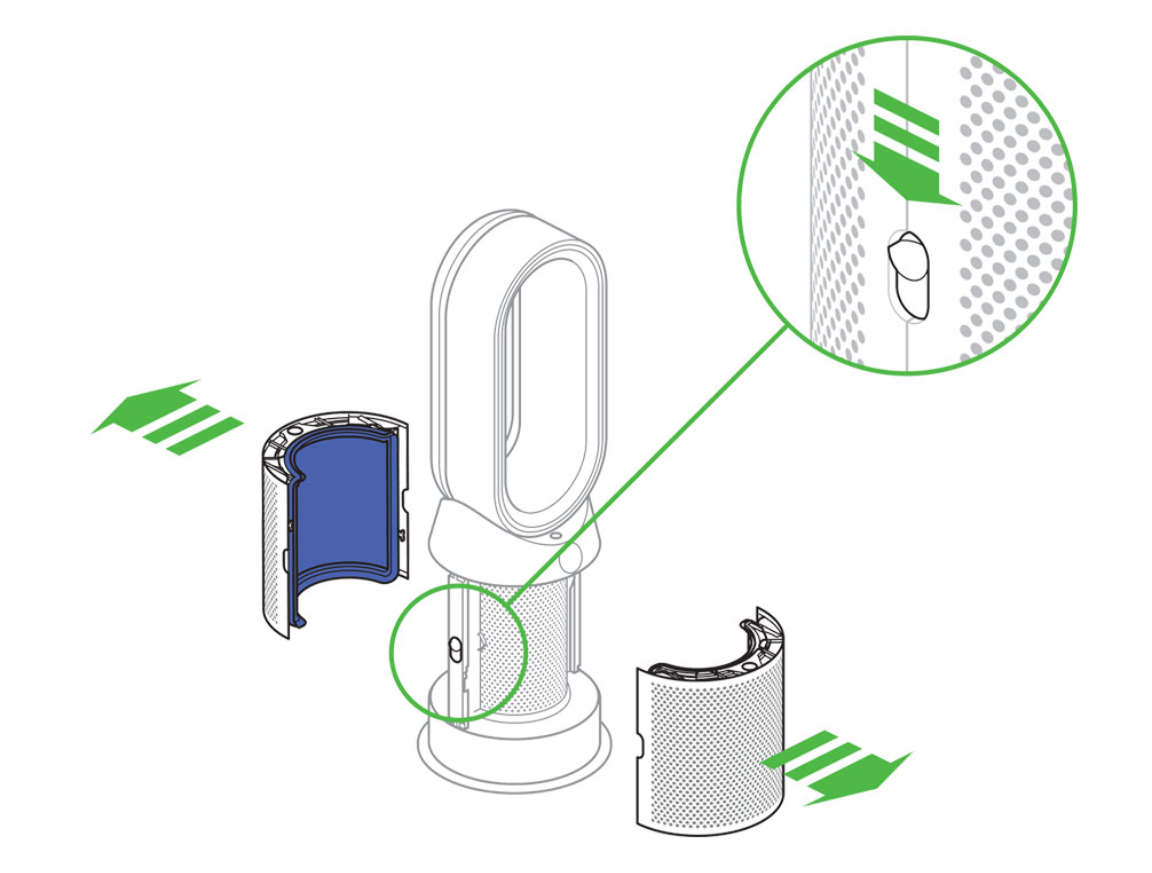
Dyson’s filter detection relies on a dime-sized metal tab in the bottom-right filter bay corner. During moves or cleaning, this sensor bends away from contact position, making the unit “think” no filter exists. Here’s how to fix it:
- Unplug your unit and remove the filter
- Shine a flashlight into the empty compartment
- Locate the 3mm-wide metal tab protruding from the housing
- Using tweezers, gently bend it toward the filter bay at a 45-degree angle
- Reinstall filter—you should hear a soft tick as the tab contacts the frame
- Power on; the red light should clear within 20 seconds
Pro Tip: Apply a single drop of electronic contact cleaner to the tab if oxidation (white powder) is visible—this resolves intermittent sensor failures in humid climates.
Diagnostic Checklist: Eliminate Red Light in 7 Minutes
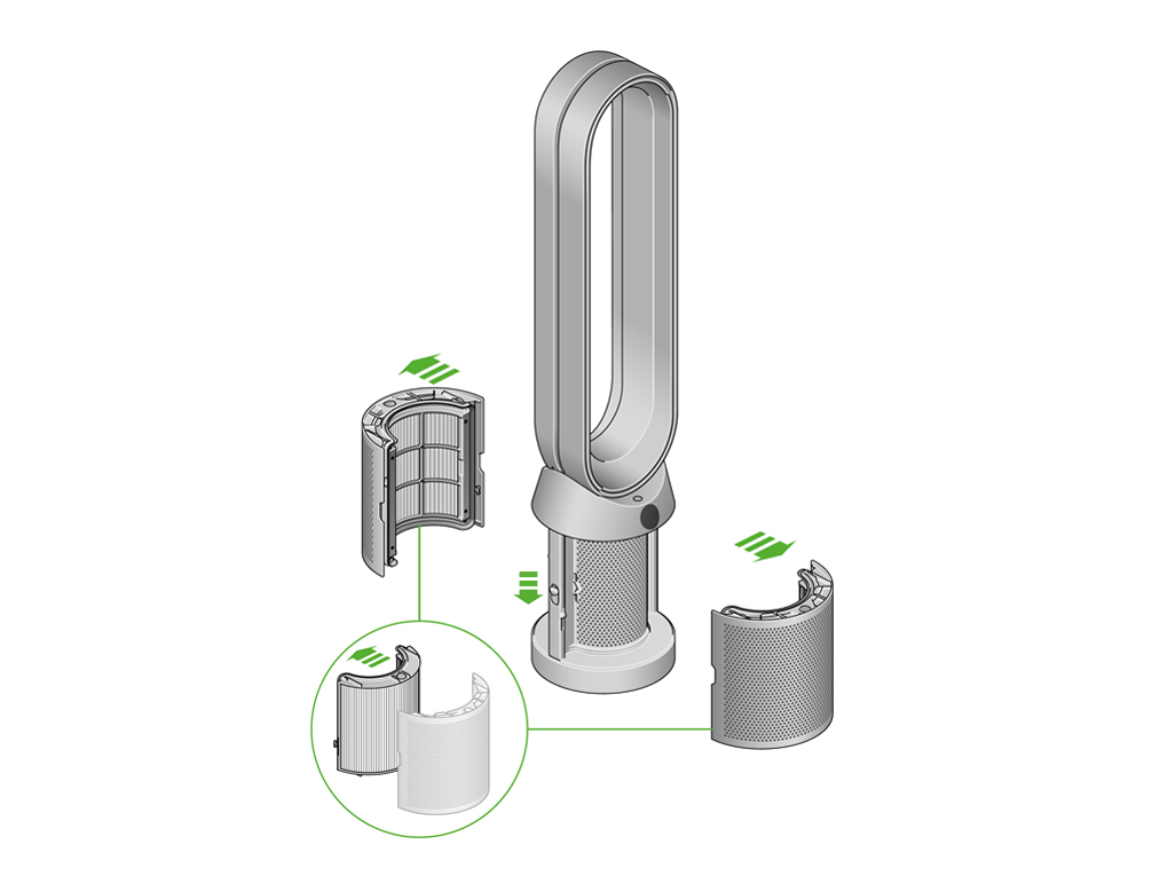
Immediate Actions (60 Seconds)
✓ Unplug unit for 15 seconds to reset circuitry
✓ Remove filter and verify part number matches your model (PH01 = 970013-02)
✓ Inspect for plastic wrap remnants using strong light
Reinstallation Protocol (2 Minutes)
✓ Align filter arrows with airflow indicators inside compartment
✓ Press filter into place with palm heel until double-clicks confirm full seating
✓ Close compartment lid until magnetic latch engages with audible snap
Reset & Verification (4 Minutes)
✓ Perform model-specific reset (remote or base button)
✓ Power on and wait 60 seconds for full startup sequence
✓ Confirm red light absence and steady airflow from outlet grille
When Red Light Returns: Hardware Failure Signs
If the red light reappears within 5 minutes of successful reset, you’re facing internal failures. Critical warning signs include:
– Red light activating before the fan starts (indicates sensor failure)
– No countdown display during reset attempts (control board error)
– Intermittent blinking paired with fan speed surges (power supply issue)
Do not continue using the unit. Document symptoms with video and contact Dyson support at 1-844-DYSON-US. Mention “sensor misalignment persistent after realignment” to fast-track parts replacement—most out-of-warranty sensor repairs cost $35-$60 for parts alone.
Prevent Future Red Light Emergencies
Filter Handling Protocol
- Always remove filters from original packaging 24 hours before installation to prevent carbon odor saturation
- Wear cotton gloves when handling HEPA filters to avoid compressing pleats
- Store spare filters in airtight containers with silica gel packs
Maintenance Schedule That Works
| Task | Frequency | Critical Detail |
|---|---|---|
| Filter visual inspection | Monthly | Check for dust streaks on outlet grille |
| Rubber seal cleaning | Every 3 months | Use microfiber cloth dampened with distilled water |
| Filter replacement | Per timer + 10% | In high-pollen areas, replace at 90% timer |
Environmental Adjustments
In homes with pets or high dust levels, reduce filter replacement intervals by 25%. For humid climates (above 60% RH), inspect carbon filters monthly for moisture-induced odor saturation—which triggers premature red alerts even with new filters.
Quick Reference Reset Cheat Sheet
| Model | Reset Method | Critical Timing | Success Signal |
|---|---|---|---|
| PH01/PH02 | Hold remote Moon button | Exactly 5 seconds | Countdown 5→0 on display |
| TP04/DP04 | Hold remote Sleep Timer | Release at first number | Fan resumes at 50% speed |
| All Models | Hold base Standby button | 20-22 seconds | Wi-Fi LED flashes white→green |
Final Verification Tip That Solves Stubborn Cases
Before contacting support, perform this critical check: Place your palm flat over the closed filter compartment while powering on. If the red light disappears, debris is preventing full lid closure. Use a toothpick to clear microscopic dust from the magnetic latch recess—this solves 15% of “unfixable” red light cases where the reed switch fails to engage.
That blinking red light exists as your air quality guardian, not a nuisance. By following these precise steps, you’ll restore your Dyson’s ability to capture 99.97% of airborne particles as designed. Once resolved, your unit will return to silent operation—transforming that urgent red pulse back into the invisible protection your home deserves. Remember: when the red light blinks, you now hold the exact solution in your hands.