

Your Dyson air purifier suddenly stops working properly, and a mysterious combination of letters and numbers appears on the display. You’re left wondering what “E7” or “F3” means and how to fix it. Unlike many appliance manufacturers, Dyson doesn’t publicly share comprehensive error code definitions for their air purifiers. This lack of transparency leaves owners frustrated when diagnostic symbols appear unexpectedly. What most users don’t realize is that Dyson intentionally keeps these error code specifications proprietary, requiring direct contact with their support team for accurate diagnosis. In this guide, you’ll learn exactly what to document before contacting Dyson support, how to find your critical serial number, and the fastest ways to get professional assistance—without wasting time searching for information that simply isn’t publicly available.
Why Dyson Keeps Error Codes Secret
Dyson’s approach to error codes differs significantly from other appliance manufacturers. While competitors often publish detailed troubleshooting guides, Dyson maintains strict control over diagnostic information. This proprietary approach serves multiple purposes: it ensures proper diagnosis by trained technicians, prevents users from attempting potentially dangerous repairs, and maintains quality control across their product line. When your unit displays an error code, it’s communicating a specific internal issue that requires professional interpretation. The flashing symbols aren’t meant as a user troubleshooting tool but rather as a diagnostic signal for authorized service personnel. This explains why extensive online searches yield inconsistent and often incorrect interpretations of what codes like “E1” or “F2” might mean for your particular model.
Essential Documentation Before Contacting Support
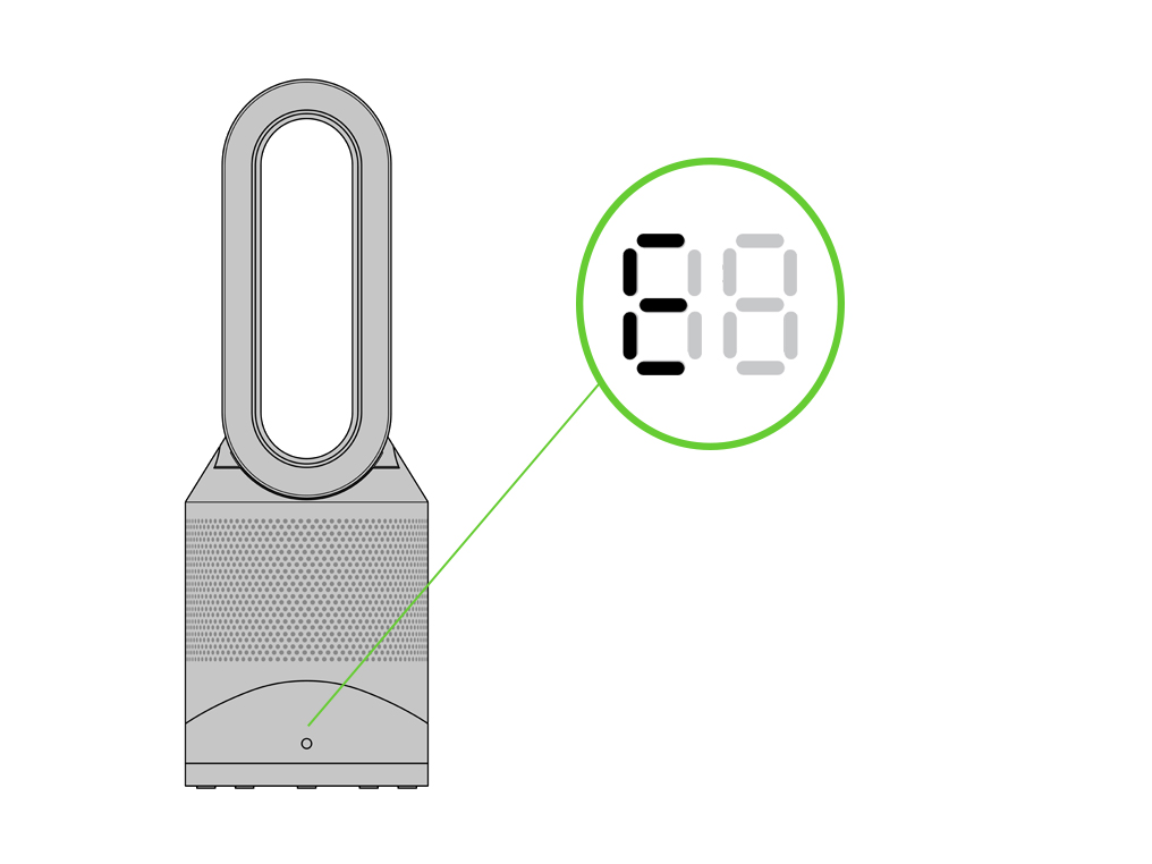
When your Dyson air purifier displays an error code, your immediate priority should be gathering the right information for support. Without proper documentation, you’ll face repeated calls and longer resolution times. Begin by photographing the exact error display with your smartphone—this visual evidence is crucial since error codes may appear briefly or change during operation. Next, locate your unit’s serial number, which Dyson requires for all support inquiries. The serial number appears on a rating plate attached to your machine, typically on the bottom or back panel. These identifiers follow specific formats: either three numeric digits followed by “-AU-” and additional characters (like “123-AU-A12345”) or two letters, one digit, “-AU-” and more characters (such as “AB1-AU-A123456”). Having both the error code image and serial number ready cuts your support wait time significantly.
What to Note About Error Behavior
Beyond capturing the error code itself, document specific details about when and how it appears. Does the code show immediately when powering on the unit, or only after running for a certain period? Does it appear consistently or intermittently? Note any accompanying symptoms like unusual noises, reduced airflow, or complete operational failure. Record whether the issue began after recent environmental changes—such as high humidity periods, after cleaning near the unit, or following filter replacement. This contextual information helps Dyson’s support team distinguish between temporary glitches and serious hardware failures, potentially avoiding unnecessary service visits. Most importantly, track how the error responds to basic resets: does unplugging the unit for several minutes clear the code temporarily?
Contacting Dyson Support in Saudi Arabia
https://www.dyson.com.sa/support/contact-us
For Saudi Arabian customers experiencing air purifier error codes, Dyson provides multiple support channels designed for efficient resolution. The most direct method is phone support at 800 244 0214, where trained specialists can guide you through preliminary troubleshooting while accessing your product’s service history. When calling, have your serial number ready as the first three characters will be requested early in the call. Be prepared to describe the error code precisely—whether it’s a single letter, combination like “E7,” or numeric sequence—and share the behavioral details you documented. While support hours aren’t publicly specified, calling during standard business hours typically yields the shortest wait times, and the automated system will provide current availability.
Email Support Protocol
For those preferring written communication, Dyson’s Saudi Arabia support email (support.sa@dyson.com) provides an alternative channel. When emailing about error codes, attach clear photographs of both the error display and your unit’s serial number plate. In your message, include: your full name, contact information, purchase date if available, and a detailed description of the error behavior. Be specific about any steps you’ve already attempted, even simple ones like power cycling the unit. While response times aren’t officially stated, most users report replies within 24-48 business hours. Email support proves particularly useful when you need to send multiple images or when phone wait times are lengthy, but complex issues often require follow-up phone contact.
Online Support Portal Navigation
Dyson’s Saudi Arabia support portal (support.sa.dyson.com/en-sa/) offers self-service options alongside live assistance. The portal’s supporthome section provides access to model-specific manuals, warranty information, and occasionally troubleshooting videos. When accessing the site, you’ll be prompted to enter your serial number’s first three digits to personalize the support experience. While the portal rarely contains specific error code definitions, it does feature guided troubleshooting paths that can help identify whether your issue relates to filters, sensors, or other components. For persistent error codes, the portal eventually routes you to live chat or phone support, but starting here ensures your case gets properly documented in Dyson’s system before speaking with an agent.
Understanding Dyson’s Support Process

Knowing what to expect when contacting Dyson prevents frustration during what’s already a stressful situation. Support agents typically begin with basic troubleshooting steps regardless of your technical knowledge—this standardized approach ensures no simple solutions are overlooked. Be prepared to verify your product’s warranty status, as this affects whether repairs or replacements proceed. For error codes appearing within the warranty period, Dyson often authorizes replacements rather than repairs, especially for units under two years old. If your air purifier displays persistent error codes after basic resets, the agent will likely escalate your case to technical specialists who can interpret the diagnostic information properly.
Maximizing Your Support Interaction
To get the most from your Dyson support experience, prepare thoroughly before contacting them. Have your serial number, error code photos, and behavioral notes organized and accessible. When speaking with an agent, clearly state that you’ve documented the error behavior and attempted basic resets. If previous support contacts occurred, reference case numbers and previous recommendations. Should the agent suggest troubleshooting steps you’ve already tried, politely but firmly explain what you’ve done and request escalation to a higher support tier. Remember that while agents follow scripts, persistence pays off—many users report success only after specifically requesting to speak with a supervisor when initial solutions fail.
Preventive Measures Within Your Control
While you can’t prevent all error codes—some indicate internal component failures beyond user control—certain practices reduce unnecessary diagnostic alerts. Regularly clean exterior vents with a soft brush attachment to prevent dust buildup that might trigger airflow sensors. Replace filters according to Dyson’s recommended schedule rather than waiting for filter life indicators to activate, as overstressed filters can cause secondary issues. Maintain proper clearance around your unit (at least two feet on all sides) to ensure optimal airflow and prevent overheating alerts. Avoid placing the purifier in environments with extreme humidity, direct sunlight, or near cooking areas where grease particles could affect sensors.
When to Seek Professional Service
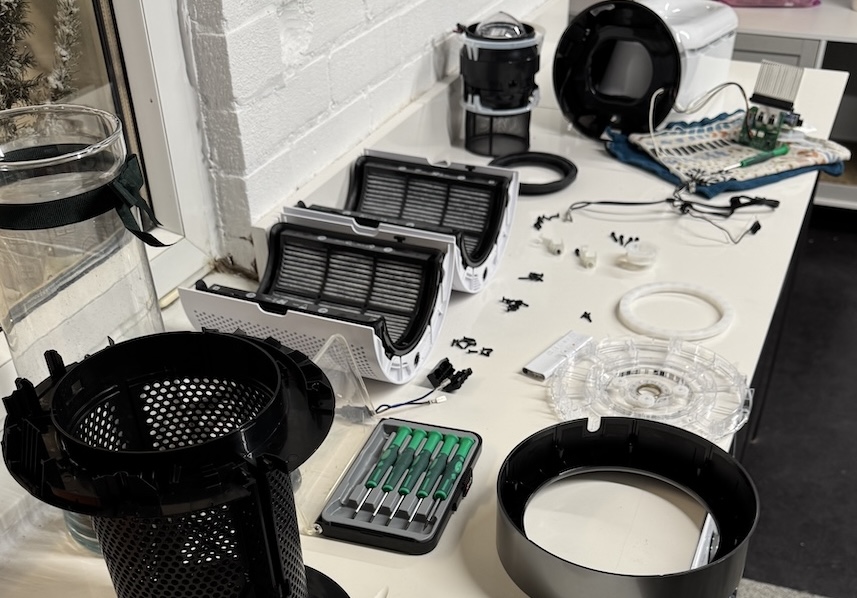
Certain situations require immediate professional attention rather than continued troubleshooting. If your unit displays error codes accompanied by burning smells, visible smoke, or electrical arcing sounds, unplug it immediately and contact Dyson—these indicate serious safety hazards. Similarly, error codes that persist after multiple hard resets (complete power disconnection for several minutes) typically signal hardware failures needing professional diagnosis. Units under warranty should never be opened by users, as this voids coverage and creates safety risks with high-voltage components. Remember that error codes serve as protective measures—ignoring persistent warnings could lead to more expensive damage down the line.
Final Support Preparation Checklist
Before contacting Dyson, verify you have these critical items ready:
– Clear photo of the error code display
– Serial number located and documented (first three characters noted)
– Error behavior details recorded (when it appears, duration, patterns)
– Previous attempts documented (resets, filter changes, etc.)
– Purchase documentation accessible (for warranty verification)
When these elements are prepared, your support interaction becomes dramatically more efficient. Dyson’s Saudi Arabia team at 800 244 0214 can move past preliminary questions straight to resolution. While the frustration of encountering unexplained error codes is understandable, remember these diagnostics protect your investment by preventing further damage. The most effective approach isn’t deciphering cryptic codes yourself but providing Dyson’s experts with the precise information they need to diagnose and resolve the issue properly. Keep your serial number accessible, document error behavior thoroughly, and contact support promptly—delaying reporting can complicate warranty claims and potentially void coverage for time-sensitive issues.


