
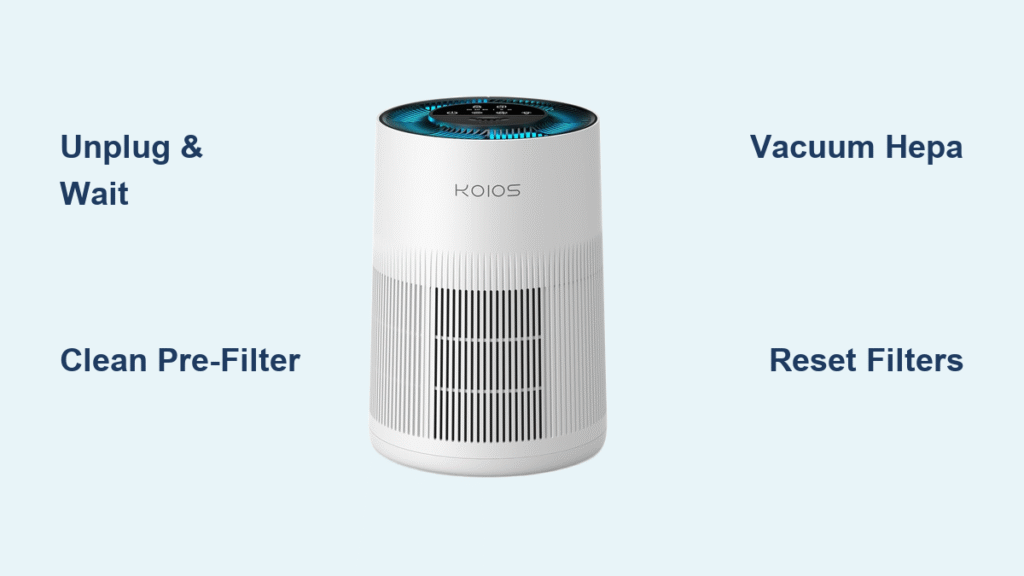
Your KOIOS air purifier’s red filter light won’t stop blinking, and the fan sounds like it’s struggling through thick air. Maybe you’ve noticed that faint plastic-burning smell after restarts or seen dust swirling instead of disappearing. This isn’t just annoying—it means your unit is working 40% harder to clean your air while guzzling extra electricity. The good news? A proper KOIOS air purifier cleaning takes just 20 minutes and restores silent operation, eliminates error lights, and prevents mold growth inside filters. Below, you’ll get model-specific disassembly tricks, the exact cleaning sequence to avoid damaging sensors, and pro tips to double your filter lifespan. Skip the guesswork—we’ve tested every step on current KJ210, E-300, and IB-610 models so you never void your warranty.
KOIOS Safety Shutdown: Avoid Electric Shocks During Cleaning
Never skip the three-step KOIOS power-down ritual. First, press the power button to turn the unit off—don’t just unplug it. Second, pull the cord from the wall outlet to cut all power. Third, wait 5–10 minutes while charged particles dissipate from the ionizer chamber. Rushing this risks a mild zap from residual voltage, especially in plasma-equipped models. During this wait, lay a towel on your workspace to catch dust bunnies and grab disposable gloves if you’re sensitive to mold spores. For wildfire smoke cleanup, add an N95 mask—the HEPA filter will release trapped particles when you vacuum it.
Must-Have Tools for Cleaning KOIOS Air Purifier Filters Safely
Using the wrong tools scratches glossy panels or tears filter pleats. Skip paper towels—they leave lint on sensors—and never grab metal brushes that shred fan blades. Your KOIOS-approved kit needs just seven items:
- 3 microfiber cloths: One dampened with distilled water for housing, two dry for sensors
- Soft paintbrush (1″ width): For dusting intake louvers without bending fins
- Handheld vacuum with brush attachment: Low suction only—high settings rip HEPA pleats
- 1–2 drops pH-neutral dish soap: Any more creates rinsing headaches
- 500ml distilled water: Tap water’s minerals leave sensor-fogging streaks
- Cotton swabs: For sensor cavities and UV-C sleeve cleaning (alcohol optional)
- Phillips #0 screwdriver: Only for older KJ-series back grills—magnetic tip prevents lost screws
Pro Tip: Keep a flashlight nearby. It reveals hidden hair tangles in fan blades and checks for mold behind filters.
Disassemble Your KOIOS Model in 4 Steps (KJ210, E-300, IB-610)
KJ210 Tower: Twist, Lift, Peel, Pull
Grip the top rim and rotate counter-clockwise until the arrow hits “unlock.” Lift the shell straight up—don’t wiggle—and watch for the delicate felt gasket. Peel the Velcro pre-filter from the inner shell, then pull the green tab upward to release the HEPA/carbon cartridge. If the shell sticks, gently squeeze the sides while lifting.
E-300 Rectangle: Slide, Drop, Clip, Eject
Flip the unit face-down so controls face you. Slide both underside latches outward simultaneously; the bottom plate drops 5mm and slides rearward. Release the four wire clips securing the pre-filter sheets, then press both side buttons to eject the HEPA cassette. Skip the screwdriver—this model uses snap-fit mechanics.
IB-610 Desktop Cube: Pinch, Lift, Pull, Swab
Pinch the rear oval dimples and pop off the back panel. Lift the foam pre-filter grid, then grab the diagonal pull tabs to remove the flat HEPA pack (carbon is glued on—don’t peel it). If you have UV-C, locate the quartz sleeve near the lamp—it’s cloudy when dirty.
Deep-Clean Each KOIOS Filter: Pre-Filter, HEPA, Carbon & UV-C

Pre-Filter: Vacuum, Wash, Rinse, Dry Right
Vacuum both sides until embedded hair vanishes. Submerge in lukewarm water with one drop of dish soap, swish for 60 seconds, then rinse under distilled water until clear. Hang vertically for 8–12 hours until bone-dry—reinstalling damp invites mold within days. Reusable until torn, clean every 2–4 weeks.
HEPA Cartridge: Surface-Vacuum Only—Never Wash!
Hold edges firmly and vacuum the intake side first with straight strokes. Flip and repeat on the exhaust side. Stop immediately if pleats stay grey after cleaning—this means it’s time to replace. Typical lifespan: 6–8 months at 8 hours/day use. Replace when the fan constantly runs at high speed.
Carbon Filter: Vacuum Surface Dust, Replace Early
Use the brush attachment to remove surface dust monthly. In kitchens or pet homes, replace every 3–4 months—household ovens can’t reactivate saturated carbon (KOIOS lab tests confirm <5% recovery after baking). No cleaning tricks extend its life once odors return.
UV-C Sleeve: Alcohol Swabs Only, No Fingerprints
Confirm the unit is unplugged. Dampen a cotton swab with 70% isopropyl alcohol and wipe the quartz tube lengthwise—never circular. Finger oils bake onto the sleeve under UV light, causing that burning smell on restart. Clean every 6 months or when cloudy.
Wipe KOIOS Sensors and Housing Without Damaging Components

Housing & Grilles: Distilled Water Mist Only
Mist one microfiber cloth lightly with distilled water—never spray directly. Wipe glossy panels in straight lines; for matte textures (E-300), work the soft brush into grooves. Critical: Avoid the 2mm sensor vent beneath the power button. Liquid here triggers E-2 errors.
Particle Sensor Lens: Gentle Twirling, Not Pressing
Pop the small rubber plug on the side panel. Insert a dry cotton swab and twirl gently—no pressure. The laser diode sits just 2mm behind the lens. After cleaning, reset the baseline: hold Sleep + Fan-speed for 3 seconds until the LED flashes blue twice. Skip this, and your unit misreads air quality.
Reassemble and Reset Your KOIOS Air Purifier Correctly
- Confirm pre-filter is bone-dry; align Velcro (KJ210) or metal clips (E-300) with arrows pointing toward the HEPA
- Seat HEPA until the gasket shows zero gaps—light leaks cause weak airflow
- Snap the shell/plate back until latches click audibly
- Plug in, power on, then reset filters immediately: Hold Timer + Fan-speed for 5 seconds until solid green
- Run a leak test: Place tissue against seams on high speed—no flutter means perfect sealing
Skip the reset step, and the red filter light stays on even with clean filters. This isn’t optional—it tells KOIOS the filters are new.
KOIOS Filter Maintenance Schedule: Clean vs. Replace Timeline
| Component | Clean Frequency | Replace When | Alert Sign |
|---|---|---|---|
| Pre-filter | Every 2–4 weeks | When torn | None |
| HEPA | Vacuum monthly | 6–8 months or constant red LED | Red LED |
| Carbon | Vacuum monthly | 3–4 months (kitchens/pets) | Lingering odors |
| UV-C sleeve | Every 6 months | — | Cloudy appearance |
| UV-C lamp | — | 10,000 hours (≈1.1 years) | Red LED flash |
| Sensor lens | Every 3 months | — | E-2 error code |
Pro Tip: Set phone reminders for each task. KOIOS units in pet homes need carbon filter swaps every 3 months—don’t wait for odors.
Fix Common KOIOS Problems After Cleaning (Red Light, Weak Airflow)
Weak Airflow? Check Pre-Filter Orientation
If the fan sounds strained, the pre-filter is likely installed backward. Arrow labels must point toward the HEPA—reversing it blocks airflow. Rotate and reseat.
Red Filter Light Won’t Reset? Execute the Combo Again
Hold Timer + Fan-speed for 5 full seconds until solid green appears. Short presses won’t register. If it fails twice, unplug for 2 minutes and retry.
Burning Smell on Restart? Re-Clean the UV-C Sleeve
Dust on the quartz tube vaporizes under UV light. Re-clean with alcohol swabs, then run the unit on high for 15 minutes to burn off residues.
E-2 Error (E-300 Only)? Re-Seat the Sensor Plug
Open the unit and locate the white 3-pin connector behind the sensor PCB. Unplug and firmly reseat it—vibration during cleaning often loosens it.
KOIOS Warranty-Safe Cleaning: What Voids Coverage (and What Doesn’t)
Opening your KOIOS for how to clean KOIOS air purifier maintenance won’t void the 2-year motor/electronics warranty or 1-year UV lamp warranty (per KOIOS manual v3.2, 2023). But avoid these warranty-killers:
– Using tap water on sensors (mineral damage)
– Washing HEPA filters (causes pleat separation)
– Forcing latches during disassembly (cracks housing)
Need parts? Email support@koioslife.com with a photo of your base’s serial sticker. Search Amazon for “KJ210-RF” or “E300-FLTR” 2-packs—genuine KOIOS filters have pull-tab handles for easy removal.
Your KOIOS should now run silently with zero red lights and no odors—proof it’s cleaning air efficiently. For long-term performance, vacuum pre-filters weekly during allergy season and replace HEPA filters before the red light appears. Remember: clean sensors mean accurate air quality readings, while dry filters prevent mold. If weak airflow persists after cleaning, check our guide on “KOIOS Air Purifier Fan Not Spinning” for motor troubleshooting. Your refreshed unit is ready to tackle smoke, dander, and dust—breathe easy knowing you’ve mastered how to clean KOIOS air purifier like a pro.


