
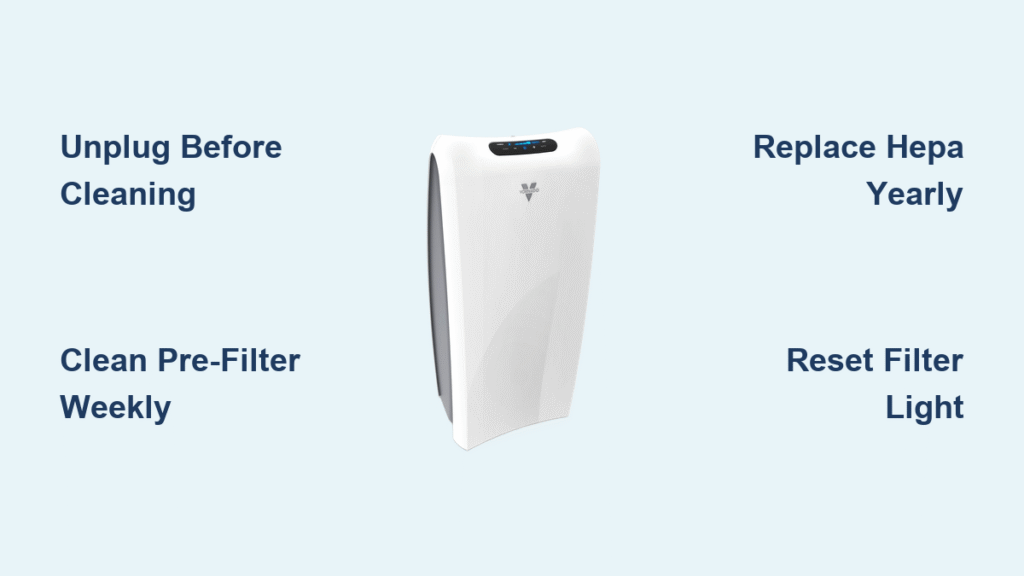
Your Vornado air purifier battles invisible pollutants like pollen, cooking smoke, and pet dander 24/7. When dust cakes the grills and filters clog, airflow plummets—forcing the motor to work harder while cleaning less air. This strains components, hikes energy bills, and recirculates contaminants instead of trapping them. The fix? A simple 20-minute monthly cleaning routine that restores hospital-grade filtration without costly repairs. Below you’ll discover model-specific steps for every Vornado unit from AC300 to PCO575 series, using just household items you likely own.
Ignoring maintenance triggers that annoying red filter light prematurely and can cause musty odors from trapped moisture. But with two microfiber cloths, mild dish soap, and a soft brush, you’ll revitalize performance before your next coffee break. This guide covers every surface, sensor, and filter type—ensuring your purifier delivers crisp, clean air for years.
Essential Safety Steps Before Cleaning
Unplug your Vornado and wait three minutes if it was running—this prevents electrical shocks and lets internal components cool. Work on a towel-covered table under bright light to spot hidden dust bunnies. Never submerge the motor housing or pour liquids through grills; moisture damages electrical parts. If your unit lived in a high-pollen room, wear a dust mask during disassembly. Keep replacement filters and tools ready so reassembly takes seconds. Skipping these precautions risks short circuits or cracked plastic from improper handling.
Match Your Model to Cleaning Steps
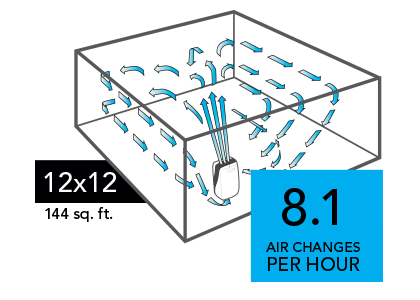
Flip your purifier and check the white label on the rear grill—it lists your exact series (AC300, PCO575, etc.). While all Vornado units share the same filter stack order (rear grill → mesh pre-filter → HEPA/carbon cartridge → [PCO models] UV-C cell), knowing your series prevents filter-buying mistakes. AC300/500 models skip UV-C tech, while PCO series require special lamp care. The table below clarifies what you’ll encounter:
| Model Series | HEPA + Carbon Filter | UV-C PCO Cell |
|---|---|---|
| AC300/350/500/550 | Single replaceable cartridge | None |
| PCO200/300/375/500/575 | Single replaceable cartridge | Included |
| MD1-0026/0034 | Single replaceable cartridge | None |
Clean Vornado Air Purifier Exterior & Grills Weekly
Dust on grills acts like insulation, overheating the motor. A two-minute wipe prevents this:
1. Unplug and carry the unit to a table.
2. Dampen a microfiber cloth with lukewarm water and one drop of Dawn dish soap (no moisturizers!).
3. Wipe the control panel first—grime here seeps into buttons and causes malfunctions.
4. Wrap the cloth around a finger to clean between intake grill fins.
5. Flip the unit; vacuum outlet grills with a brush attachment while supporting the base.
6. Dry immediately with a second lint-free cloth. Lingering moisture causes plastic clouding within hours.
Pro tip: Store a dedicated microfiber cloth with spare filters. Paper towels scratch surfaces, and bleach-based cleaners crack plastic.
Remove Mesh Pre-Filter in 30 Seconds
This thin screen catches pet hair and lint before they reach expensive filters. To remove:
1. Lay the purifier on its back.
2. Find the rectangular mesh frame held by plastic tabs (AC500/550) or latches (PCO series).
3. Press tabs counter-clockwise or lift latches, then pull the frame straight out.
Critical: Never yank it—forced removal breaks tabs. If resistance occurs, check for hidden screws on MD1 series models.
Clean Pre-Filter Three Ways (Pick Your Method)
Choose based on grime level—always air-dry 12+ hours before reinstalling:
– Light dust: Vacuum both sides with a handheld brush nozzle.
– Moderate buildup: Soak in warm soapy water for 5 minutes, agitate, then rinse under lukewarm tap water.
– Heavy gunk: Massage both sides under running water using fingertips (no scrubbing!).
Warning: Skipping the 12-hour dry time breeds mildew inside the housing. Never use heat dryers—warped frames cause rattling.
Reinstall Pre-Filter Without Rattling
Align arrows marked “Air Flow” or “Top” on the frame with matching indicators inside the grill. Snap tabs clockwise or tighten thumb screws until flush. Power on the unit—if you hear a loose-license-plate rattle, remove and reseat the filter. Misalignment reduces airflow by 30% and strains the motor.
Inspect HEPA & Carbon Cartridge Monthly

Never wash these filters—water destroys the fiber matrix and voids your 5-year warranty. Instead:
– Shine a flashlight across pleats monthly. Replace if you see black streaks or smell lingering odors.
– Normal homes: Replace HEPA yearly, carbon every 3–6 months.
– Pet homes/high dust: Replace HEPA every 6–9 months.
– Critical check: If airflow weakens despite a clean pre-filter, replace the cartridge immediately.
Light Vacuuming for HEPA Surface Dust Only
For light dust buildup between replacements:
1. Use a vacuum brush attachment on lowest suction.
2. Glide gently across the intake face only—never press hard.
3. Stop if pleats crease; bent fibers reduce efficiency permanently.
This isn’t a substitute for replacement—it buys 2–4 extra weeks of life.
Reset Filter Light After Replacement
Fresh filters won’t register without resetting:
– AC300/350/500/550: Hold FILTER button 3 seconds until light turns solid green.
– PCO series: Simultaneously press UV + FILTER buttons for 3 seconds.
– MD1 series: Hold RESET button 3 seconds.
Consequence: Skipping this keeps the red “Replace” light lit, causing unnecessary panic.
Clean UV-C PCO Cell (PCO Models Only)
Dirty PCO cells trigger blinking UV lights and reduce germ-killing power. Every 6–12 months:
1. Unplug and wait 5 minutes for the lamp to cool.
2. Rotate the cylinder ¼ turn counter-clockwise and slide out.
3. Blow dust off with compressed air. For residue, wipe the quartz tube with 70% isopropyl alcohol on a lint-free cloth—never touch the glass with bare fingers.
4. Air-dry 5 minutes before reinstalling.
Pro tip: Replace the entire PCO cell yearly; the UV lamp inside degrades after 12–15 months.
Dust Fan Blades & Particle Sensors

With filters removed:
– Gently dislodge lint from fan blades using a soft paintbrush or compressed air. Never insert metal tools—bent blades cause loud vibrations.
– On AC550, PCO575, and MD1-0034 models, vacuum the small dust sensor window on the rear grill. Clogged sensors misread air quality, forcing constant high-speed operation.
Prevent Cord Damage During Storage
Wipe cords monthly with a barely damp cloth—never liquid cleaners. Check for nicks every 3 months; frayed wires risk fire. When storing longer than 30 days:
1. Run the unit on HIGH for 10 minutes to dry internals.
2. Seal filters in original plastic bags.
3. Coil the cord loosely (no tight knots!).
Troubleshoot Post-Cleaning Issues Fast
| Problem | Likely Cause | Fix |
|---|---|---|
| Musty smell | Damp pre-filter | Dry 12+ hours before reinstalling |
| Rattling noise | Pre-filter misaligned | Re-seat with arrows matching |
| Weak airflow | HEPA installed backward | Flip cartridge to match airflow arrows |
| Red filter light | Reset skipped | Perform model-specific reset sequence |
| Blinking UV light | Dirty PCO cell | Clean or replace module |
Stock These 5 Cleaning Supplies
- Mild dish soap (Dawn Original—no moisturizers)
- Two microfiber cloths (one damp, one dry)
- Soft-bristle brush (1″ paintbrush works)
- Compressed air canister (for fan blades/sensors)
- 70% isopropyl alcohol (PCO cell cleaning only)
Avoid: Vinegar, bleach, or paper towels—they damage sensors and scratch plastics.
Monthly 20-Minute Cleaning Routine
Follow this sequence for maximum efficiency:
1. Unplug and prep (30 sec): Move to table, gather supplies.
2. Soak pre-filter (2 min): Choose rinse/soak/vacuum method.
3. Wipe exterior (3 min): Clean grills, control panel, base.
4. Inspect HEPA (2 min): Check pleats; vacuum lightly if dusty.
5. Dry pre-filter (hands-off): Set aside for 12+ hours.
6. Reinstall next day (1 min): Align arrows, reset lights if replaced.
Stick to this schedule, and your Vornado will maintain peak airflow without straining motors or triggering false error lights. For long-term health, replace HEPA filters annually (sooner in pet homes) and always use genuine Vornado parts—knockoffs clog faster and leak pollutants. Within one cleaning cycle, you’ll notice quieter operation, stronger airflow, and noticeably fresher air. Your lungs (and electricity bill) will thank you.


