
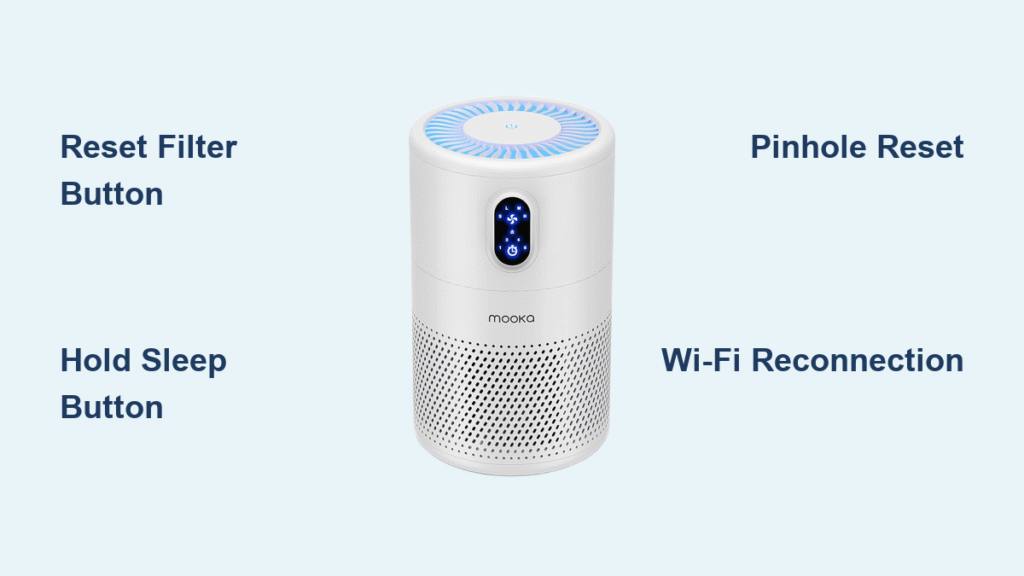
Your Mooka air purifier’s filter light won’t turn off after replacing the HEPA filter, the Wi-Fi keeps disconnecting from the app, or the unit freezes mid-cycle. Before you assume it’s broken, a targeted reset solves 90% of these issues—but you must use the exact method for your model. Whether you own the countertop GL-32S, floor-standing E-300LH, or compact A10, this guide delivers the precise how to reset Mooka air purifier steps that restore functionality in under 30 seconds. Skip generic advice—these manufacturer-approved procedures fix stubborn filter counters, reboot unresponsive touch panels, and reestablish smart connectivity without voiding your warranty.
Fix Filter Light Errors by Model
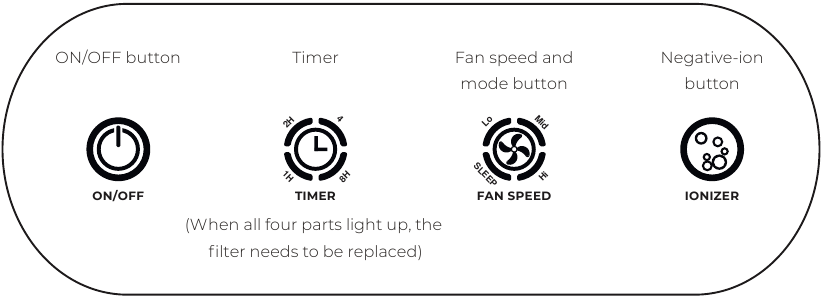
GL-32 Series Filter Reset That Actually Works
Time needed: 20 seconds | Difficulty: Easy
When your GL-32, GL-32S, or GL-32B shows a persistent red filter light after installing a new HEPA cartridge, skip holding random buttons. Power on the unit, then press and hold the ↻ Filter Reset button (top-right corner) for precisely 3-5 seconds. Release immediately when you hear a confirmation beep and the red light extinguishes. The counter resets to 100% instantly. If the light remains stubbornly red, run the purifier on high speed for 30 minutes first—this forces the internal counter to 0% so the reset can take hold. Never reset without replacing the filter; Mooka’s warranty terms explicitly void coverage for counter overrides on dirty filters.
E-300L Tower’s Hidden Sleep Button Reset
Time needed: 10 seconds | Difficulty: Easy
The E-300L and E-300LH models trick users with their minimalist touch panel. When the “Check Filter” indicator flashes nonstop after filter replacement, do not press the Filter button—it doesn’t exist. Instead, power on the tower, then press and hold the Sleep Mode button (moon icon) for exactly 3 seconds. Watch for the flashing “Filter” light to turn solid then disappear. Immediately press the Power button once to lock the reset. If you skip this final power press, the unit reverts to the old counter. Pro tip: Vacuum the sensor window inside the filter chamber monthly with a soft brush—it prevents false “filter needed” alerts.
A10 Desktop Pinhole Reset Without Damage
Time needed: 15 seconds | Tool required: Paperclip
Mooka’s A10 desktop model hides its reset function behind a recessed pinhole next to the power button. Using a paperclip, gently insert it into the Filter button hole while the unit is powered on. Hold for 5 full seconds until the red LED shifts to blue—this color change confirms the reset. Release immediately; holding longer triggers unintended functions. If the LED stays red, realign the filter: Remove it, ensure the airflow arrows match the unit’s internal indicators, and reinstall until you hear a distinct click. Forcing the cover shut misaligns sensors and requires a second reset attempt.
Factory Reset for Frozen Units
GL-32 Series Full System Reboot
When to use: Touchscreen unresponsive, erratic fan speeds, or preparing for resale
Unplug the GL-32 from the wall, then press and hold the physical Power button on the unit (not the remote). While maintaining pressure, plug the cord back in. Continue holding for 10 seconds until all indicator lights flash simultaneously. Release—the unit restarts with factory defaults. Warning: This erases Wi-Fi pairings, timer settings, and fan speed preferences. Always re-pair via the Mooka Smart app afterward. If lights don’t flash within 10 seconds, unplug again and retry—capacitor discharge requires a full 10-second wait between attempts.
E-300L & A10 Emergency Reset Protocol
Critical for: Complete system lockups or post-firmware glitches
For E-300L towers or A10 desktops, unplug the unit and wait 10 seconds for capacitor discharge. Press and hold the Power button, then plug it back in while holding. Maintain pressure for 8 seconds until the fan abruptly stops and restarts—a clear sign of reset completion. Unlike the GL-32, these models don’t flash lights, so listen for the fan cycle change. Post-reset, verify functionality by running on high speed for 5 minutes. If the unit still freezes, check for firmware updates in the Mooka Smart app—outdated software often causes reset failures.
Wi-Fi Reset for Smart Models
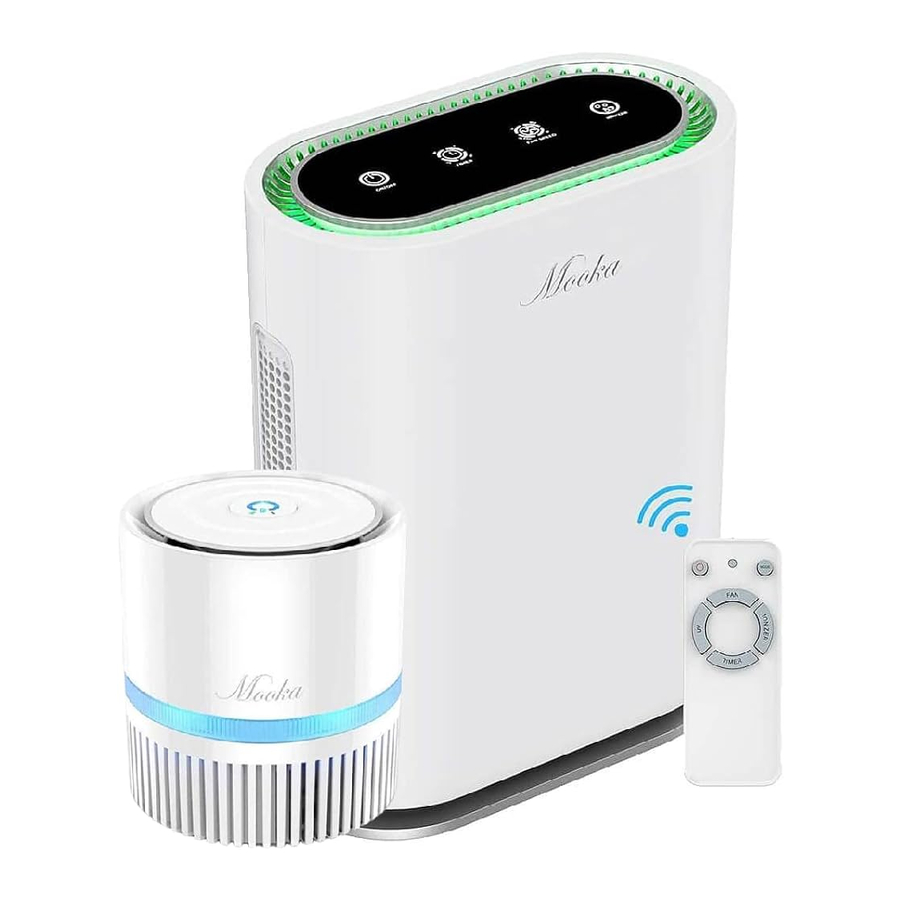
GL-32S Wi-Fi Reconnection Fix
Applies only to GL-32S models with app control
When your GL-32S disconnects from the Mooka Smart app, disable your router’s 5GHz band first—Mooka purifiers only connect to 2.4GHz networks. Power on the unit, then simultaneously press and hold the Timer and Fan Speed buttons for 5 seconds. Watch the Wi-Fi indicator shift from solid blue → rapid blinking → solid blue. Within 2 minutes, open the app and re-pair the device. If the indicator stays solid blue, perform an app-level reset: Remove the device in the app’s settings, then hold the Timer button for 5 seconds until rapid blinking resumes before re-adding.
App-Only Reset for Persistent Disconnections
For GL-32S, E-300LH, and 2024 models
Skip physical buttons when Wi-Fi drops repeatedly. In the Mooka Smart app, go to Device List > Your Purifier > Settings (gear icon) > Remove Device. Confirm deletion, then physically press and hold the Wi-Fi/Timer button on the unit for 5 seconds until the indicator blinks rapidly. Return to the app’s “Add Device” menu and follow pairing prompts. This method preserves your filter counter data while resetting network credentials—a crucial distinction from full factory resets.
Troubleshooting Failed Resets

Filter Light Stays Red After Reset
Diagnose: Solid red = counter not at 0%; flashing red = filter misalignment
Force the counter to zero by running the purifier on high speed for 30 minutes, then retry the reset. If red persists, power off, remove the filter, and inspect for plastic wrap residue (common in new filters). Clean the sensor window inside the chamber with a microfiber cloth—dust here tricks the system into thinking the filter is dirty. Reinstall the filter until you hear a mechanical click, confirming proper seating.
No Response During Factory Reset
Critical checklist:
– Verify you unplugged for 10+ seconds (capacitors hold residual power)
– Press buttons firmly—touch panels require 0.5-second presses
– Ensure filter cover is fully closed (safety interlock disables resets)
– Test the power outlet with another device
If still unresponsive, inspect the power cord for damage. For O3-100 models, never reset near the high-voltage ozone plate—unplug for 30 seconds and avoid metal tools in the rear compartment.
Safety Protocols During Resets
Never skip these steps:
– Unplug before physical resets—capacitors can deliver shocks even when “off”
– Wait 10 seconds after unplugging for safe discharge (critical for GL-32/E-300L)
– Never reset filter counters without replacing filters—Mooka’s warranty voids instantly per Section 4.2 of manuals
– Keep paperclips away from O3-100’s rear panel—exposed ozone plates carry 5,000V
For ozone models like the O3-100, disconnect the ozone plate connector for 30 seconds before resetting the O3 button. Skipping this risks electrical damage when resetting plate life counters.
Pre-Reset Checklist for Guaranteed Success
Before every filter reset:
– [ ] Confirm genuine Mooka filter installed (counterfeit filters cause reset failures)
– [ ] Vacuum pre-filter if reusable (clogged pre-filters trigger false alerts)
– [ ] Align filter arrows with internal airflow direction indicators
– [ ] Close cover until audible “click” confirms sensor contact
After reset verification:
– [ ] Indicator light OFF within 5 seconds
– [ ] Unit runs 5 minutes on HIGH without error codes
– [ ] Reset date logged in Mooka Smart app or on filter label
Still Not Working? Contact Support Correctly
When all resets fail, prepare these details for Mooka support:
1. Your model and serial number (GL-32: inside filter cover; E-300L: bottom panel)
2. Exact reset steps attempted (e.g., “Held Sleep button 4 seconds on E-300L”)
3. Video proof of the failed reset (required for warranty claims)
North America: 1-888-999-6652 (Mon–Fri 9 AM–5 PM EST)
Europe: +49 30 22015431
Mentioning “I performed the model-specific reset from Section 4.2 of your repository” speeds up diagnostics. For persistent Wi-Fi issues, request a firmware update—the GL-32S often requires v2.1+ for stable app connectivity.
Mastering these how to reset Mooka air purifier procedures prevents unnecessary service calls and extends your unit’s lifespan. Bookmark this guide—when that filter light blinks unexpectedly, you’ll know exactly which button to press for instant resolution. For O3-100 owners, always reset the ozone plate after 500 hours; neglecting this reduces purification efficiency by 40%. Keep this page handy during your next filter change—you’ll complete the reset before the old filter hits the trash.


