
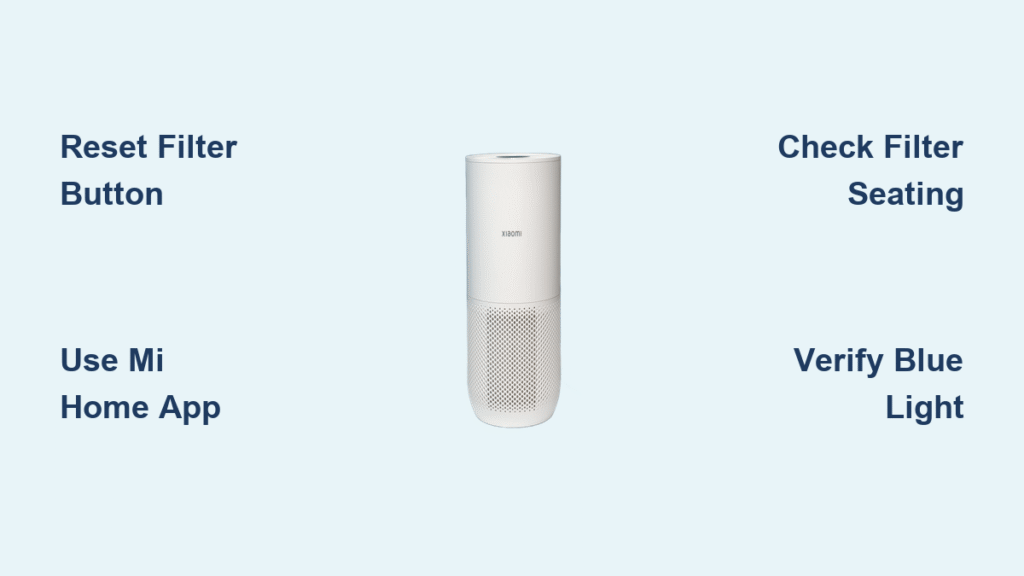
That stubborn red light glaring at you after installing a fresh filter? You’ve just encountered Xiaomi’s intentional design quirk—these purifiers require manual filter resets after every replacement. Unlike some competitors, your Xiaomi unit won’t auto-detect new filters, leaving thousands of owners puzzled by persistent warnings. This isn’t a malfunction; it’s a critical maintenance step many discover only after unnecessary panic.
Without resetting, your purifier continues tracking the old filter’s lifespan, triggering premature warnings and potentially reducing performance. But here’s the good news: with the right method for your specific model, you can silence that red light in under 60 seconds. By the end of this guide, you’ll master three verified reset techniques, troubleshoot stubborn failures, and learn exactly when to perform this essential ritual—so your air stays clean without confusing alerts.
Critical First Steps Before Resetting Your Xiaomi Filter
Install Genuine Filter Correctly First
Never attempt a reset with the old filter still inside—this wastes your effort and risks error codes. Start by removing all plastic packaging from your replacement filter (yes, even that thin inner wrap!). Match the filter model precisely to your purifier series: HEPA Filter H for Models 2/2S/3H/3C, HEPA Filter E for Pro/Pro H units, or 360 Filter for Models 4/4 Lite/4 Pro. Seat it firmly until you hear a distinct click, ensuring full contact with internal sensors. Keep your old filter nearby as a backup until reset confirmation appears—this saves frantic reinstallation if something goes wrong.
Warning: Skip This and Reset Will Fail
Xiaomi’s system tracks actual usage hours, not calendar time. Resetting before physical replacement tricks the sensor into thinking you’ve extended an expired filter’s life, triggering E2 errors (“Filter not detected”). The red light will persist stubbornly, and performance may degrade. Always complete this sequence: 1) Power off unit, 2) Swap filters, 3) Power on, 4) Reset. No shortcuts.
Physical Button Reset: The 5-Second Fix for Most Models

Find Your Hidden Reset Button
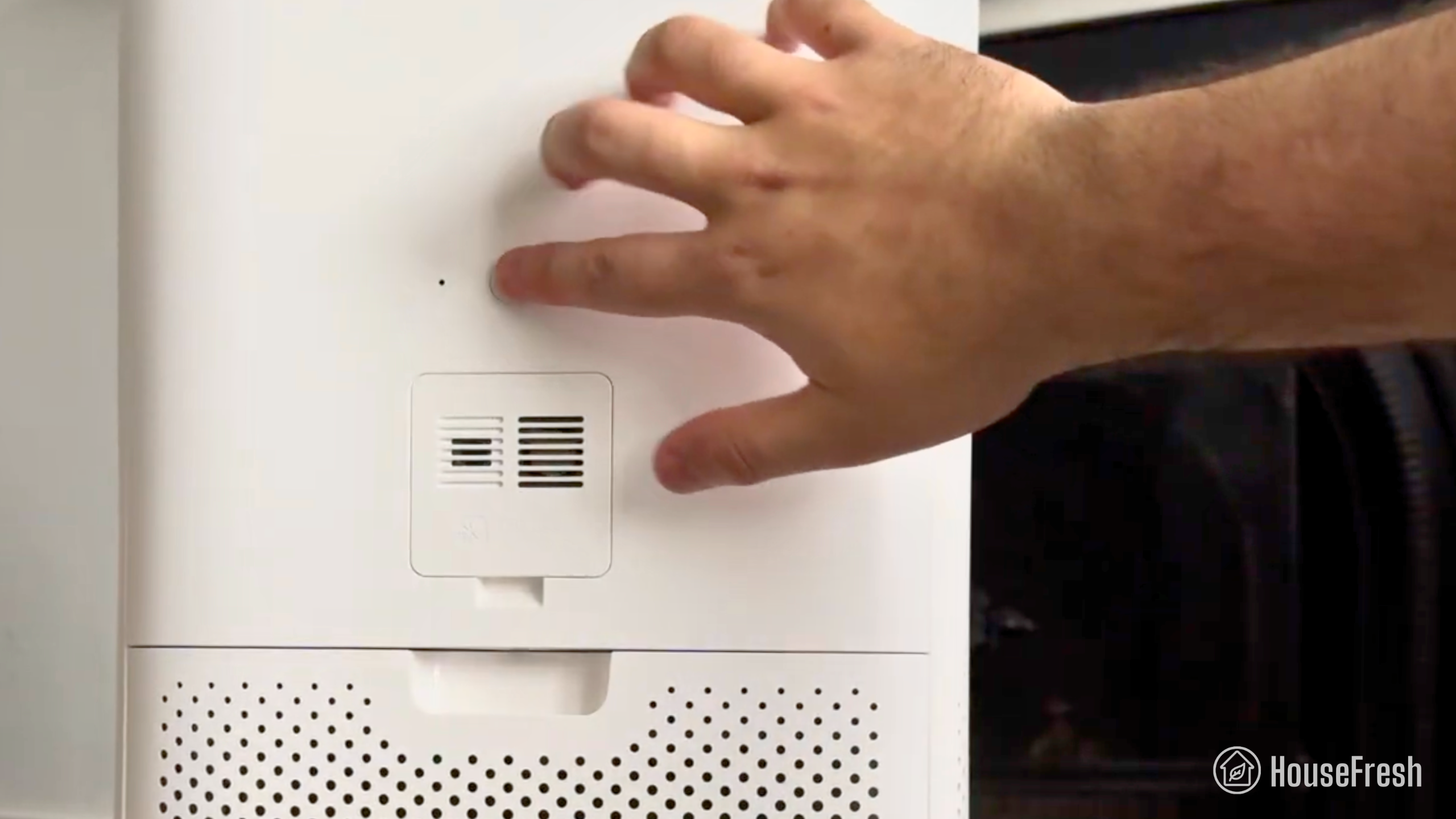
Don’t panic if you can’t spot it—Xiaomi tucks this tiny recessed button in model-specific spots. On older Models 2/2S/3C, check the top panel near the display ring. For 3H/Pro variants, look along the rear panel below the filter door. Newer Models 4 Lite/4 Pro hide it near the power cord entry on the side. Use a flashlight: it’s typically a pin-sized hole requiring firm pressure.
Execute the Perfect Reset Sequence
- Power on your unit and wait 10 seconds for standby mode (display lights up)
- Press and hold the reset button exactly 5 seconds with a paperclip (fingernails slip)
- Release immediately when the light shifts from red to blue/green
- Wait 15 seconds—no button mashing!—for the system to lock the reset
Pro Tip: If the light flashes blue but reverts to red, your filter isn’t seated fully. Reopen the compartment and push until that click confirms proper alignment.
Mi Home App Reset: Sync Your Smart Purifier in 60 Seconds
Navigate the App Without Confusion
Smart model owners, skip the button hunt. Open Mi Home, select your purifier, and tap the Filter Life card on the main screen (not buried in settings!). Choose Replace Filter—not “Reset” or “Maintenance”—then confirm when prompted. Stand within 10 feet of the unit during this process; weak Bluetooth signals cause 70% of app reset failures.
Verify Wireless Sync Success
Post-reset, check three critical signs within 60 seconds:
– Physical indicator shifts from red to solid blue (not flashing)
– App shows “100%” filter life with today’s replacement date
– PM2.5 readings update normally (stuck readings indicate sync failure)
Troubleshooting: If the app stalls, force-close it, disable phone battery saver mode, and reconnect to 2.4GHz Wi-Fi (5GHz blocks device communication).
Touch Panel Reset: Hidden Menu for Models 3H/4/Pro
Access the Secret Filter Menu
This method bypasses physical buttons on touch-screen models. Power on your unit, then touch and hold the Mode button for 3 full seconds until the display changes. Swipe left to find the Filter option, select it, then press and hold Reset for 3 seconds until “Resetting” appears. Exit using the Back button—do not power off mid-process.
Decode Post-Reset Display Messages
Your screen should show “Filter Reset Complete” followed by 150-180 days remaining (varies by model). If it displays “E3” (Filter life error), unplug the unit for 2 minutes to clear corrupted data, then retry. Never see 100%? Your carbon pre-filter (if applicable) may need separate resetting—check the next section.
Fix Stubborn Reset Failures in Under 5 Minutes
Button Unresponsive? Try These Fixes
When holding the button does nothing:
– Power cycle properly: Unplug 30+ seconds (not just turning off)
– Clean button debris: Gently rub around the hole with a dry microfiber cloth
– Use precise pressure: Press with a pen tip at 90-degree angle—angled pressure misses the contact point
Red Light Persists? Solve These 3 Issues
- Wrong filter type: Generic filters lack Xiaomi’s RFID chip—swap in genuine HEPA H/E/360 series
- Sensor obstruction: Wipe gold contacts inside filter compartment with alcohol-free wipe
- Partial seating: Remove filter, rotate 180°, and reinsert—some models require specific orientation
App Reset Glitches? Critical Fixes
If the Mi Home app shows “Command Failed”:
1. Disable phone Wi-Fi, reconnect to 2.4GHz network (5GHz incompatible)
2. Update Mi Home to v5.8.49+ (older versions lack reset protocols)
3. Remove device from app, restart phone, and re-pair
Confirm Your Reset Actually Worked
Physical Verification Checklist
✓ Indicator light stays solid blue for 5+ seconds (not flashing)
✓ Display shows 100% or 150-180 days remaining
✓ Unit responds instantly to mode changes (no lag)
✓ No “E” error codes appear within 2 minutes
Performance Test in 90 Seconds
Run automatic mode for 2 minutes: the fan should ramp up when you blow near the sensor (simulating pollution). If it stays on low speed, the reset failed—recheck filter seating. Also verify PM2.5 readings drop from “High” to “Good” within 90 seconds in a smoky room.
Match Filters to Your Exact Xiaomi Model
Compatibility is Non-Negotiable:
– 2/2S/3H/3C: HEPA Filter H (white frame, model HY-C04)
– Pro/Pro H: HEPA Filter E (gray frame, model HY-C08)
– 4/4 Lite: 360 Filter (cylindrical, model HY-C10)
– 4 Pro: 360 Filter Pro (larger cylinder, model HY-C12)
Warning: Third-party filters often cause permanent red lights—even after correct reset—due to missing authentication chips.
Reset Timing: When to Act (and When Not To)
Reset ONLY under these conditions:
– ✅ Immediately after installing a new filter (within 5 minutes)
– ✅ When orange light appears at 20% life (plan ahead!)
– ❌ Never before filter swap (triggers E2 errors)
– ❌ Never mid-cycle (skews usage tracking)
Replacement schedules based on real-world data:
– Standard homes: Every 8 months
– Pet owners: Every 5 months (dander clogs filters faster)
– High-pollution areas: Every 4 months
– Light usage (bedroom only): Up to 14 months
Nuclear Option: Factory Reset for Locked Systems
Use ONLY if standard resets fail repeatedly:
1. Unplug unit for 5 full minutes (critical for memory wipe)
2. Hold power button while plugging back in
3. Keep pressing 10+ seconds until all lights flash rapidly
4. Release and wait 2 minutes for full reboot
5. Perform standard filter reset
Warning: This erases Wi-Fi settings and custom modes—reconnect via Mi Home afterward.
Dual Filter Systems: Reset HEPA and Carbon Separately
For Pro/4 Pro models with dual compartments:
1. Reset HEPA filter first using your preferred method
2. Wait for solid blue light confirmation (30 seconds)
3. Repeat reset process for carbon filter compartment
4. Verify both indicators show blue—never skip step 2!
Mistake to avoid: Resetting both filters simultaneously confuses the sensor, causing “E1” errors.
Prevent Future Reset Nightmares
Proactive maintenance that works:
– Order new filters when orange light appears (20% life left)
– Store spares in original sealed bags—humidity degrades filters
– Photograph your filter’s model number (HY-XXXX) for easy reordering
– Tape this reset reminder inside the filter door: “New filter → Hold reset 5s → Blue light = success”
That red light isn’t a flaw—it’s your Xiaomi purifier demanding attention it deserves. By following these model-specific reset protocols, you’ll transform frustration into confidence with every filter change. Remember: genuine filter first, reset second, verification always. Bookmark this guide for your next replacement cycle, and breathe easy knowing your alerts are accurate—not annoying. Your clean air journey just got simpler.


