
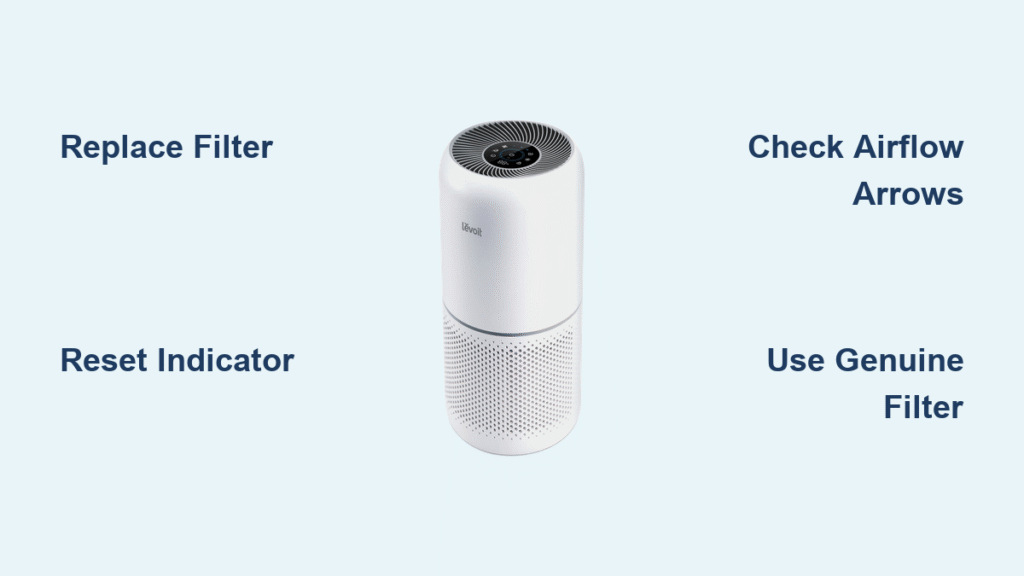
That persistent red light on your Levoit air purifier isn’t just annoying—it’s a critical warning that your filter needs immediate replacement. When your unit stops capturing pet dander, smoke particles, or seasonal allergens effectively, your family breathes in pollutants instead of clean air. Ignoring this alert strains your motor and slashes filtration efficiency by up to 60%. This guide delivers exactly what you need: the precise steps to replace your Levoit air purifier filter correctly, reset the indicator light, and avoid costly mistakes—whether you own a Core 200S, Vital series, or other model.
Levoit Filter Replacement Schedule That Actually Works
Replacing your Levoit filter isn’t a one-size-fits-all task. Most users wait too long because they follow generic 12-month timelines without considering their unique environment. Your actual replacement window depends entirely on what your purifier battles daily.
When to Replace Your Filter Immediately
High-stress environments demand urgent filter changes:
– Homes with multiple shedding pets (dog hair visibly clogs filters within weeks)
– Areas impacted by wildfire smoke or heavy traffic pollution
– Households with smokers or frequent high-heat cooking
– Peak allergy seasons when pollen counts exceed 9+ grains per cubic meter
Visual red flags override timer settings: If your filter appears uniformly gray (not just surface dust), emits musty odors during operation, or shows visible debris packed between pleats, replace it now—don’t wait for the indicator light.
Custom Replacement Timeline Calculator
- Light use (bedroom only, 4 hrs/day): Maximum 12 months
- Moderate use (living room, 8 hrs/day with pets): 8–10 months
- Heavy use (smoke exposure, 24/7 operation): 6 months or when indicator activates
Essential Tools & Safety Steps Before You Start
Gather these three critical items before touching your unit:
– Genuine Levoit replacement filter (model-matched to your unit)
– Microfiber cloth or soft-bristled vacuum attachment
– Bright flashlight to inspect compartment corners
Safety non-negotiables: Always unplug your Levoit and wait 30 seconds for capacitors to discharge. Never attempt filter changes while the unit is powered—even standby mode risks electrical shock and sensor damage. If your model has a child lock feature, disable it first via the control panel.
Step-by-Step Filter Change Process
Core 200S Filter Replacement (Model-Specific Guide)
Power down completely – Unplug from the wall outlet and confirm all lights are off. This prevents electrical hazards and protects internal sensors from false readings. Skipping this step risks permanent motor damage.
Access the compartment by sliding the back panel upward (not sideways). You’ll encounter initial resistance from the locking mechanism—apply firm, even pressure until it releases with a soft click. Forcing it causes panel warping.
Remove the old filter using both hands to avoid dropping debris. Note the airflow direction arrows printed on the filter frame—they must point toward the fan intake (usually forward) during reinstallation. Never twist or yank the filter.
Install the new filter by aligning its top edge with the compartment’s upper grooves. Slide it downward at a 15-degree angle until fully seated. You’ll hear a distinct click when properly positioned—this ensures zero air leaks.
Secure everything by sliding the back panel downward until it locks flush with the unit. Test security by gently tugging the panel—it shouldn’t budge more than 1/8 inch. Any gap compromises filtration efficiency.
Reset Filter Indicator Light Properly
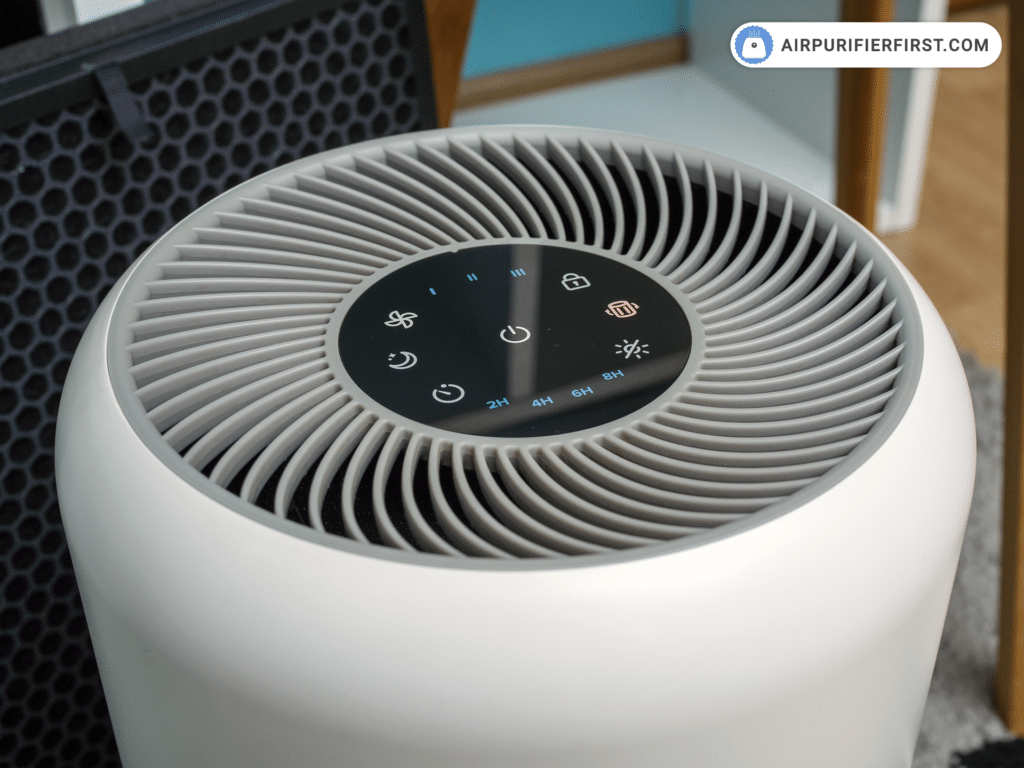
Locate the Filter Reset button (marked with a filter icon ⚙️ on your control panel). Press and hold for exactly 3 seconds until the red light turns off or flashes green. Some models require holding until a confirmation chime sounds.
If the light stays red, immediately unplug the unit for 60 seconds to reset the motherboard. Persistent issues indicate:
– Filter not fully seated (recheck alignment clicks)
– Non-genuine filter triggering error codes
– Reset button held for less than 3 seconds
Choose Correct Levoit Filter Without Guesswork

Core Series Filters (Match Exact Model Number)
- Core Mini-P: $24.99 – For rooms under 150 sq. ft. (apartment bedrooms)
- Core 200S-P: $25.99 – Standard 3-stage filter for 219 sq. ft. spaces
- Core 300-P: $29.99 standard or $35.99 pet version – Handles 361 sq. ft.
- Core 400S-P: $49.99 standard or $59.99 smoke variant – For 403+ sq. ft. rooms
Pro tip: The “P” suffix in model numbers (e.g., 200S-P) indicates filter compatibility—never omit it when ordering.
Vital Series Premium Options
- Vital 100S-P: $44.99–$49.99 – Hospital-grade filtration for 176 sq. ft.
- Vital 200S-P: $59.99–$64.99 – True HEPA + carbon combo for 353 sq. ft.
Critical distinction: Vital series filters have thicker carbon layers—they won’t fit Core models and vice versa. Measure your old filter’s dimensions if unsure (typically 12.2″ x 7.7″ for Core 200S).
Filter Type Selection Cheat Sheet
| Filter Type | Best For | Avoid If |
|---|---|---|
| 3-Stage | General dust/pollen | You have pets or smoke |
| Pet Allergy Carbon | Dog/cat dander & odors | You’re sensitive to carbon dust |
| Toxin Absorber | New furniture VOCs or paint fumes | You need smoke removal |
| Smoke Remover | Wildfire season or tobacco smoke | Budget is tight (most expensive) |
Avoid Generic Filter Mistakes That Damage Your Unit
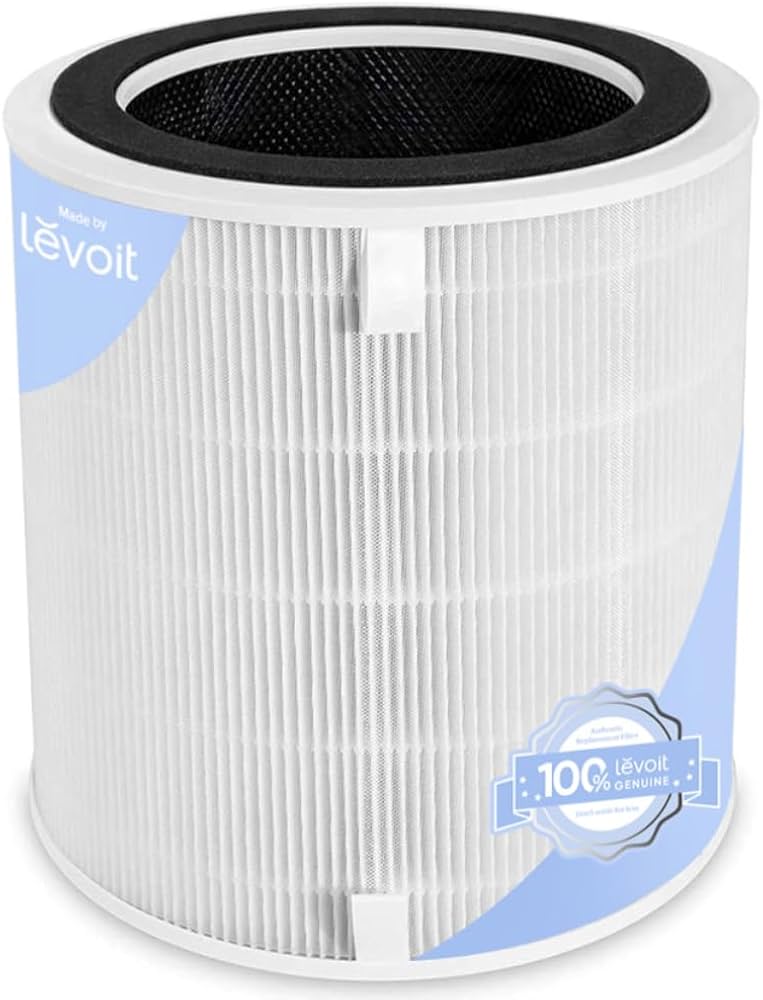
Never install off-brand filters—Levoit’s engineering requires precise airflow resistance. Generic filters cause:
– Performance collapse: 40–60% lower pollutant capture rates in independent tests
– Air leaks: Inconsistent sizing creates bypass channels for unfiltered air
– Motor burnout: Wrong density strains fans, often voiding your warranty
The cost trap: Saving $15 on a $15 generic filter risks $150+ in motor repairs. Genuine Levoit filters maintain consistent pore density—critical for HEPA certification. If budget is tight, buy filters during Levoit’s quarterly sales (typically January, April, August, November).
Troubleshooting Filter Issues in 60 Seconds
Filter Light Won’t Reset
Fix it in this order:
1. Re-seat the filter—press firmly on all four corners until you hear clicks
2. Verify genuine Levoit filter (counterfeits lack RFID chips for reset)
3. Hold reset button for 5 full seconds (not 3) if unit was recently moved
4. Power-cycle the unit: Unplug > Wait 2 minutes > Plug in > Reset
Reduced Airflow After Change
Immediate solutions:
– Check for plastic packaging still wrapped around new filters (common oversight)
– Confirm arrow direction matches airflow path (reversed filters block intake)
– Vacuum side vents—pet hair often clogs exterior grilles during replacement
– Ensure back panel is fully locked (a 1/4″ gap cuts airflow by 30%)
Unusual Odors After Replacement
New filter smell (chemical odor) should fade within 48 hours of continuous operation. Persistent smells mean:
– Carbon off-gassing from non-genuine filters (requires replacement)
– Old filter residue in compartment (wipe with dry microfiber cloth)
– Moisture trapped in pre-filter (run unit on high for 1 hour to dry)
Extend Filter Lifespan With 2-Minute Weekly Habits
Pro maintenance that doubles filter life:
– Vacuum exterior vents weekly using a soft brush attachment
– Run on “sleep mode” when air quality is good (reduces dust loading)
– Keep unit 3+ feet from walls to prevent airflow restriction
– Never place near cooking areas—grease coats filters permanently
Monthly quick check: Tilt unit backward and inspect the pre-filter layer. If you can’t see light through it, vacuum the surface immediately.
Maintenance Calendar Setup
Create foolproof reminders:
– Mark installation date on filter packaging with a permanent marker
– Set phone alerts labeled “Levoit Filter Check” every 90 days
– Track runtime if your model displays hours (replace at 2,000 hours)
– Note environmental spikes (e.g., “July 1: New puppy adopted—reset timer”)
Final Note: Changing your Levoit air purifier filter takes just 5 minutes but ensures years of reliable clean air. Always use genuine filters matched to your exact model, reset the indicator properly, and never ignore visual warning signs. Keep a spare filter on hand—when that red light flashes, you’ll be ready to act immediately instead of breathing compromised air. Your family’s health depends on this simple maintenance ritual, so make it effortless with scheduled reminders and the right tools. Clean air isn’t optional—it’s the foundation of a healthy home.


