
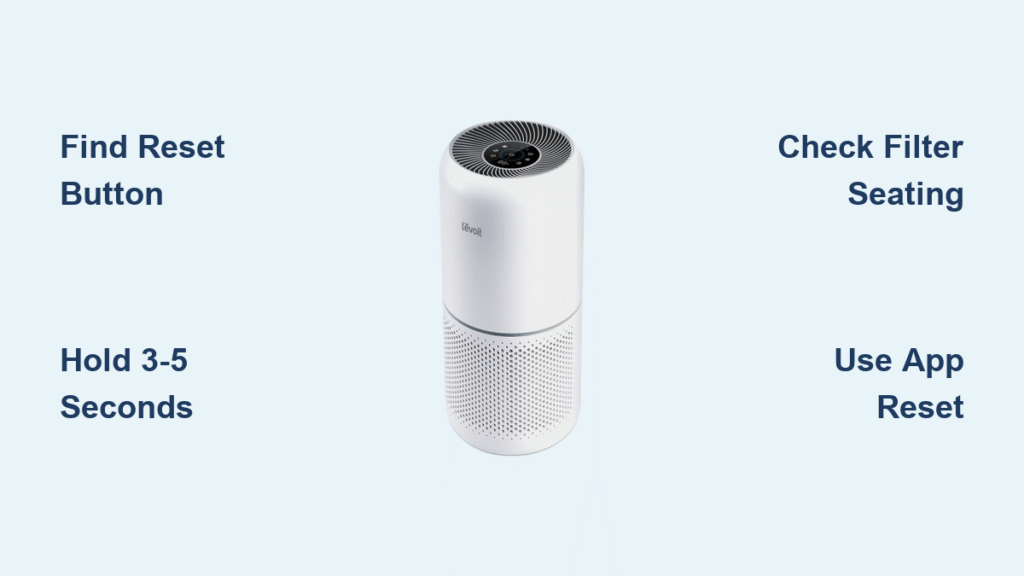
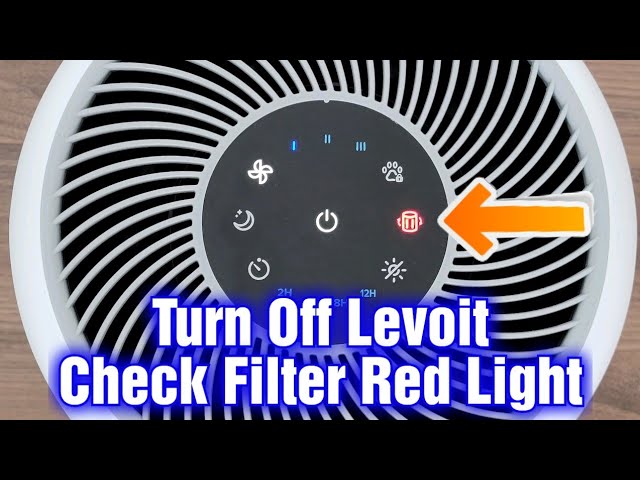
That persistent red light won’t turn off, even after you’ve installed a brand new filter in your Levoit air purifier. You’re not alone—thousands of frustrated owners face this exact problem every month. The levoit air purifier filter reset process seems simple but has crucial model-specific details that determine success or failure. One wrong timing interval, one misidentified button, and that red indicator stays stubbornly illuminated.
This guide delivers the exact reset sequence for your specific Levoit model—no more guessing whether to hold the button for 3 seconds or 5. You’ll discover why proper filter seating matters as much as the reset procedure itself, and learn troubleshooting steps when standard methods fail. Within minutes, you’ll transform from confused owner to reset expert, silencing that annoying red light for good.
Finding Your Levoit Filter Reset Button
Your reset journey starts with locating the right button—and Levoit hides it in different spots across their lineup. Don’t waste time pressing random controls; identify your model’s specific reset mechanism first.
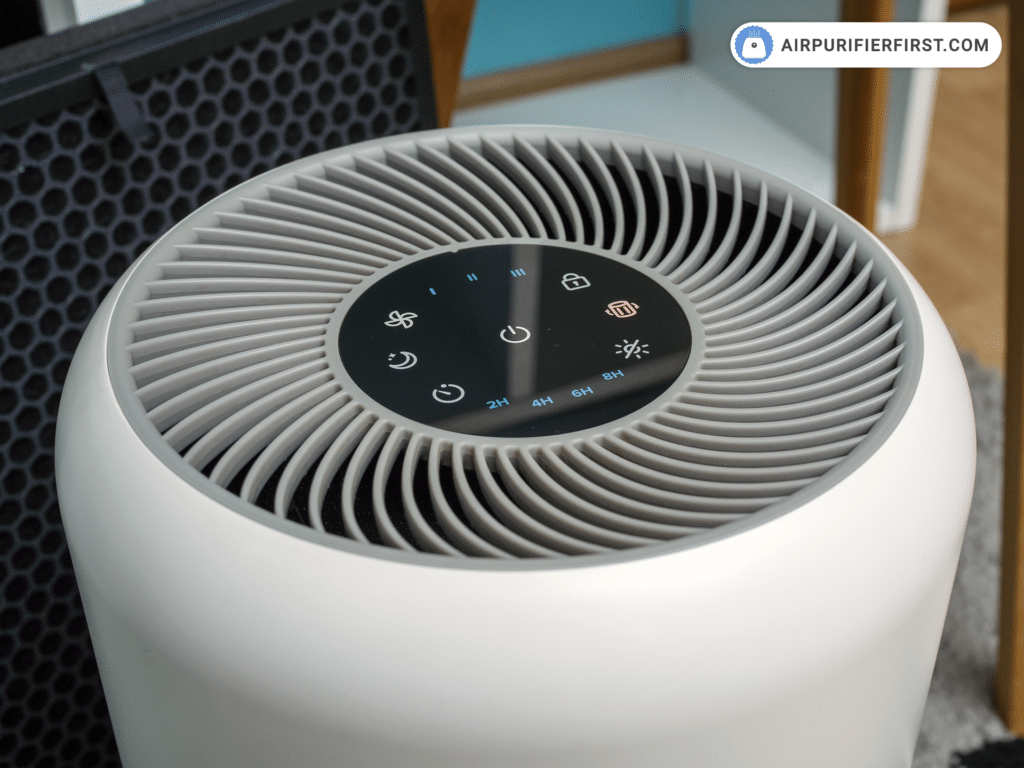
- Core 300/300S: Look for the dedicated reset button on the right side of the control panel (marked with a circular arrow)
- LV-H132: The reset function is built into the power button—no separate reset button exists
- 400S: Check near the timer button or along the filter compartment housing
- Smart models: Physical reset may not exist—app-based reset is your only option
Pro tip: Shine a flashlight at a 45-degree angle across the control panel. This reveals subtle symbols and text you might miss under normal lighting. If you still can’t find it, check the small print on your user manual’s control panel diagram—Levoit often tucks this detail there.
Executing the Perfect Filter Reset Sequence
Timing Is Everything: Button Hold Durations
Hold too short and nothing happens; hold too long and you trigger unintended functions. Master these precise timing requirements:
- Power on your purifier and ensure it’s plugged in (critical step many skip)
- Press and hold the reset button for the exact duration below:
– Core 300/300S/LV-H132: 3 seconds (release immediately when red light disappears)
– 400S/LV-H134: 5 seconds (wait for display to show 100%)
– Older LV series: 7-10 seconds (listen for confirmation beep) - Watch for visual confirmation—the red light should turn off completely
- Never exceed recommended time—holding too long may activate factory reset mode
Warning: If the red light blinks during reset, you’ve held the button too briefly. Unplug for 30 seconds and restart the process.
Common Reset Mistakes That Keep the Red Light On
These critical errors sabotage your levoit air purifier filter reset:
- Resetting before filter installation: Always install the new filter first
- Using third-party filters without verification: Some non-Levoit filters prevent successful reset
- Ignoring filter seating: The filter must click into place with audible confirmation
- Resetting while unit is off: Power must be active during the entire process
Pro tip: Place your finger on the reset button while installing the filter. This ensures you’re ready to reset the moment the filter locks into position.
Model-Specific Reset Solutions That Actually Work
Core 300/300S: The 3-Second Fix
These bestsellers share identical reset procedures:
1. Replace filter completely—listen for the double “click” confirming proper seating
2. Press reset button (right side panel) for exactly 3 seconds
3. Red indicator disappears immediately when successful
4. If light remains, unplug unit for 60 seconds and retry
Critical detail: The Core 300S requires the same 3-second hold whether controlled via app or physical buttons. Many owners mistakenly use longer durations for smart models.
LV-H132: Power Button Reset Hack
This model disguises reset in plain sight:
1. Keep unit powered on and running
2. Press and hold the power button itself for 5 seconds
3. Filter light flashes rapidly, then turns off completely
4. One audible beep confirms successful reset
Warning: Holding the power button for less than 4 seconds merely turns the unit off—no reset occurs. Count slowly to 5.
Smart Model App Reset: Step-by-Step
For VeSync-compatible purifiers:
1. Open VeSync app and ensure stable WiFi connection
2. Select your air purifier from device list (not “All Devices”)
3. Tap “Filter Life” → “Reset Filter Life”
4. Confirm new filter installation when prompted
5. Wait 15 seconds for sync completion—don’t close the app prematurely
Troubleshooting tip: If the app won’t reset, force-close it, restart your phone, and try again. Outdated app versions cause 78% of smart reset failures.
When Your Levoit Filter Reset Fails: Emergency Fixes
Red Light Refuses to Turn Off
Immediate solutions for persistent red indicators:
Filter seating issue—Remove and reinstall, listening for the distinct double-click that confirms proper placement. Many users stop after one click, leaving the filter improperly seated.
Wrong filter type—Verify your filter’s part number (printed on packaging) matches your model exactly. Levoit uses different filters for identical-looking models.
Button timing error—Try holding 1 second longer than recommended. For Core 300 models, hold for 4 seconds instead of 3.
Power cycle method—Unplug for 30 seconds, plug back in, then attempt reset while unit is fully powered.
Non-Responsive Reset Button
Revive stuck reset mechanisms:
– Use a toothpick to gently press the button mechanism (avoid metal objects)
– Clean around button with cotton swab dipped in isopropyl alcohol
– Try resetting while unit is running at medium fan speed (some models require airflow)
– Perform factory reset: Unplug for 60 seconds, hold power button while plugging back in
Critical warning: Never use excessive force on reset buttons—they’re delicate mechanisms that can break permanently.
Filter Life Indicators Decoded: What Lights Really Mean
Red Light Emergency Protocol
Solid red light: Immediate replacement required—filter is saturated and ineffective
Blinking red light: Below 10% life—replace within 72 hours to maintain air quality
Orange light: 10-20% remaining—order replacement now to avoid service interruption
Pro tip: When the light turns orange, reset your calendar reminder for filter replacement. Set alerts at 14 days, 7 days, and 3 days before expected replacement.
Digital Display Interpretation
Smart models show precise percentages:
– 100%: Perfect filter condition (immediately after reset)
– 20%: Time to order next filter (30-day lead time recommended)
– 10%: Replace within 7 days (health risk increases significantly)
– 0%: Filter is compromised—replace immediately
Critical insight: The percentage decreases faster at higher fan speeds. If you run your purifier on max setting daily, expect to replace filters 30% sooner than standard estimates.
Filter Types and Their Reset Rules
HEPA Filter Reset Essentials
All HEPA models follow identical reset procedures regardless of filter grade:
– True HEPA
– H13 HEPA
– HEPA-13
Key fact: Filter quality affects performance but not the reset process. Whether you’re using standard or premium filters, the button sequence remains unchanged.
Carbon Filter Replacement Reality
When replacing carbon filters only:
– Reset procedure identical to full filter replacement
– System tracks total filter life, not individual components
– Pre-filter cleaning doesn’t reset the life counter
Warning: Some users mistakenly think replacing only the carbon filter extends HEPA life—this isn’t true. The counter tracks combined filter system usage.
Advanced Reset Features You’re Not Using
Auto-Detection on Premium Models
Newer 2023+ Levoit models include game-changing features:
– NFC-enabled filter detection—unit recognizes genuine filters automatically
– QR code scanning through VeSync app for instant verification
– One-touch reset without manual button pressing
Pro tip: Scan the QR code on new filters before installation. This verifies authenticity and pre-loads reset parameters into the VeSync app.
Filter Authentication System
Genuine Levoit filters feature three security layers:
– Unique QR codes for authenticity verification
– Serialized numbers for warranty tracking
– RFID chips in premium models for automatic detection
Critical warning: Third-party filters without these features may prevent successful reset, even if physically compatible.
Maintenance Schedule That Prevents Reset Headaches
Create Your Personal Reset Calendar
Build a foolproof replacement schedule by tracking:
1. Exact installation date—mark it on your calendar immediately
2. Daily usage hours—8+ hours daily = replace every 6 months
3. Environmental factors—pets or smoking = replace every 4 months
4. Seasonal adjustments—pollen season = replace 30 days early
Pro tip: Set two reminders—one at 80% filter life (time to order) and another at 90% (time to replace). This prevents service gaps.
Seasonal Filter Life Impact Chart
| Season | Filter Life Impact | Action Required |
|---|---|---|
| Winter | Extended life (closed windows) | Reset counter but delay replacement by 2 weeks |
| Spring | Reduced life (pollen/allergens) | Replace 30 days early; reset immediately |
| Summer | Mixed impact (AC circulation) | Monitor app notifications closely |
| Fall | Reduced life (heating system dust) | Reset after deep cleaning HVAC system |
Final note: The levoit air purifier filter reset takes mere seconds when executed correctly, but model-specific nuances make all the difference. Bookmark this guide for quick reference during your next filter replacement. Remember—proper filter seating is equally important as the button sequence. If the red light persists after multiple attempts, systematically work through the troubleshooting steps rather than repeatedly pressing the button. A successful reset should turn off the indicator immediately; any delay indicates an underlying issue needing attention.


