
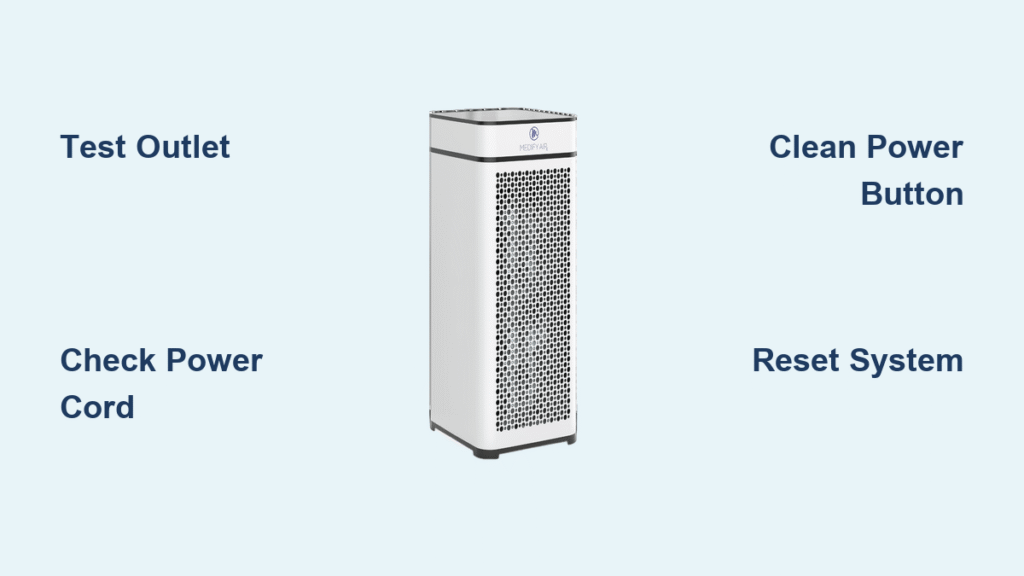
Your Medify air purifier sits completely dead when you press the power button—no lights, no fan noise, nothing. During allergy season or wildfire smoke events, this failure feels especially urgent when you’re counting on clean air. The frustration peaks when you realize your air purifier not turning on coincides with the worst air quality days. Most power failures actually stem from simple, fixable issues rather than catastrophic internal damage.
This comprehensive troubleshooting guide covers every possible reason your Medify won’t power up, organized from quickest fixes to more complex solutions. You’ll discover model-specific diagnostics for MA-25, MA-40, and other series, learn how to interpret error codes, and know exactly when to contact warranty support. By following these steps in order, you’ll avoid unnecessary service calls and get your air purifier running again—often within minutes.
Confirm Wall Outlet Functionality Before Blaming Your Purifier
Test Power Source Immediately With Another Device
Don’t assume the problem lies with your Medify when the issue could be as simple as a dead outlet. Plug a phone charger or lamp into the same outlet your purifier uses—watch for an indicator light or charging symbol. If nothing powers on, move to another room’s outlet immediately. Many homeowners waste hours troubleshooting their purifier only to discover tripped GFCI outlets in kitchens or bathrooms caused the failure. Press the reset button firmly on suspect outlets until you hear a distinct click.
Reset Tripped Circuit Breakers Properly
Head to your electrical panel (typically in the basement, garage, or utility closet) and inspect all breakers. Look for switches sitting in the middle position—not fully ON or OFF—as this indicates a tripped circuit. Flip these breakers completely OFF until you feel resistance, then firmly switch them back ON until you hear an audible click. During summer months, air conditioners or space heaters on the same circuit frequently overload breakers, causing your Medify to lose power unexpectedly. Test the purifier after each reset to identify the problematic circuit.
Inspect Power Cord for Hidden Damage That Prevents Power Flow
Identify Dangerous Cord Damage Through Physical Examination
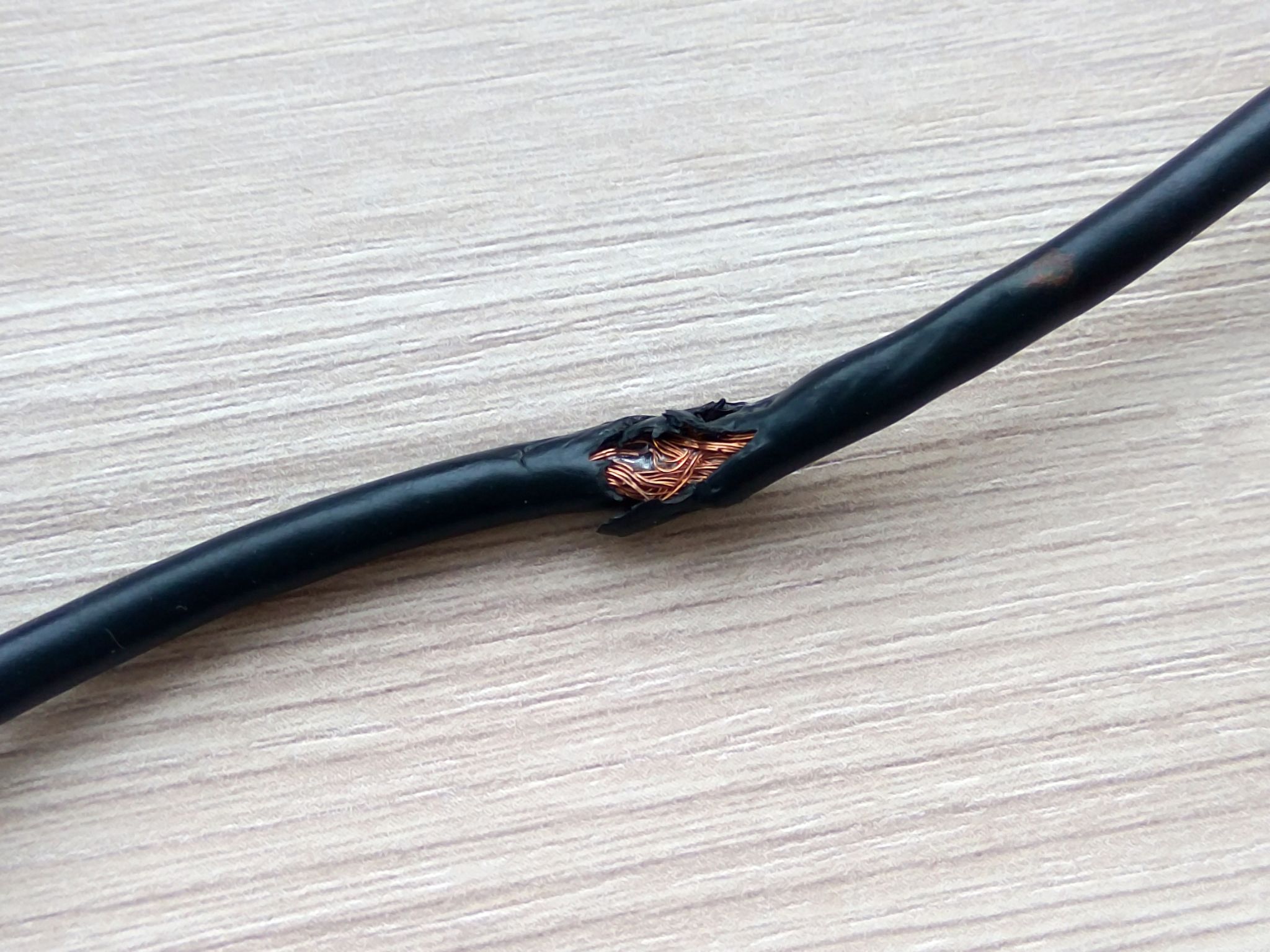
Unplug your Medify and methodically run your fingers along the entire power cord length, feeling for cuts, kinks, or sections that feel unusually warm to the touch. Pay special attention to where the cord enters the purifier’s base—the high-stress area most prone to fraying from repeated movement. Visible black burn marks on the prongs or green corrosion indicate dangerous electrical arcing that must be addressed immediately. Even minor nicks in the cord’s insulation can cause intermittent failures that seem random but actually stem from damaged wiring.
Recognize When Cord Replacement Is Mandatory
If you spot exposed copper wiring anywhere along the cord or feel warmth during operation, stop using the unit immediately—these conditions create serious fire hazards. Medify doesn’t sell replacement cords directly due to safety regulations, so contact their support team for authorized repair options. Never attempt to splice or tape damaged cords, as improper repairs can lead to electrocution risks or void your warranty coverage completely.
Diagnose Power Button Failures That Mimic Complete Power Loss
Apply Correct Button Press Technique for Your Model
Medify power buttons vary by model—check the top panel, front display, or right side—and many require an extended 5-second press to activate. Newer models implement this feature to prevent accidental shutoffs, so a quick tap won’t register. Press firmly and hold while watching for any LED response, even a brief flash. If you see momentary lights but no startup, the power supply works but another component blocks operation. Older models may have sticky buttons from dust accumulation, requiring thorough cleaning before they respond properly.
Clean Button Contacts Without Causing Further Damage
Dampen a cotton swab with isopropyl alcohol (90%+ concentration) and carefully clean around the power button’s edges. Work in small circular motions to dislodge debris trapped beneath the button mechanism. Allow at least 15 minutes for complete drying before testing—residual moisture can cause electrical shorts. For stubborn buildup, use compressed air to blow dust from crevices after alcohol cleaning. Never use water or household cleaners, as these can corrode internal contacts.
Address Filter Safety Switch Issues That Block Power Startup
Verify Magnetic Door Switch Engagement Properly
Open your Medify’s front panel by pressing the release tabs (locations differ by model), then slowly close the door while listening for a soft click—the magnetic safety switch engaging. Many users unknowingly block this switch with warped doors or debris, triggering an automatic shutdown as a safety feature. Clean the small rectangular sensors on the door frame with rubbing alcohol on a cotton swab, removing any metal filings or dust that prevent proper contact. Test by closing the door at different angles to identify alignment issues.
Correct Filter Installation Mistakes That Prevent Operation
Remove all filters in sequence: pre-filter first, then HEPA, then activated carbon if equipped. Inspect each filter frame for cracks or deformation that prevents proper seating. Newer Medify models contain RFID chips in filters—damaged chips trigger automatic shutdowns that mimic power failures. Clean the metal contact points inside the filter compartment with a dry microfiber cloth to remove insulating dust buildup. Reinstall filters slowly, ensuring each clicks securely into place before adding the next.
Account for Environmental Factors That Trigger Safety Shutdowns
Allow Proper Climate Acclimation Time After Temperature Changes
Medify purifiers automatically shut down when internal temperatures exceed 104°F as a safety measure. If you’ve recently moved the unit from a cold garage to a warm house, wait 4 full hours before retrying—rushing this process triggers repeated failures. High humidity above 85% activates moisture sensors, common in bathrooms or during summer months. Let the unit sit unplugged for 24 hours in a climate-controlled room to eliminate condensation-related issues before attempting power-up.
Clear Dust Sensor Blockages Causing False Failures
Internal dust accumulation on sensors often triggers safety shutdowns that appear as power failures. Vacuum the air intake vents using a brush attachment, focusing on removing visible lint and pet hair. Use short bursts of compressed air through the vents to clear the internal fan housing—hold the can upright to prevent liquid propellant discharge. Check for insect nests or cobwebs in air passages, surprisingly common causes of startup failures in seasonal homes.
Decode Medify Error Codes That Explain Power Failures

Interpret Model-Specific LED Patterns Correctly
Different Medify series communicate problems through distinct light patterns:
– MA-25/MA-35: Flashing red light means filters need replacement—not necessarily a power failure
– MA-40/MA-50: Alternating red/green indicates motor malfunction requiring service
– All models: Solid red light signals internal system failure—document exact behavior
Count LED flashes carefully—some models blink in specific sequences where three quick flashes followed by a pause indicates particular component failures. Record these patterns before unplugging, as this information significantly speeds up warranty service diagnosis and prevents unnecessary part replacements.
Perform Complete System Resets That Clear Electronic Glitches
Execute Proper Power Drain Procedure
Unplug your Medify for at least 30 minutes—this drains residual power from internal capacitors that maintain memory in electronic components. Many users mistakenly believe a 5-minute wait suffices, but capacitors require extended discharge time to clear persistent glitches. While waiting, clean exterior vents with a microfiber cloth to prevent future dust-related issues that trigger shutdowns.
Apply Model-Specific Factory Reset Sequences
After the 30-minute wait, press and hold the power button while plugging the unit back in. Continue holding for 10 seconds after power restoration to force a complete system reset. For MA-40 and newer models, hold both the timer and speed buttons simultaneously for 10 seconds during power-up. Watch for LED pattern changes indicating successful reset—most units will cycle through all lights before returning to normal operation.
Determine When to Seek Professional Service for Internal Failures
Identify Internal Power Supply Unit (PSU) Failure Signs
Listen carefully when attempting to power on your Medify—a soft electrical hum or clicking sound indicates the PSU is trying to start but another component fails. Complete silence with no LED response suggests PSU failure. Any burning smell or visible scorch marks on internal circuit boards requires immediate professional attention—do not continue using the unit. Document these symptoms thoroughly before contacting support, as specific failure descriptions expedite warranty service.
Navigate Warranty Service Process Efficiently
Before calling Medify support at 1-888-258-3244, gather your model number (found on bottom sticker), serial number, and original purchase receipt. Describe symptoms chronologically: when the issue first appeared, any performance changes, and all troubleshooting steps attempted. Standard warranty covers 1-year parts and labor in the USA and Canada—extended to 4 years with registration. Note that broken warranty seals, water damage, or evidence of tampering voids coverage, so avoid opening the unit casing yourself.
Key Takeaway: When your Medify air purifier not turning on, start with the simplest solutions first—outlet testing, cord inspection, and filter checks—before assuming internal failure. Over 70% of “dead” purifiers actually suffer from outlet issues, safety switch blockages, or environmental triggers rather than component failure. Implement monthly maintenance checks on outlets and vents to prevent future power issues, and always use a quality surge protector to protect against voltage spikes that damage internal components. If basic troubleshooting fails, Medify’s support team can guide you through model-specific diagnostics and warranty service—just be prepared with your model number and purchase documentation for fastest resolution.


