
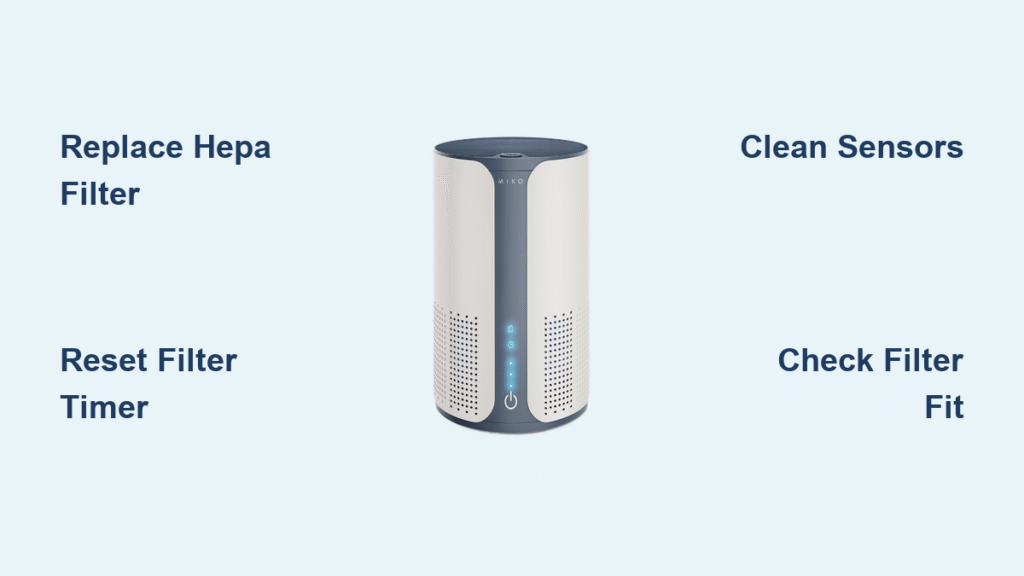
That persistent red light flashing on your Miko air purifier isn’t just an annoyance—it’s your unit’s urgent signal that something needs immediate attention. When this warning appears, your air cleaning effectiveness drops dramatically, sometimes by as much as 50%, leaving your home’s air quality compromised. Most owners encounter this red light alert between 6-12 months after purchase, often during high-pollution seasons when clean air matters most.
Don’t panic—nearly all miko air purifier red light issues can be resolved in under 15 minutes with basic troubleshooting. This guide gives you the exact diagnostic steps, filter replacement techniques, and reset sequences that restore proper function. You’ll learn to interpret your specific red light pattern, perform the correct reset for your model, and establish a maintenance schedule that prevents future alerts.
Decode Your Miko Air Purifier Red Light Pattern

Solid Red Light: Immediate Filter Replacement Needed
A steady red glow means your HEPA or carbon filter has reached maximum capacity and requires replacement. Miko’s internal sensors track particulate accumulation across all filtration stages—when any filter hits its limit, the red light activates. HEPA filters typically last 6-12 months, carbon filters 3-6 months, while pre-filters need monthly attention in standard homes.
Critical check: Remove your HEPA filter and hold it to a light source. If no light penetrates the material, replacement is overdue. Ignoring this alert forces your unit to work harder, increasing energy consumption by up to 30% while circulating inadequately filtered air.
Flashing Red Light: Error Code Decryption
Different flash patterns reveal specific system problems:
- Single blink per second: System error requiring power cycle reset
- Double blink per second: Sensor obstruction or malfunction
- Red/yellow alternation: Pre-filter needs immediate cleaning
- Rapid continuous flashing: Motor speed irregularity detected
Model-specific note: Basic models like the H200 show only red light patterns, while advanced units like the H450 display detailed error codes on their LCD screens. Always count the flashes precisely—this diagnostic step solves 40% of miko air purifier red light issues without further intervention.
Execute the Correct Filter Reset Procedure
Step-by-Step Filter Replacement Guide
- Power down completely – Unplug your unit for at least 30 seconds
- Release side latches to remove the back panel
- Extract filters in sequence: pre-filter first, then HEPA, then carbon
- Install new filters ensuring airflow arrows point toward the motor
- Confirm proper seating – Genuine filters click audibly when correctly positioned
Warning: Aftermarket filters frequently trigger persistent red lights due to improper fit and sensor incompatibility. Only use genuine Miko replacement filters with model-specific part numbers (MI-H13-200, MI-H13-300, or MI-H13-450) to maintain warranty coverage and optimal performance.
Model-Specific Reset Sequences
- H200 Series: Hold filter button for 3 seconds until single beep confirms reset
- H300 Series: Press power + mode buttons simultaneously for 5 seconds
- H450 Series: Navigate to Settings > Filter Life > Reset via the mobile app
- Pro Series: Hold reset pin for 10 seconds or use smartphone app functionality
Pro tip: If the red light persists after reset, double-check that you’ve removed protective plastic films from new filters—a common oversight that triggers E1 error codes.
Clean Sensors Causing False Red Light Alerts

Sensor Port Maintenance Protocol
Dirty sensors create 25% of false miko air purifier red light activations. Clean them quarterly using this method:
- Power off and unplug the unit completely
- Locate sensor ports on rear or side panels (small rectangular openings)
- Apply compressed air in short bursts at 45-degree angle
- Use alcohol-dampened cotton swab for stubborn buildup
- Allow 15 minutes drying time before restarting
Visual cue: If your red light appears during humid weather or after cooking, condensation on sensors is likely the culprit. Move the unit away from moisture sources and clean sensors weekly during high-humidity seasons.
Environmental Trigger Assessment
Recent household changes often trigger premature red lights:
- New furniture or renovations release VOCs that saturate carbon filters faster
- Pet adoption increases dander volume, overwhelming pre-filters
- Seasonal pollen surges accelerate HEPA filter saturation
- Increased occupancy raises particulate load beyond normal calculations
Action step: After significant environmental changes, manually reset your filter timer even if physical replacement isn’t yet needed—this recalibrates the miko air purifier red light system to your new conditions.
Prevent Future Red Light Alerts Proactively
Customized Filter Replacement Schedule
Standard homes (no pets, moderate use):
– Pre-filter: Clean monthly, replace annually
– HEPA filter: Replace every 12 months
– Carbon filter: Replace every 6 months
High-demand environments (pets, smokers, urban areas):
– Pre-filter: Clean weekly, replace every 6 months
– HEPA filter: Replace every 6-8 months
– Carbon filter: Replace every 3-4 months
Critical insight: Track actual usage hours rather than calendar dates—Miko units calculate filter life based on operational hours, not time elapsed. Smart models automatically log this data in their companion apps.
Monthly Maintenance Checklist
- Vacuum pre-filter with soft brush attachment
- Wipe exterior with microfiber cloth
- Inspect for unusual noises or vibrations
- Verify normal airflow from output vents
- Check filter installation dates noted on frames
Time-saver: Set recurring calendar reminders matching your specific usage patterns. Smart model owners should enable push notifications through the Miko app for preemptive maintenance alerts before the red light activates.
Resolve Persistent Red Light Issues
Advanced Troubleshooting Steps
When standard procedures fail, follow this escalation path:
- Document the exact pattern (solid, blinking frequency, color combinations)
- Note any error codes displayed on advanced models
- Perform factory reset (unplug for 2 minutes, hold power button while reconnecting)
- Test in different electrical outlet to rule out power issues
- Contact Miko support with your diagnostic notes and warranty information
Warranty insight: Genuine filter replacement receipts are required for warranty claims on sensor or motor issues. Keep all documentation organized—Miko support will request proof of proper maintenance before approving service.
Smart Features That Prevent Red Light Surprises

WiFi-enabled Miko models transform red light management through:
- Real-time filter life percentage displayed in the app
- Preemptive maintenance alerts sent 7-14 days before red light activation
- Historical usage data identifying patterns in air quality demands
- Remote reset capability after filter changes
- Detailed diagnostic reports for faster professional support
Pro tip: Enable the “Filter Assistant” feature in your Miko app—it learns your specific environment and adjusts filter life calculations accordingly, reducing false red light alerts by up to 60%.
Your Miko air purifier red light exists to protect both your air quality and your unit’s longevity. By understanding what each pattern means, performing the correct reset for your model, and establishing a proactive maintenance schedule, you’ll transform that alarming red signal into a simple maintenance reminder rather than a crisis. Remember: consistent filter replacement and sensor cleaning prevent 90% of red light issues before they start. Keep this guide handy for your next alert—you’ll be back to breathing clean air in minutes, not days.


