
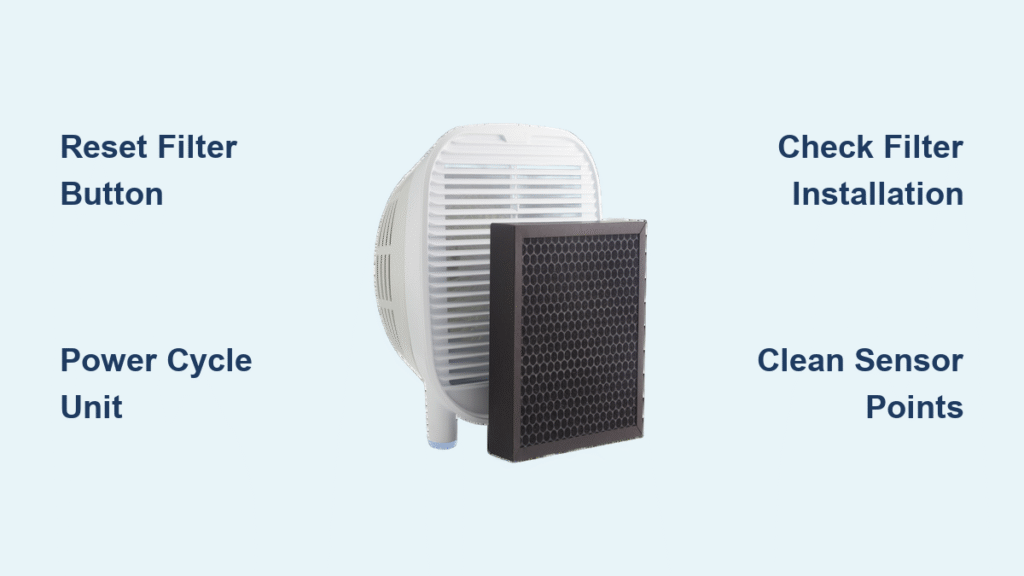
Your Oransi air purifier’s filter indicator won’t turn off after installing new filters? This common frustration affects countless users when their devices continue flashing replacement alerts despite fresh filters being properly installed. The reset process varies significantly between Oransi models, and without proper guidance, you might waste hours pressing random button combinations or mistakenly believe your unit is malfunctioning.
This guide addresses the complete filter reset process for Oransi air purifiers, from locating the reset button to troubleshooting stubborn indicators that refuse to cooperate. You’ll learn model-specific procedures, timing requirements, and proven solutions for reset failures that keep your air purifier functioning at peak efficiency.
Why Your Oransi Filter Indicator Won’t Reset After Replacement
Oransi air purifiers track filter life using internal timers rather than actual filter condition monitoring. When these timers reach their predetermined intervals (typically 6-12 months depending on usage), the unit triggers a filter change alert. The reset process tells your purifier that you’ve installed new filters and restarts these timers.
Critical understanding: Resetting does NOT assess filter quality—it simply acknowledges replacement. This explains why reset procedures work regardless of whether you installed genuine Oransi filters or compatible alternatives. Many users waste money on “official” filters thinking they’re required for reset functionality, but the reset process only responds to the timer reset command, not filter authenticity.
Finding Your Oransi Reset Button Location
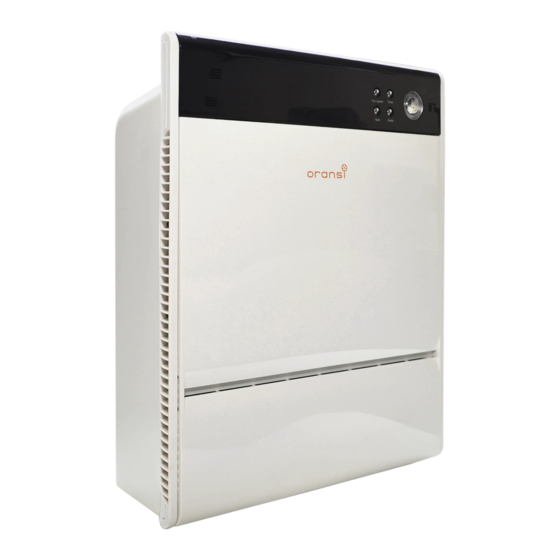
Oransi places reset controls in different locations across their model range. Most units feature either a recessed reset button or a button combination using existing controls. Knowing exactly where to look saves you from pressing every button on your unit in frustration.
Common Reset Button Locations by Model Type
Compact Models (Mod, OV Series): Look for a tiny recessed button on the top panel near the display. You’ll need a paperclip or pen tip to press it.
Premium Models (Finn, EJ Series): These feature touchscreen interfaces where the reset function is buried in the settings menu rather than a physical button.
Commercial Units (V-Hepa Max): These require specific power cycling procedures instead of a dedicated reset button.
Pro tip: Check your unit’s quick start guide or look for a small “RESET” label near buttons. The exact location affects your reset technique and determines whether you need to press a physical button or navigate through menus.
Standard Oransi Filter Reset Procedure for Physical Button Models
Follow these steps for most Oransi models with physical reset buttons like the Mod and OV series:
- Power on your air purifier (don’t just plug it in—make sure it’s actively running)
- Press and hold the reset button for 3-5 seconds using a paperclip or pen tip
- Watch for visual confirmation (indicator light changes color or display shows “0” or “100%”)
- Release button immediately when confirmation appears
- Verify reset by checking that the filter life indicator has turned off or reset to 100%
Timing matters: Pressing too briefly won’t trigger reset; holding too long might activate other functions. Most users fail on their first attempt because they don’t hold the button long enough—count slowly to 5 before releasing.
Model-Specific Oransi Filter Reset Methods
Mod and OV200 Series Reset Process
These compact models use a button combination approach instead of a dedicated reset button:
- Hold Power + Fan Speed buttons simultaneously
- Count 5 seconds until filter light flashes twice
- Release immediately after second flash
- Filter counter resets to 100%
Warning: If you release too early, the reset won’t complete. Listen for a confirmation beep—most models emit one when reset is successful.
Finn and EJ Series Touchscreen Reset
Premium models feature touchscreen controls with a more complex reset process:
- Navigate to Settings menu using the touchscreen
- Select Filter Life option from the menu
- Tap Reset Filter Timer button
- Confirm with Yes when prompted
- Exit menu—indicator should turn off immediately
Expert note: These models sometimes require you to close the filter compartment completely before the reset option becomes available in the menu.
V-Hepa Max Commercial Unit Reset
This heavy-duty purifier requires power cycling for reset:
- Unplug unit for exactly 30 seconds
- Plug back in while holding Turbo button
- Continue holding for 10 seconds after startup completes
- Filter indicator resets automatically with no additional steps
Time-saver: The V-Hepa Max will often display “RESET” on its screen during this process—release the button as soon as you see this message.
Troubleshooting Stubborn Oransi Filter Indicators

When standard procedures fail, these specific issues often cause problems. Don’t replace your unit prematurely—most reset failures have simple solutions.
Reset Button Non-Responsive Solutions
Symptoms: Pressing reset produces no response, lights, or sounds
Effective fixes:
– Verify unit is fully powered on (not just plugged in)
– Use a paperclip or pen tip for recessed buttons—fingertips are too large
– Check for button damage or debris blocking access (use compressed air)
– Try unplugging for 2 minutes then repeat procedure
Persistent Indicator Light Fixes
Symptoms: Light stays on after apparent successful reset
Reliable solutions:
– Repeat reset process 2-3 times with 30-second breaks between attempts
– Power cycle the unit after reset (unplug for 1 minute)
– Check if multiple filters need individual resets (HEPA and carbon filters often have separate indicators)
– Factory reset as last resort (hold main power button 15+ seconds)
False Filter Alerts Resolution
Symptoms: Alert returns immediately after reset
Proven solutions:
– Replace all filters—not just the one indicated (many users miss the carbon filter)
– Clean filter sensors with compressed air (dust buildup tricks the system)
– Check filter installation for proper seating (filters must click into place)
– Update firmware if available (check Oransi’s website for your model)
Critical Filter Reset Sequence After Installation
Proper installation affects reset success. Follow this exact sequence to avoid reset issues:
- Power off and unplug unit completely
- Remove old filters completely (don’t leave remnants behind)
- Clean interior with vacuum or dry cloth (dust affects sensors)
- Install new filters ensuring proper orientation (arrows pointing upward)
- Close all panels securely (most resets fail due to open compartments)
- Power on and wait for full startup (30-60 seconds)
- Perform reset using your model-specific method
Critical warning: Never reset before installing new filters. This creates false readings and might damage your unit’s monitoring system. Always install filters first, then reset.
Advanced Oransi Filter Reset Techniques
For Persistent Indicator Problems
When basic reset fails, try these advanced methods:
Forced Reset Sequence:
– Unplug unit for 60 seconds
– Hold any button while plugging back in
– Continue holding 15 seconds after power-up
– Release and perform normal reset procedure
Filter Sensor Cleaning:
– Power down completely and unplug
– Locate small round sensors inside filter cavity (often near the filter slots)
– Clean gently with dry cotton swab (never use moisture)
– Avoid touching sensor surfaces with fingers
– Resume normal reset procedure
Error Code Decoding
Some models display codes during reset failures—here’s what they mean:
- E1: Filter sensor error—clean sensors with dry swab
- E2: Timer malfunction—contact support with model number
- E3: Filter installation issue—reseat filters ensuring proper orientation
- E4: Internal memory error—unplug 30 minutes and retry
Reset Verification Methods That Actually Work
Don’t assume your reset succeeded—verify with these techniques:
Visual confirmation:
– Filter indicator turns solid green (not flashing) or disappears completely
– Display shows 100% filter life remaining (not just “reset”)
– No flashing lights after full startup completes
Operational tests:
– All fan speeds operate normally without error beeps
– Timer counts down from full filter life (check after 24 hours)
– No automatic shutdowns during operation
Long-term verification:
– Note reset date in your calendar for reference
– Track if alerts return prematurely (before 6-12 months)
– Compare actual usage to recommended intervals for your environment
Maintenance Schedule for Optimal Filter Performance
Understanding reset timing prevents premature alerts and extends filter life:
Standard reset intervals:
– Pre-filters: Reset every 3 months (vacuum cleanable)
– HEPA filters: Reset every 12 months
– Carbon filters: Reset every 6 months
– UV bulbs: Reset every 12 months (select models)
Usage adjustment factors:
– High usage (24/7 operation): Reduce intervals by 25%
– Smoking household: Cut intervals in half
– Pet owners: Reduce pre-filter intervals to 2 months
– Clean environments: Extend intervals by 20%
When to Contact Oransi Support for Reset Issues
Seek professional help when:
– Multiple reset attempts fail consistently using correct procedures
– Error codes persist after troubleshooting
– Unit performance degrades post-reset (reduced airflow, strange noises)
– Physical damage to reset button or control panel occurs
Information to provide when contacting support:
– Exact model number (found on bottom label)
– Purchase date and typical usage pattern
– Specific reset steps attempted (be detailed)
– Error messages or indicator behavior (photos help)
Regular filter resets keep your Oransi air purifier operating efficiently while preventing false alerts that cause unnecessary filter replacements. Bookmark your model’s specific reset procedure for quick reference during future filter changes. Most importantly, always reset immediately after installing new filters to maintain accurate filter life tracking and optimal air purification performance—your health depends on clean, properly functioning filters.


