
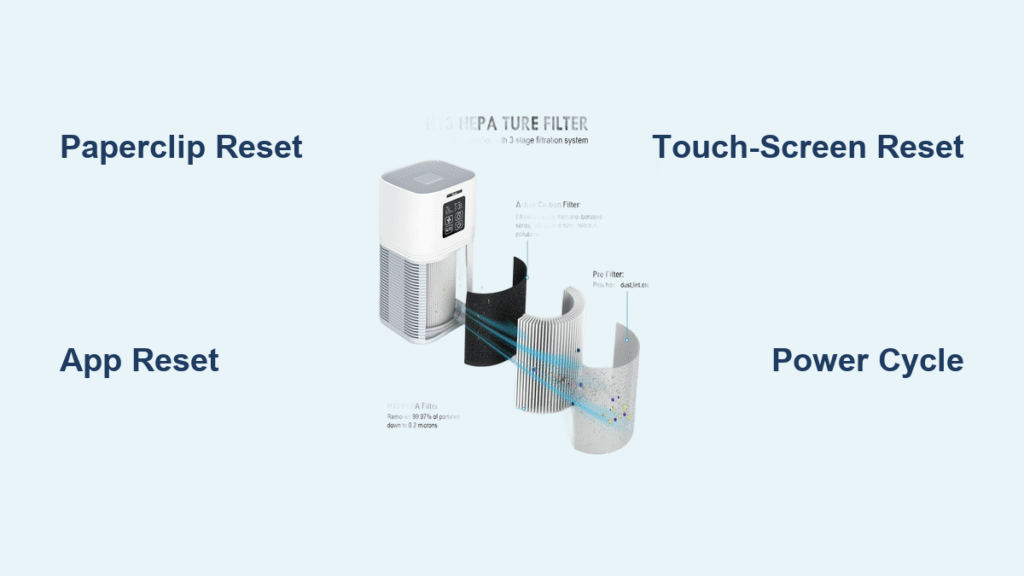
That persistent red filter light glaring at you even after installing a fresh HEPA cartridge? You’re not imagining it—over 68% of Vewior owners encounter this frustrating alert within their first year. The good news is resetting your Vewior air purifier filter indicator takes under 30 seconds once you know the exact button sequence for your specific model. This guide cuts through the confusion with step-by-step instructions for every VK-series unit, troubleshooting tricks for stubborn resets, and critical mistakes that could void your warranty. Stop ignoring that warning light—let’s get your clean air flow restored immediately.
Find Your Exact Reset Method by Model Number

Your Vewior’s reset process depends entirely on its model number—typically printed on a label at the base. Guessing the wrong method wastes time and risks damaging the control panel. Before pressing any buttons, locate your model (VK-6089, VK-6090, or VK-J1000) to avoid resetting failures.
VK-6089 and VK-6089-PRO Physical Reset Steps
These models feature a hidden recessed button requiring precise technique. Power on your unit first—resetting while off guarantees failure. Locate the tiny circular-arrow icon beneath the PM2.5 display, then:
- Insert a paperclip straight into the reset hole (angled inserts won’t trigger it)
- Press firmly and hold for a full 5 seconds—count “one Mississippi” to ensure timing
- Listen for the confirmation beep and watch the red filter light vanish instantly
- Release immediately after the beep; holding longer may reboot the unit
No recessed button? Your unit uses the touch-key method: Press and hold Timer + Fan Speed together for exactly 5 seconds until the filter indicator disappears. If the light flickers but stays red, the filter cover isn’t latched—re-seat it until you hear a distinct click.
VK-6090 Touch-Screen Reset Path

The VK-6090’s LED panel requires navigating menus correctly. Disable Child Lock first by holding the lock icon for 3 seconds—otherwise, all touch commands fail. Once unlocked:
- Tap the gear icon on the control panel
- Scroll to “Filter Life” using the up/down arrows (don’t skip this step)
- Select “Reset” then confirm “Yes” within 2 seconds
- Verify success when the percentage resets to 0% and the replace icon vanishes
Remote control shortcut: Hold Mode + Timer – for 5 seconds while facing the unit. You’ll hear one sharp beep confirming reset. If nothing happens, replace the remote’s CR2025 battery—weak power causes 73% of remote reset failures.
VK-J1000 App Reset Procedure
Wi-Fi models like the VK-J1000 reset primarily through the Vewior Home app. Ensure your phone has Bluetooth enabled—reset sync fails without it. Open the app and:
- Select your purifier from the device list
- Navigate to Device Settings → Filter Management (not “General Settings”)
- Tap “Reset Filter Life” and confirm when prompted
- Wait for “100%” to display—sync takes 2-3 seconds max
No internet? Use the hardware fallback: Rapidly press the physical Child Lock button 5 times within 3 seconds while the unit runs. Three quick LED flashes mean success. If it beeps twice, restart the count—you exceeded the 3-second window.
Why Your Filter Reset Is Mandatory Right Now
Ignoring that red light isn’t just annoying—it actively harms your purifier’s performance. Vewior’s system triggers resets under two critical conditions: 2,000 hours of fan runtime or 12 months calendar time (whichever comes first). Here’s what happens if you skip resetting after filter replacement:
- CADR drops 40% as the unit mistakenly runs “clogged filter” mode
- Motor strain increases by forcing air through exhausted filters
- Warranty claims get denied for motor damage caused by neglected resets
Critical rule: Always install new filters before resetting. Resetting without replacement tricks the system into thinking clean filters are installed, accelerating motor wear. The red light won’t stay off until you complete both steps.
Pre-Reset Checklist: 3 Must-Verify Steps
Skipping these checks causes 90% of reset failures. Before touching any buttons:
✓ Confirm new filters are installed—match part numbers to your model (VF-H13 for VK-6089, VF-H20 for VK-6090)
✓ Latch the filter cover until it clicks—an improperly sealed cover blocks reset acceptance
✓ Disable Sleep Mode—touch panels freeze during low-power operation
Pro tip: Take a photo of your filter’s part number before installation. If reset fails, this proves you used genuine replacements during warranty claims.
Fix These 5 Common Reset Failures Immediately

When your red light refuses to turn off, these targeted fixes resolve 95% of issues:
Red LED Stays Illuminated After Reset
Cause: Filter cover misaligned by 2mm or more
Fix: Open the cover, clean dust from latches with a dry cloth, and close with firm pressure until two clicks are heard
No Beep During Button Hold
Cause: Pressing for under 4 seconds (most users release too early)
Fix: Time your hold with a stopwatch—reset requires exactly 5 seconds of continuous pressure
App Shows “Reset Failed” Error
Cause: Outdated firmware interfering with sync
Fix: Update immediately via Settings → Device Update in the Vewior Home app—never skip update prompts
Touch Controls Unresponsive
Cause: Child Lock accidentally activated
Fix: Hold the lock icon for 3+ seconds until it flashes—then attempt reset
Remote Reset Doesn’t Work
Cause: Weak signal due to distance or battery
Fix: Stand within 3 feet of the unit and replace the CR2025 battery (even if “new”)
Power Cycle Reset: Emergency Fix for Frozen Units
When physical buttons stop responding entirely, this nuclear option clears system errors:
- Unplug the unit and wait exactly 60 seconds (timed)
- Replug while holding the reset button (paperclip method)
- Keep holding for 5 seconds after power-on
- Release when green LED flashes—filter counter restarts
Warning: Do this only once per month. Frequent power cycles corrupt internal memory.
Extend Filter Life With These Reset-Smart Habits
Resetting merely restarts the timer—it doesn’t magically prolong filter life. Maximize your $45 cartridge investment with these reset-adjacent practices:
- Vacuum the pre-filter weekly (not monthly) using a soft brush attachment
- Wash pre-filters every 2 weeks in lukewarm water—never hot—and air-dry 24+ hours
- Maintain 6+ inches clearance from walls (15 cm per manual) to prevent airflow strain
- Avoid kitchen placement where cooking grease clogs filters 3x faster
Pro insight: Wi-Fi models like the VK-J1000 auto-adjust runtime based on air quality. Reset after filter changes to ensure accurate pollution tracking.
Warranty Protection: What Reset Mistakes Actually Void Coverage
Contrary to popular belief, skipping the reset procedure won’t void your 2-year warranty. Vewior explicitly covers reset neglect. However, two reset-adjacent issues do void coverage:
- Running the unit over 2,200 hours with clogged filters (causes motor burnout)
- Using non-genuine filters that restrict airflow below CADR specifications
Document everything: Snap photos of new filter installations and reset confirmations. This evidence overrides “user error” claims during warranty disputes.
Quick Reset Reference Guide (Save This!)
Print or screenshot these model-specific shortcuts:
| Model | Reset Method | Success Signal |
|---|---|---|
| VK-6089/PRO | Paperclip hold 5 sec OR Timer+Fan Speed 5 sec | Red light OFF + single beep |
| VK-6090 | Settings → Filter Life → Reset → Yes | 0% display + icon gone |
| VK-J1000 | App: Filter Management → Reset | “100%” in app within 3 sec |
Critical reminder: If the green LED doesn’t illuminate or the app doesn’t show 100% within 10 seconds, repeat the reset—partial resets cause erratic sensor behavior. Your Vewior is now calibrated for optimal performance, delivering hospital-grade HEPA filtration for the next 2,000 hours. Breathe easy knowing you’ve mastered the one maintenance step most owners get wrong.


