
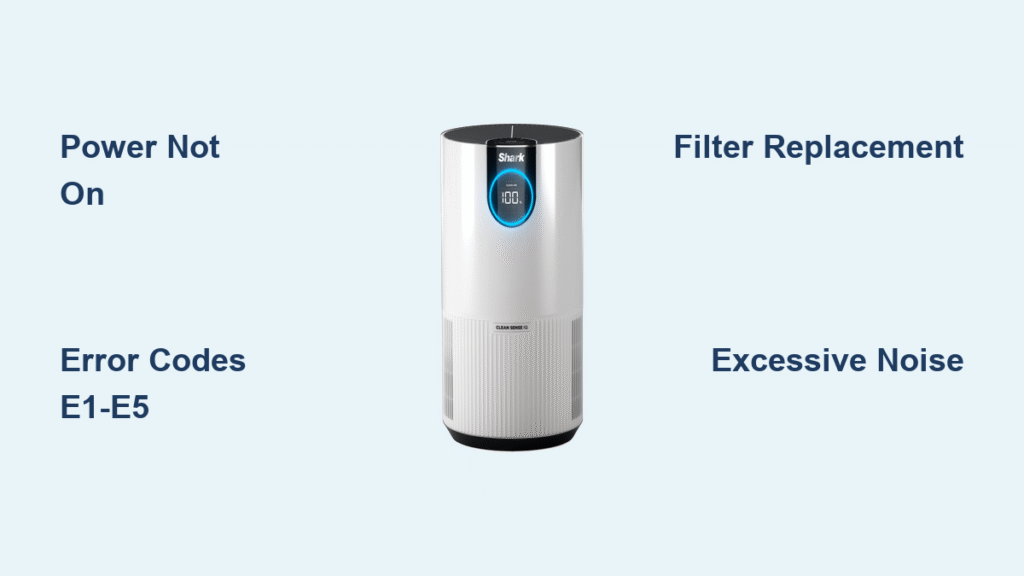
When your Shark air purifier suddenly stops cleaning your air effectively, it’s more than just an appliance issue—it’s a direct threat to your home’s air quality and your family’s health. Whether your unit won’t power on, displays confusing error codes, or runs louder than normal, these malfunctions can leave you breathing contaminated air while wondering what went wrong. This comprehensive guide walks you through the most common Shark air purifier problems and provides practical solutions you can implement immediately without specialized tools or technical expertise.
Shark air purifiers have become essential for many households seeking cleaner indoor air, but like any electronic device, they occasionally encounter issues that disrupt their performance. The good news is that most problems have straightforward fixes you can handle yourself, saving you time, money, and the frustration of breathing poor-quality air. By the end of this guide, you’ll know exactly how to diagnose and resolve the most frequent Shark air purifier issues, ensuring your unit operates at peak efficiency.
Power Problems and Quick Fixes
Unit Won’t Turn On
When your Shark air purifier refuses to power up, start with the most basic troubleshooting step that solves the majority of cases. Check that the power cord is firmly seated in both the purifier and wall outlet—loose connections account for more startup failures than users typically realize. Test the outlet by plugging in another device to verify it’s functioning properly. If other devices work in the same outlet, the issue lies with your air purifier rather than your home’s electrical system.
Before assuming your unit has failed completely, inspect the power cord for visible damage or fraying that could interrupt the electrical connection. Gently bend the cord along its length while attempting to power on the unit to identify any internal breaks. If you discover damage, replace the cord immediately rather than risking electrical hazards. For units with removable power cords, try a different cord if available to isolate whether the problem stems from the cord or the purifier itself.
Tripped Circuit Breaker Solutions
Your Shark air purifier might cause circuit breakers to trip when operating on the same circuit as other high-draw appliances. Unplug nearby devices like space heaters, hair dryers, or microwaves before attempting to reset the breaker. Once you’ve reduced the electrical load, locate your home’s electrical panel and flip the tripped breaker completely to the “off” position before returning it to “on.”
If your purifier consistently trips breakers even when operating alone, try plugging it into an outlet on a different circuit. Persistent tripping indicates either an internal electrical fault within the purifier or an overloaded circuit that requires attention from a qualified electrician. Never bypass safety mechanisms by using higher-rated breakers or extension cords, as this creates serious fire hazards.
Error Code Decoding Guide
Understanding LED Indicator Patterns
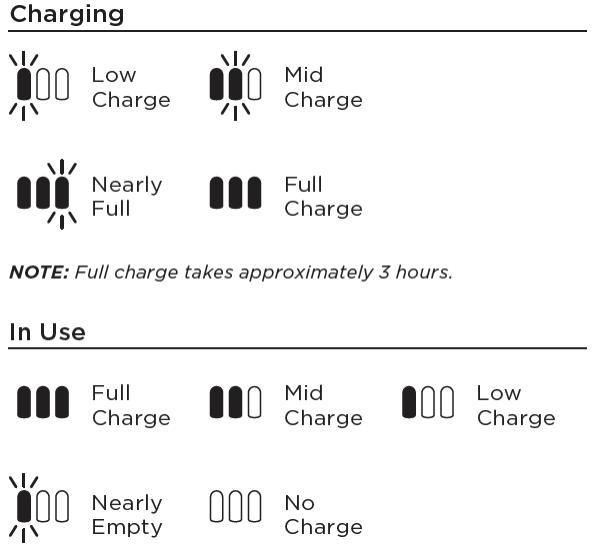
Shark air purifiers communicate operational status through specific LED light patterns rather than complex digital displays. A solid green light typically confirms normal operation, while a steadily blinking green light often indicates the unit is in startup mode or performing self-diagnostics. Red lights usually signal filter replacement needs, and flashing amber lights commonly indicate sensor issues requiring attention.
Pay close attention to the specific pattern of flashes, as Shark models often use coded sequences to communicate different problems. For example, two quick flashes followed by a pause might indicate one issue, while five rapid flashes could signal something completely different. Consult your specific model’s manual for the exact meaning of light patterns, as these can vary between Shark air purifier generations.
E1 Through E5 Error Solutions
Error codes E1 and E2 typically relate to air quality sensor malfunctions that prevent accurate air monitoring. Begin by power cycling your unit—unplug it for a full 30 seconds to reset the internal electronics, then reconnect power. If error codes persist after resetting, the sensor might require cleaning or professional replacement. Gently clean around the sensor area with compressed air, taking care not to damage the delicate components.
E3 and E4 codes often indicate fan motor problems that require professional attention. These errors might occur if the fan blades are obstructed, the motor is failing, or internal wiring has become disconnected. Check for visible obstructions around the fan housing before considering professional repair. E5 codes typically signal more serious electrical faults that should be addressed by contacting Shark customer service rather than attempting DIY fixes that could void your warranty.
Filter Replacement Issues
False Filter Change Alerts
Your Shark air purifier might display premature filter change alerts if the sensors monitoring filter condition become dirty. Before replacing filters unnecessarily, clean the filter compartment thoroughly using compressed air to remove dust buildup around the sensor windows. Pay special attention to the small openings where the unit detects airflow resistance.
After cleaning, reset the filter indicator by following your model’s specific reset procedure—typically involving holding the filter reset button for 5 seconds until the indicator light changes. This simple reset can save you the cost of premature filter replacements while ensuring your air purifier continues operating efficiently.
HEPA Filter Installation Problems
Improperly seated HEPA filters trigger continuous replacement alerts and reduce air purification effectiveness. When installing a new filter, ensure the directional arrows printed on the filter media point toward the fan assembly—usually indicated by airflow direction markers inside the compartment. Press firmly around the entire perimeter of the filter until you hear or feel it click securely into place.
The filter should sit completely flush with no visible gaps between the filter edge and the housing. Any gaps allow unfiltered air to bypass the filtration system, significantly reducing your purifier’s effectiveness. If you continue experiencing installation issues, verify you’re using the correct filter model number for your specific Shark air purifier.
Noise Troubleshooting Steps
Identifying Normal vs Problem Sounds
Your Shark air purifier produces a steady, consistent whooshing sound during normal operation, particularly at higher fan speeds. This airflow noise is expected and indicates proper function. However, grinding, clicking, or irregular rattling sounds indicate problems that require attention. High-pitched squealing often suggests motor bearing wear, while rhythmic thumping typically means debris has become lodged in the fan assembly.
Before assuming the worst, determine whether the noise occurs at all fan speeds or only at specific settings. Problems that manifest only at higher speeds often relate to vibration issues rather than serious mechanical failures. Document the specific sound characteristics and when they occur to help diagnose the problem more accurately.
Fan Blade Cleaning Process
Excessive noise often stems from accumulated dust on fan blades creating imbalance. Unplug your unit and remove the front grill according to your model’s specifications—typically secured by clips or a few screws. Using a soft brush or compressed air, carefully clean both sides of each fan blade, paying special attention to the blade edges where dust accumulates.
While cleaning, inspect each blade for damage or bending that could cause vibration. If you find a slightly bent blade, carefully straighten it using needle-nose pliers while supporting the opposite side to avoid breaking the plastic. Severe blade damage requires professional repair or replacement of the fan assembly.
Air Quality Sensor Calibration

Sensor Cleaning Methods
Inaccurate air quality readings often result from dirty sensors rather than actual malfunctions. Locate the small sensor window inside the air intake area—usually a clear or slightly tinted plastic cover. Using a cotton swab lightly moistened with distilled water (never tap water, which contains minerals), gently clean the sensor lens in a circular motion.
Avoid using cleaning chemicals, alcohol, or excessive moisture that could damage the sensitive components. Allow the sensor area to dry completely for at least 30 minutes before powering on the unit. For stubborn buildup, use a can of compressed air to dislodge particles before the gentle cleaning step.
Recalibration After Cleaning
After sensor cleaning, properly recalibrate your Shark air purifier by running it on the highest setting for 30 minutes in a clean, well-ventilated room. During this period, the unit establishes new baseline readings for normal air quality. Don’t be alarmed if the air quality indicator fluctuates during this recalibration period—this is normal as the sensors adjust to their cleaned state.
For best results, perform recalibration in an environment with known good air quality, such as after running your purifier overnight with windows closed. Avoid recalibrating immediately after cooking, smoking, or using aerosol sprays, as these create temporary air quality conditions that will skew your baseline readings.
When to Call Professionals
Electrical Safety Concerns
Immediately unplug your Shark air purifier if you detect burning smells, see visible sparks, or notice smoke emanating from the unit. These symptoms indicate serious electrical problems that require professional attention. Never attempt to disassemble or repair electrical components yourself, as this creates significant shock hazards and will void your warranty.
Contact Shark customer support directly for guidance on next steps. They can determine whether your issue qualifies for warranty coverage or requires authorized service. Attempting DIY electrical repairs on air purifiers creates fire risks and potential health hazards from exposed components.
Warranty Coverage Details
Most Shark air purifiers include warranties ranging from 1-5 years depending on the specific model and purchase date. To maintain warranty coverage, keep your original purchase receipt and register your product online through Shark’s official website. Warranties typically cover manufacturing defects in materials and workmanship but exclude normal wear items like filters and damage from improper use.
Before seeking service, verify whether your issue falls under warranty coverage by checking your model’s specific terms. Shark’s customer service can provide clarification on coverage details and help determine whether your problem requires professional attention or can be resolved through simple troubleshooting steps.


