
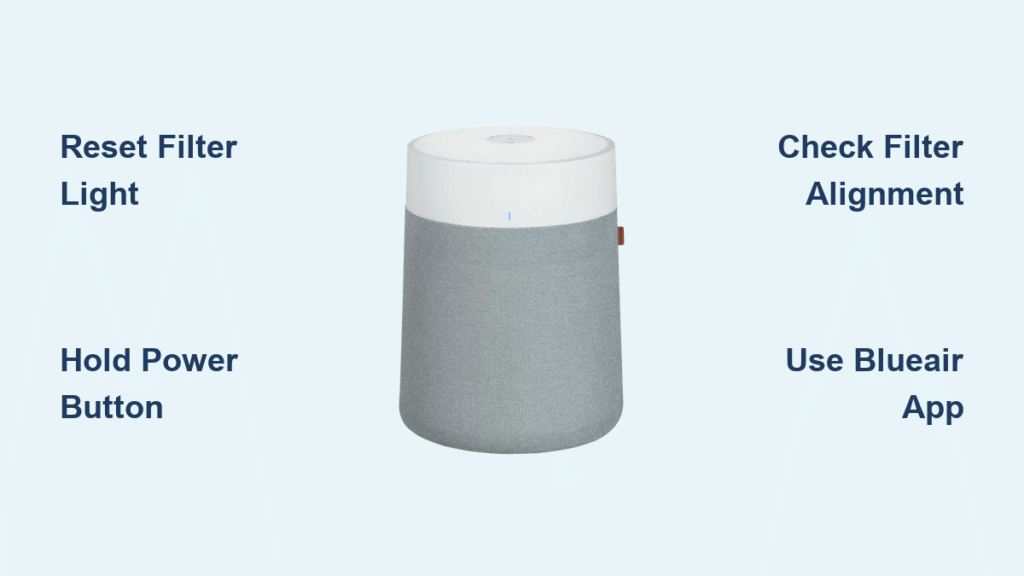
Your Blueair purifier’s red filter light just won’t turn off, even after replacing the filter last week. Sound familiar? You’re not alone—this is the most common frustration Blueair owners face, but the fix is simpler than you think. That persistent red light isn’t just annoying; it’s your purifier’s way of telling you it’s time to reset its internal tracking system after filter replacement.
Resetting your Blueair air purifier isn’t just about making that annoying light disappear. It’s the key to accurate filter tracking, optimal air cleaning performance, and avoiding premature filter replacements that cost you money. Whether you’re dealing with a Classic 503, a Blue Pure 211+, or the latest HealthProtect 7470i, we’ll walk you through the exact reset steps for your specific model. Skip this crucial step, and your purifier will keep warning you about “expired” filters that are actually brand new.
Reset Blueair 203, 205, 303, and 503 Models
For these Classic series units, the reset process takes just 10 seconds but requires precise timing. With your purifier powered on and the new filter properly installed, locate the main power button—usually the largest button on the control panel. Press and hold this button firmly for exactly 10 seconds. Don’t let go too early! You’ll know you’ve done it right when you hear a distinctive double beep or see the indicator lights flash rapidly in sequence.
The filter indicator should immediately change from red to green, confirming successful recalibration. If your model lacks a digital display, this visual cue is your only confirmation that the reset worked. If the light remains red after resetting, double-check that your filter is fully seated with the removal tab facing outward—this alignment is critical for the sensor to detect the new filter properly.
Reset Blue Pure 121, 411, and 411+ Models
The Blue Pure series hides its reset function in plain sight on the large central button. With your unit powered on, press and hold this prominent top button for 5-10 seconds. Watch the LED indicator carefully—it will cycle through colors (typically blue, red, then green) before settling back on blue. This color sequence confirms your reset is processing.
Your filter indicator light will either switch from red to blue or turn off completely, depending on your specific model. The entire process takes less than 15 seconds, making it one of the quickest resets across Blueair’s lineup. If the light doesn’t change after multiple attempts, try resetting with the filter temporarily removed, then reinstall and reset again—this often clears sensor misalignment issues.
Reset Blue Pure 211+ Auto Model
The 211+ Auto model requires a different approach that many owners miss. Instead of the central button, locate the fan speed button (marked with a distinctive fan icon) and hold it for precisely 7 seconds. The LED ring will pulse white three times rapidly, then return to its normal operating color. This specific white pulsing pattern confirms your filter timer has reset to zero.
Many users make the mistake of holding the wrong button or releasing too early. If you don’t see the white pulses, try again while counting slowly to seven. This model’s auto-reset function is particularly sensitive to proper timing—hold it just a fraction too long or too short, and the reset won’t register.
Reset Sense and Sense+ Wi-Fi Models
For original Sense models, ensure your unit is plugged in but powered off. Press and hold both the plus (+) and minus (-) buttons simultaneously for exactly 15 seconds. You’ll hear two quick beeps accompanied by rapid LED flashing—this is your confirmation that the reset sequence has initiated. Release the buttons immediately after the second beep, then power on normally.
Sense+ Wi-Fi models require an extra step for full synchronization. After completing the physical reset, open your Blueair Friend app, select your specific unit, and tap “Confirm Filter Reset” when prompted. This dual-step process ensures the reset syncs across both your physical unit and mobile device within 30 seconds. Skip the app step, and your filter life might still show incorrectly in the app despite working on the unit itself.
HealthProtect 7470i and 7770i Touch Display Reset
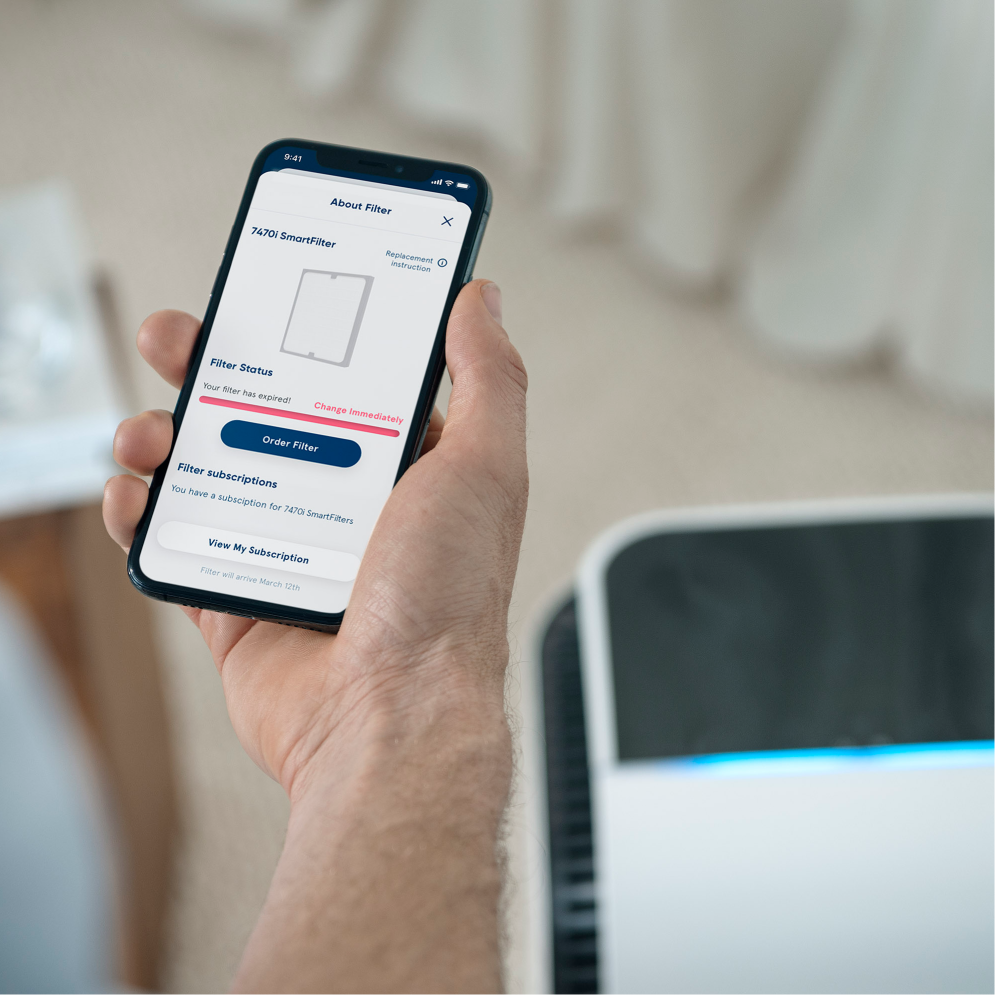
These premium models offer the most intuitive reset method via their touch display. Swipe down from the top of your screen to access the settings menu—don’t tap randomly as this might activate other functions. Select “Filter Life,” then “Reset Filter Timer,” and confirm when prompted. Some models require entering a simple confirmation code displayed on screen; this security measure prevents accidental resets.
The unit automatically runs a 15-second self-diagnostic before confirming “Filter Timer Reset Complete” on screen. If you prefer using your phone, the Blueair app method works equally well: select your HealthProtect unit, tap the gear icon, choose “Filter Management,” then “Reset Filter Life.” The app pushes this command directly to your unit with near-instant confirmation on both devices.
DustMagnet 5210i and 5440i Reset Method
The DustMagnet series makes reset incredibly simple through its display interface. Touch and hold the filter icon on your display panel for exactly 3 seconds—don’t tap, as this won’t register. The screen will display “Reset Filter?” prompting you to tap the checkmark icon to confirm. Your filter timer immediately returns to 100%, and normal operation resumes without delay.
For those who primarily use the app, the DustMagnet reset option is equally accessible. In the Blueair app, select your specific DustMagnet unit, navigate to “Device Settings,” then “Filter Status,” and tap “Reset.” This method proves especially useful when the physical display is difficult to access due to tight space installation.
Fix Common Reset Failures

When your Blueair reset fails completely, check these five critical issues before trying again:
– Filter alignment: The removal tab must face outward toward the handle
– Sensor obstructions: Vacuum the filter compartment interior with a soft brush attachment
– Unstable surface: Ensure your unit sits perfectly level and stable
– Physical damage: Inspect filter sensors for visible cracks or debris
– Reset sequence: Try the two-step method—reset with filter removed, reinstall, then reset again
Clear Error Codes Fast
E1 Filter Error Fix requires thorough cleaning: Remove all filters completely, vacuum the interior housing thoroughly (paying special attention to corners), reinstall filters with proper alignment, then perform the standard reset procedure. This error often indicates residual dust interfering with sensor detection.
E2 Sensor Error Fix needs delicate handling: Locate the particle sensor (a small opening near the air intake), clean gently with a soft brush or short burst of compressed air, then perform a factory reset to clear the error memory. Never use liquids or harsh tools on this sensitive component.
E3 Motor Error Fix is usually simple: Unplug your unit for 5 minutes minimum, check both air intake and outlet for obstructions (even small items like paper clips can trigger this), remove any visible debris, then power on and perform your model’s standard reset.
Reset Maintenance Schedule
Reset your Blueair air purifier immediately after filter replacement to maintain accurate tracking. Standard filters last approximately 6 months (4,380 hours on low speed), while HEPASilent filters may last 6-12 months depending on usage. Missing this reset step causes your unit to think you’re using an old filter, triggering premature replacement warnings.
Perform a 30-second power-off reset monthly as preventive maintenance. Simply unplug your unit, wait 30 seconds, then plug it back in. This quick action clears minor sensor errors and recalibrates internal systems between filter changes. After any power outage lasting 2+ hours, always perform a full reset—extended power loss can scramble the filter life calculation.
Verify Your Reset Success
After completing any reset procedure, check these five confirmation points within the first minute:
– Filter indicator light turns green or turns off completely
– Fan speed responds normally through all settings
– No error codes appear on display
– Unit runs stable for 10 minutes on medium speed
– App shows 100% filter life (for Wi-Fi models)
Monitor your purifier closely during the first 24 hours post-reset. Watch for proper air quality indicator response to environmental changes, listen for unusual noises that might suggest improper filter installation, and verify app commands work correctly for Wi-Fi models. The LED indicators should display appropriate colors matching current air quality—blue for good, yellow for moderate, red for poor.
Advanced Reset Features
Newer Blueair models (2021+) with RFID chips automatically detect genuine filters. When installing authentic Blueair filters, your unit may reset automatically without manual intervention. Third-party filters, however, always require manual reset and trigger a permanent “non-genuine filter” warning that cannot be cleared—this is why many users experience persistent reset issues after using aftermarket filters.
Some models track actual air quality data and may prompt early filter changes. When this happens:
1. Inspect your filter visually—if it looks clean, proceed with reset
2. Reset the indicator but monitor air quality closely for 48 hours
3. Replace immediately if air quality doesn’t improve post-reset
For multiple Blueair units in one household, reset each unit individually—never attempt batch resets. Name each unit uniquely in your app (e.g., “Kitchen Purifier” or “Bedroom Unit”) and verify completion by checking the “Last Reset” timestamp in each unit’s settings. Full sync across all connected devices typically happens within 24 hours.
Remember: The reset isn’t just tech housekeeping—it’s essential for your purifier’s brain to accurately track filter life and maintain peak air cleaning performance. Bookmark this guide for your next filter change, and you’ll never struggle with stubborn indicator lights again. A proper reset takes less than a minute but ensures your Blueair continues delivering clean, healthy air efficiently for months to come.


